Playing movies
n
Playing movies n
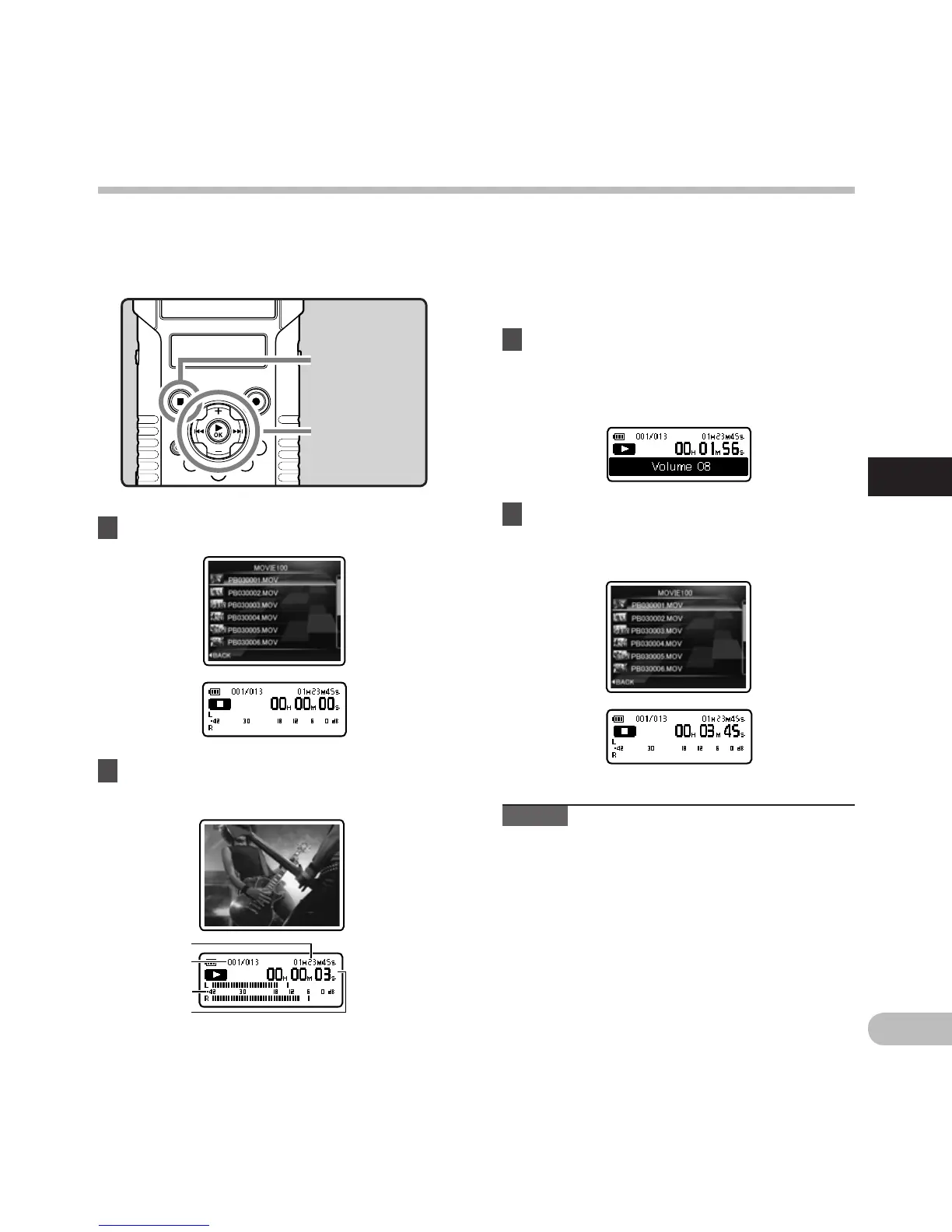
2 Press the `OK button to start
playback.
1 Select the movie file to play (☞ P.32).
• [•] will appear on the sub LCD.
a F
ile length
b F
ile number
c L
evel meter
d E
lapsed playback time
You can play movie files shot with the recorder. The
recorder can also be connected to a TV so that you
can enjoy high definition movies on a large screen.
+ − button
`OK button
STOP (4) button
3 Press the + or − button to adjust to a
comfortable listening volume.
• The volume can be adjusted within a range
from [00] to [30].
4 Press the STOP (4) button at any point
you want to stop playback.
• [L] will appear on the sub LCD.
Note
• M
ovies shot with a device other than the
recorder or movie files imported from a PC may
not play correctly.



 To Next Page