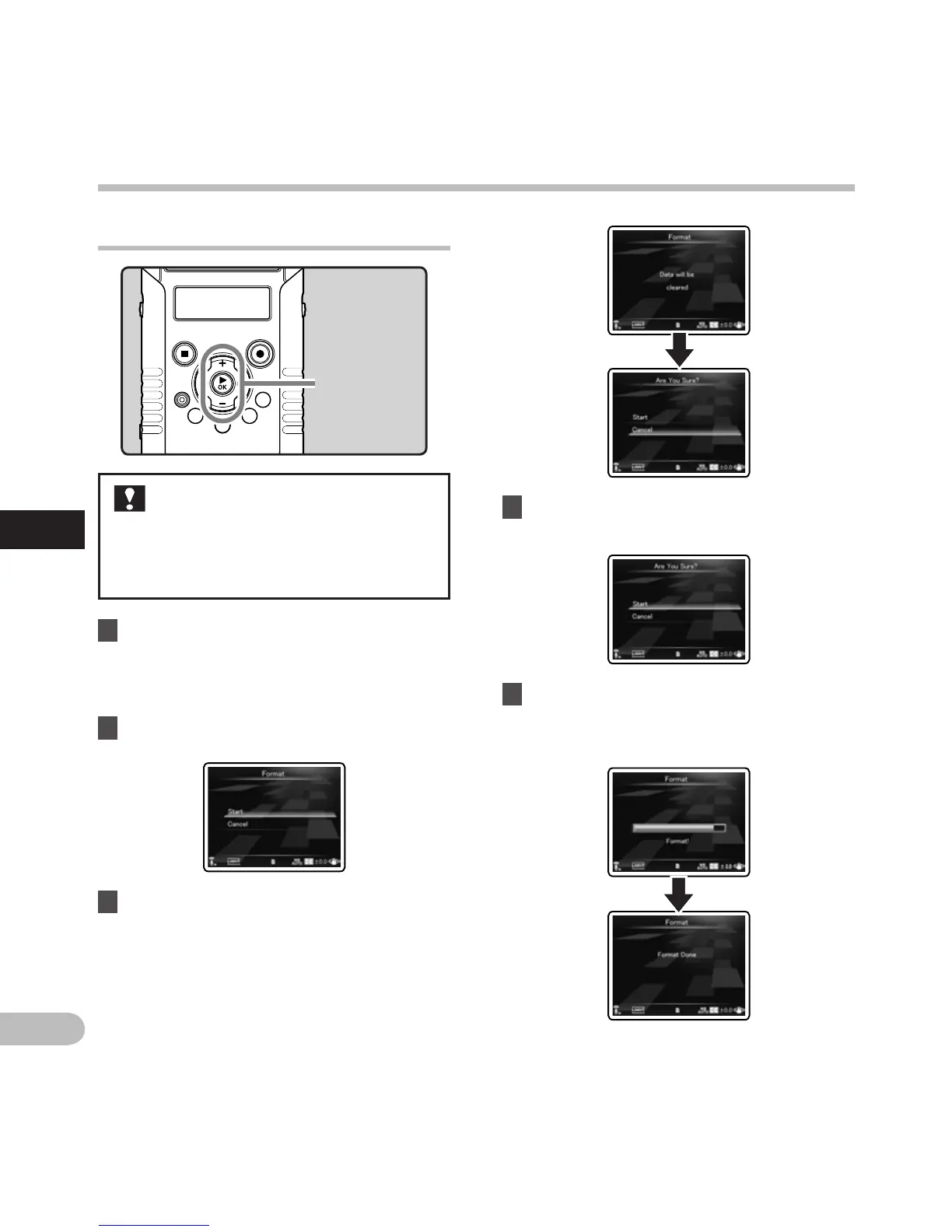
Formatting the recorder [Format] A n
1 Select [Format] from the menu on the
[Device Menu].
• For details on how to enter the menu
settings, see “Menu setting method”
(☞
P.63).
2 Press the + button to select [Start].
3 Press the `OK button.
• After [Data will be cleared] message is on
for two seconds, [Start] and [Cancel] will
turn on.
If you format the recorder, all files will
be removed and all function settings
will return to defaults except date and
time settings. Transfer any important
files to a computer before formatting
the recorder.
+ − button
`OK button
• [Format Done] appears when formatting
ends.
4 Press the + button again to select
[Start].
5 Press the `OK button.
• Formatting begins and [Format !] flashes on
the main LCD.
Menu setting method
Menu setting method



 To Next Page