6 Press the `OK button to complete the
setting.
• If there are more files to move, repeat Steps
3 through 6.
•
Pressing the 0 button without pressing
the `OK button will cancel the settings and
return you to the previous screen.
7 Press the MENU button to close the
menu screen.
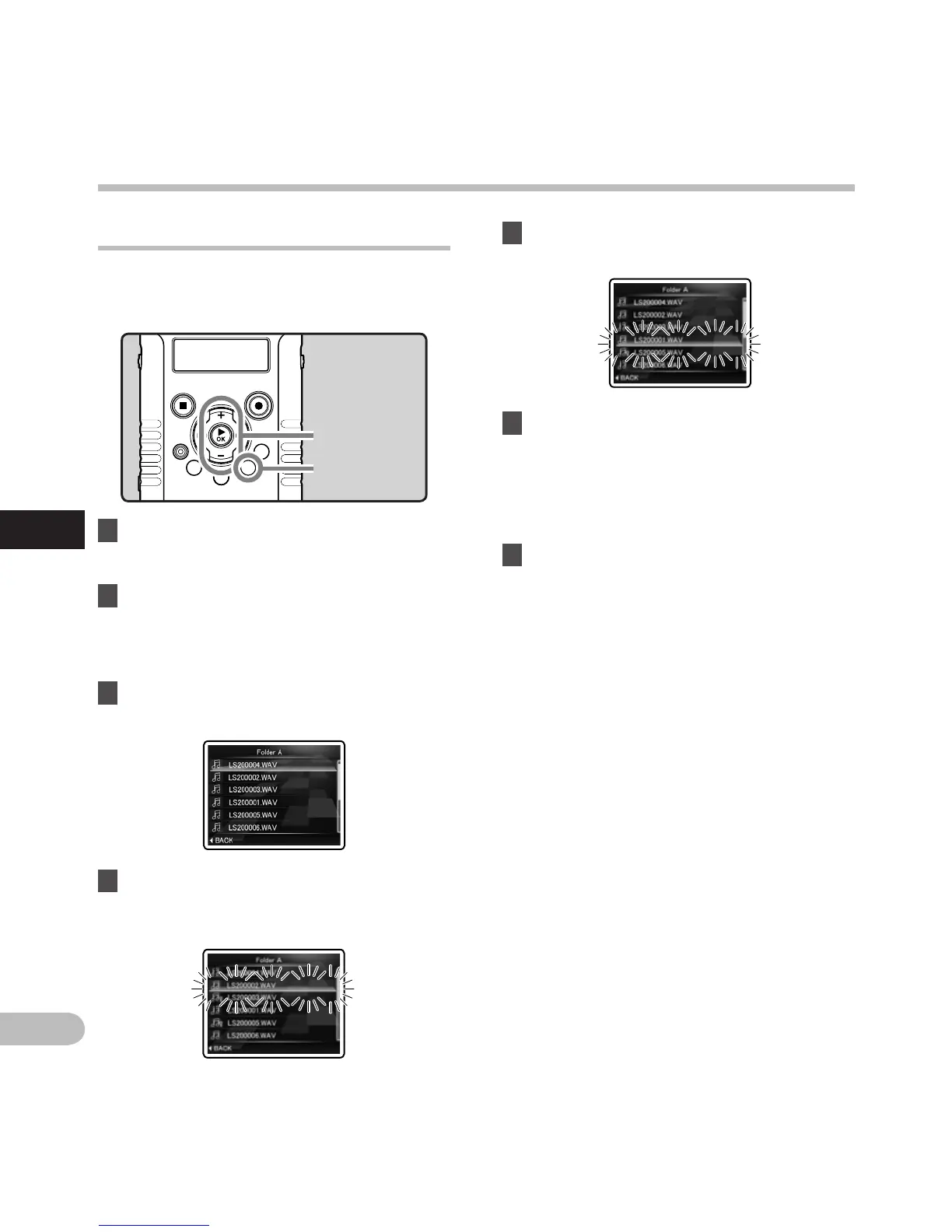
5 Press the + or − button to select the
location to move it to.
Rearranging files [Replace] A n
You can move a file in a folder to change the order
of playback. First select the folder (file) for which
you want to change the playback order.
1 Select the folder for which you
would like to rearrange the file order
(☞ P.32).
2 S
elect [Replace] from the menu on the
[File Menu].
• For details on how to enter the menu
settings, see “Menu setting method”
(☞
P.63).
3 Press the + or − button to select the file
you want to move.
4 Press the `OK button.
• The cursor will flash to confirm that the file
can be moved.
+ − button
`OK button
MENU button
Menu setting method
Menu setting method



 To Next Page