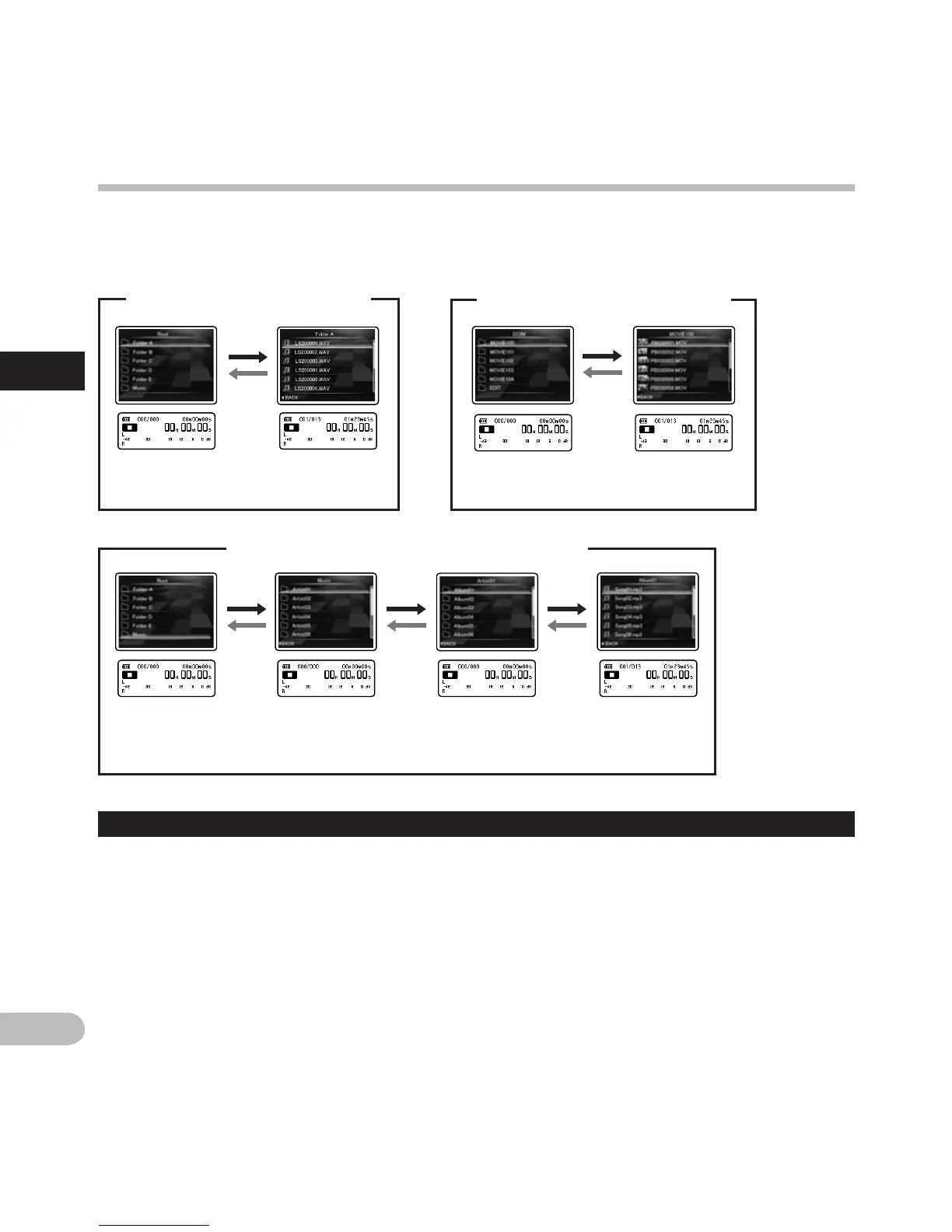
Please change folders only when the recorder's operation is stopped. For information on the layered
structure of the folders, see the section entitled “Notes on the folders” (☞ P.29 ~ P.31).
Selecting the folders and files
A
mode [Operation of the folders for music playbacks]
File list display
n
mode [Operation of the folders for
movie shootings]
Folder list
display
Folder list
display
(First layer)
Folder list
display
(Second layer)
File list display
Folder list
display
A
mode [Operation of the folders for
voice recordings]
Moving through the levels
} Return: LIST button
Each time you press this it returns up one level.
The 0 button can also serve as the LIST
button on a list display.
{ Proceed: `OK button
Each time you press this it opens the folder or
file selected in the list display and proceeds
down one level.
•
The 9 button can also serve as the `OK
button on a list display.
+ or – button
Select the folder or file.
List display:
The folders and files recorded in this recorder
are displayed.
Selecting the folders and files
File list displayFolder list
display



 To Next Page