© 2011 Omnicell, Inc. External Return Bin Installation and Service Guide/67-2038 Rev D
Installation Instructions 2-25
Installation on G3 Cabinets
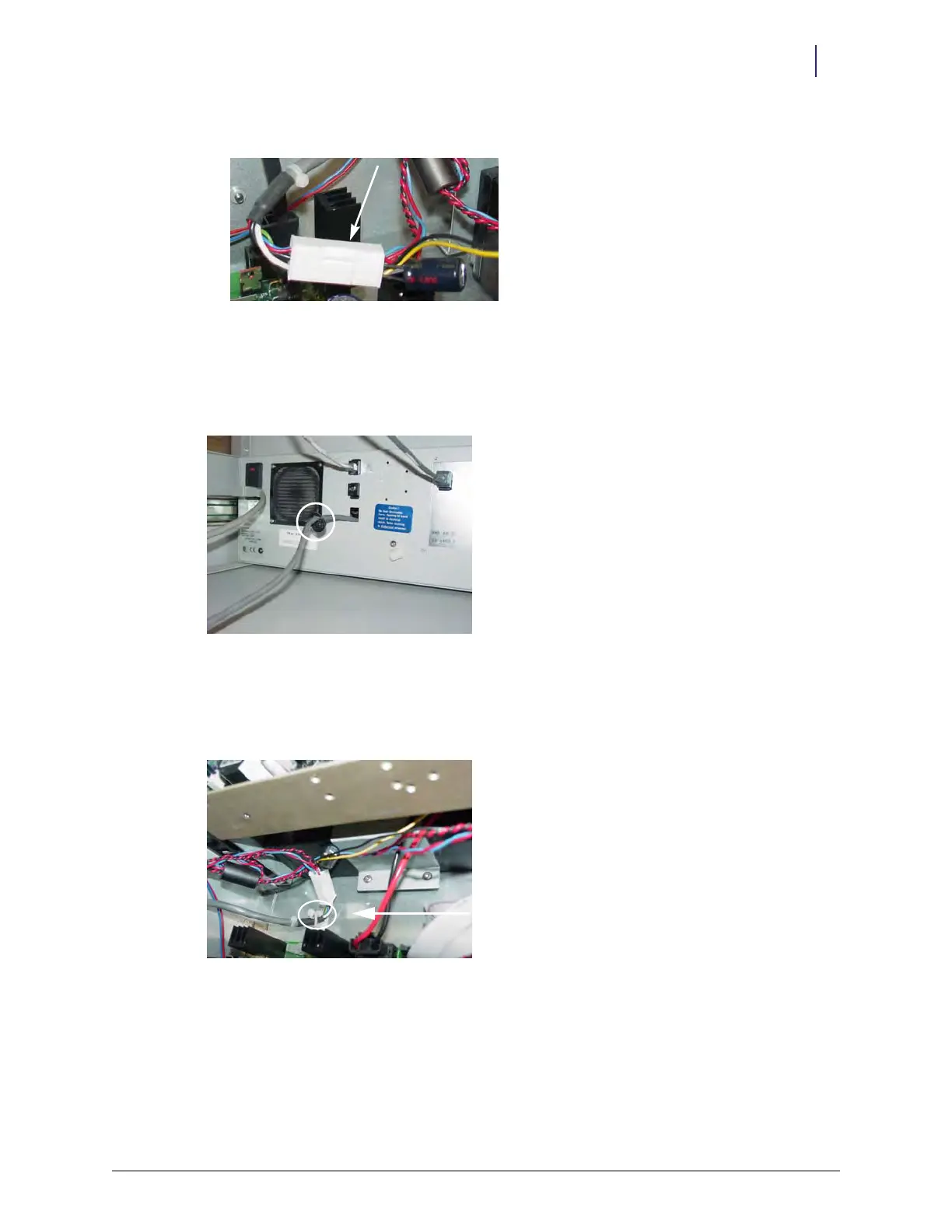
10. Connect the Molex connector of the ERB cable with the AUX cable assembly.
Figure 2-64. Molex connector
11. Pull any slack on the ERB cable out of the PC box.
12. Snap on the black grommet over the ERB cable, then push it half-way through the second AUX
opening.
Figure 2-65. Grommet placement
13. Snap the metal retainer in the grommet groove to secure the cable to the inside back of the
electronic sled.
14. Secure new cables in the PC box using a Kurly lock or cable tie.
Figure 2-66. Secured cables
15. Cover the PC box with its lid.
16. Push the PC box back into place.



 To Next Page