2-12 Installation Instructions
Installation on G3 Cabinets
External Return Bin Installation and Service Guide/67-2038 Rev D © 2011 Omnicell, Inc.
Cabling for the OmniTT G3
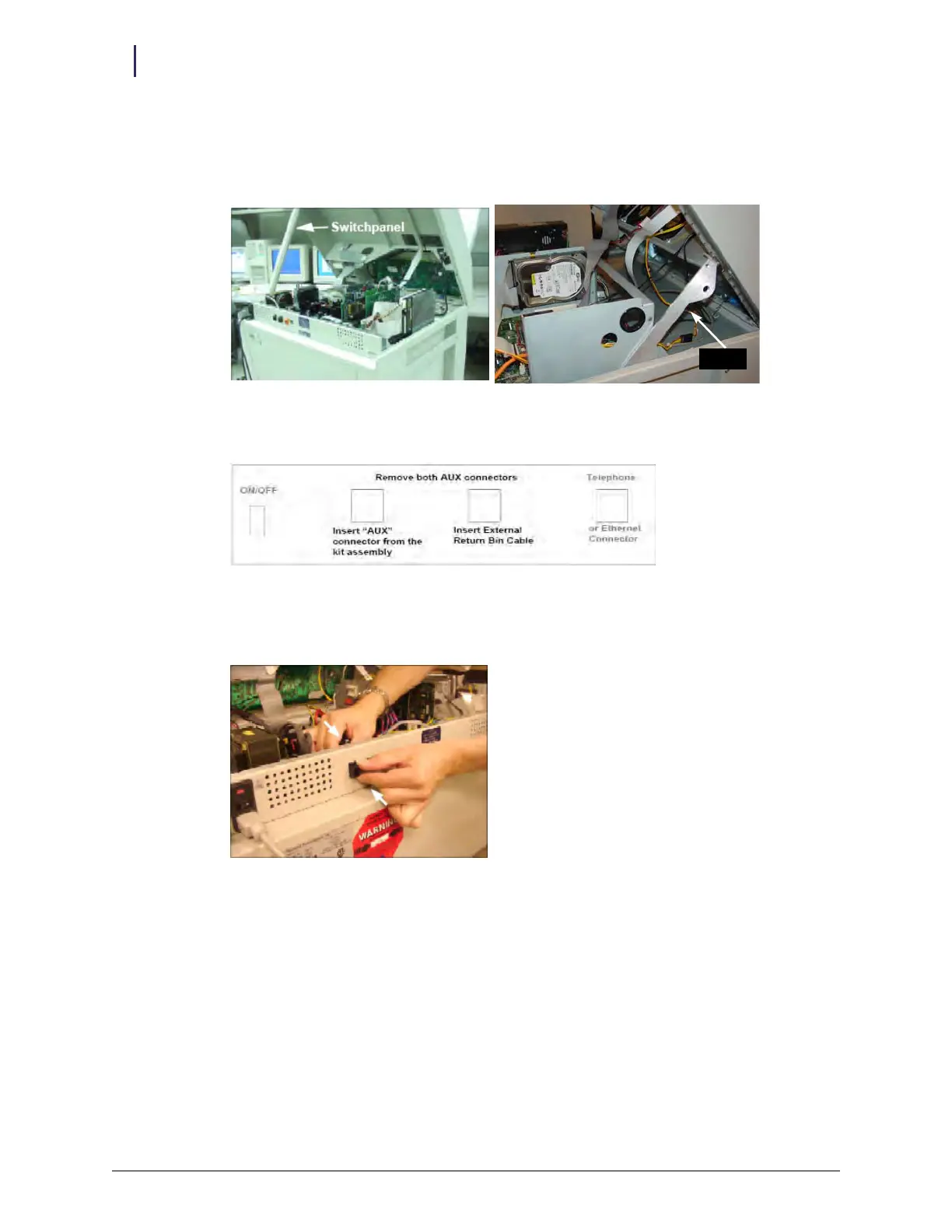
1. Lift the console cover from the back, then prop it open with a switch panel housing or the prop
arm on a newer electronics tray.
Figure 2-30. Propping the cover
2. Review the back panel layout in Figure 2-26.
Figure 2-31. Back panel layout
3. Remove the AUX cable connector at the rear of the electronic sled by pushing down on the
AUX connector and pulling it out through the back.
Figure 2-32. Removing the AUX cable connectors
prop arm



 To Next Page