© 2011 Omnicell, Inc. External Return Bin Installation and Service Guide/67-2038 Rev D
Service 3-3
Return Door Handle
9. Insert and tighten the 6-32 PH Torx screws.
10. Maneuver the metal mount back into position.
11. Tighten the two nuts on either side of the plate.
12. Close the return door.
13. Lock up the ERB.
Return Door Handle
1. Open the access door with keys #2204 (unlocks access door) and #2202 (overrides access door
solenoid).
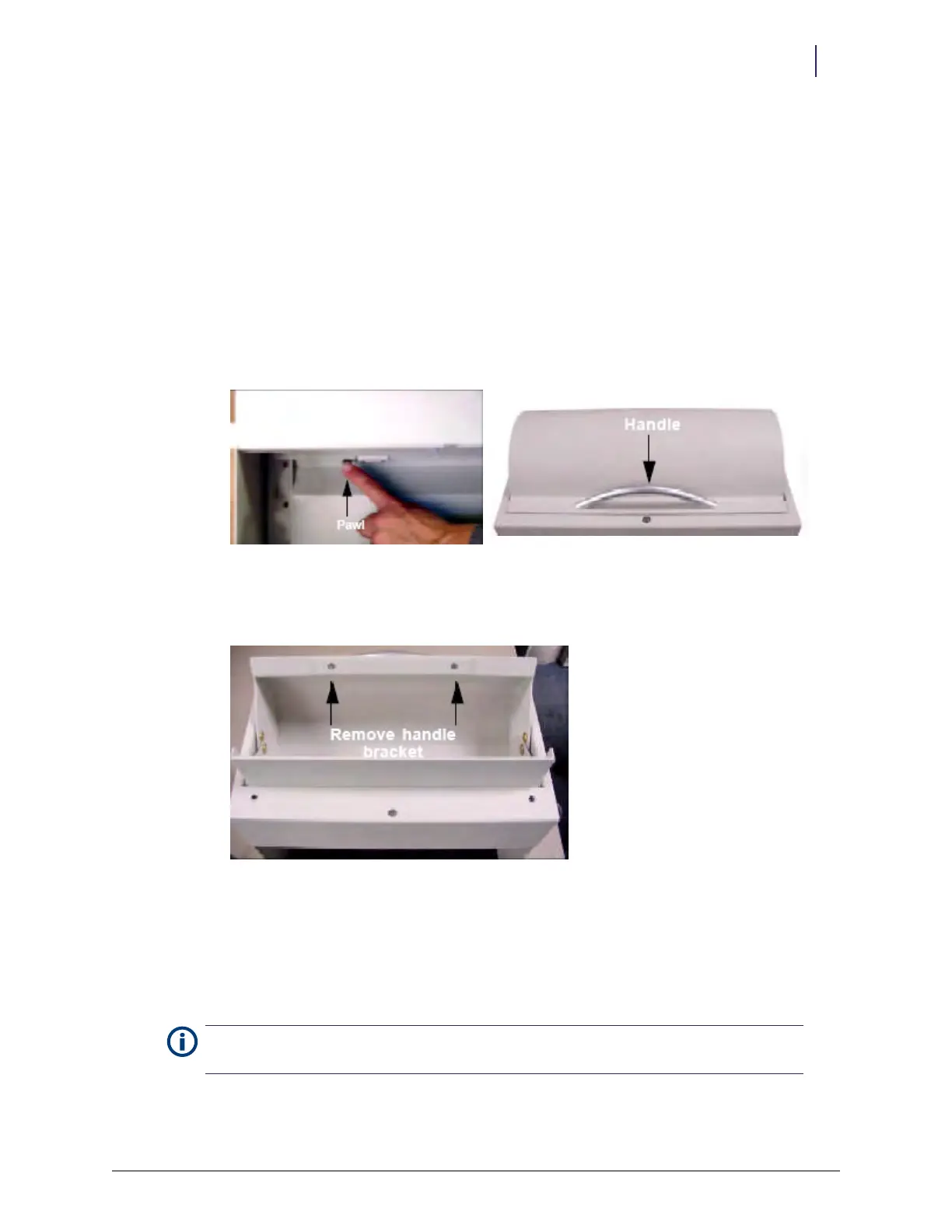
2. Open the return door by pushing the pawl of the solenoid to the left and lifting the handle.
Figure 3-5. Pushing the pawl; return door handle
3. Remove the two M4x6mm FH Phillips screws securing the handle spacer with a Phillips
screwdriver #2, then set the old handle aside.
Figure 3-6. Handle screw locations
4. Set the new return door handle in place.
5. Secure the handle with the two Phillips screws.
6. Close the return door.
7. Lock up the ERB.
Note:
The counter sink on the handle spacer must be aligned with the flat head screws for the lid to
close properly.



 To Next Page