3-2 Service
Return Door Solenoid
External Return Bin Installation and Service Guide/67-2038 Rev D © 2011 Omnicell, Inc.
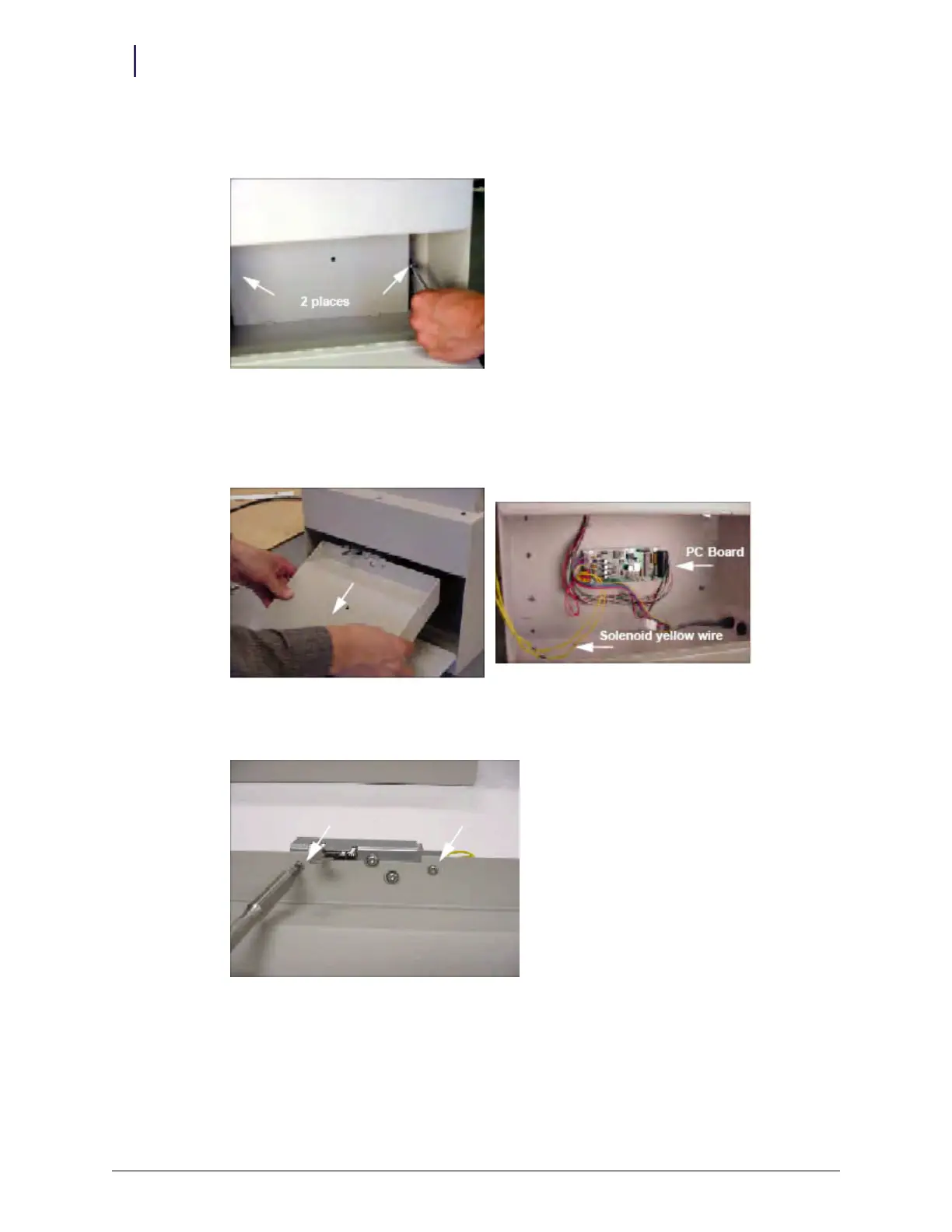
3. Remove the PCB/solenoid metal plate by loosening the two nuts on either side of the plate,
using a 5/16" nut driver. Do not completely remove the nuts.
Figure 3-2. Loosening the nuts holding the metal plate
4. Maneuver the metal mount around the sheet metal tabs and nuts until the lower rim can exit
the housing first. The solenoid is connected by a length of yellow wire long enough to allow
pulling the PCB/solenoid metal plate out of the ERB.
Figure 3-3. Removing the metal mount
5. Remove the two 6-32 PH Torx screws using a Torx screwdriver #10 and set them aside.
Figure 3-4. Removing the solenoid screws
6. Unplug the solenoid at the 2-pin Molex connector.
7. Remove the defective solenoid and replace it.
8. Plug in the 2-pin Molex connector.



 To Next Page