2-60 Installation Instructions
Installation on G4 Cabinets
External Return Bin Installation and Service Guide/67-2038 Rev D © 2011 Omnicell, Inc.
8. Close and lock the ERB access door.
Attaching the ERB in the Lower Position
1. Attach the bracket to the upper and lower mounting bars using four 8/32 flat head screws.
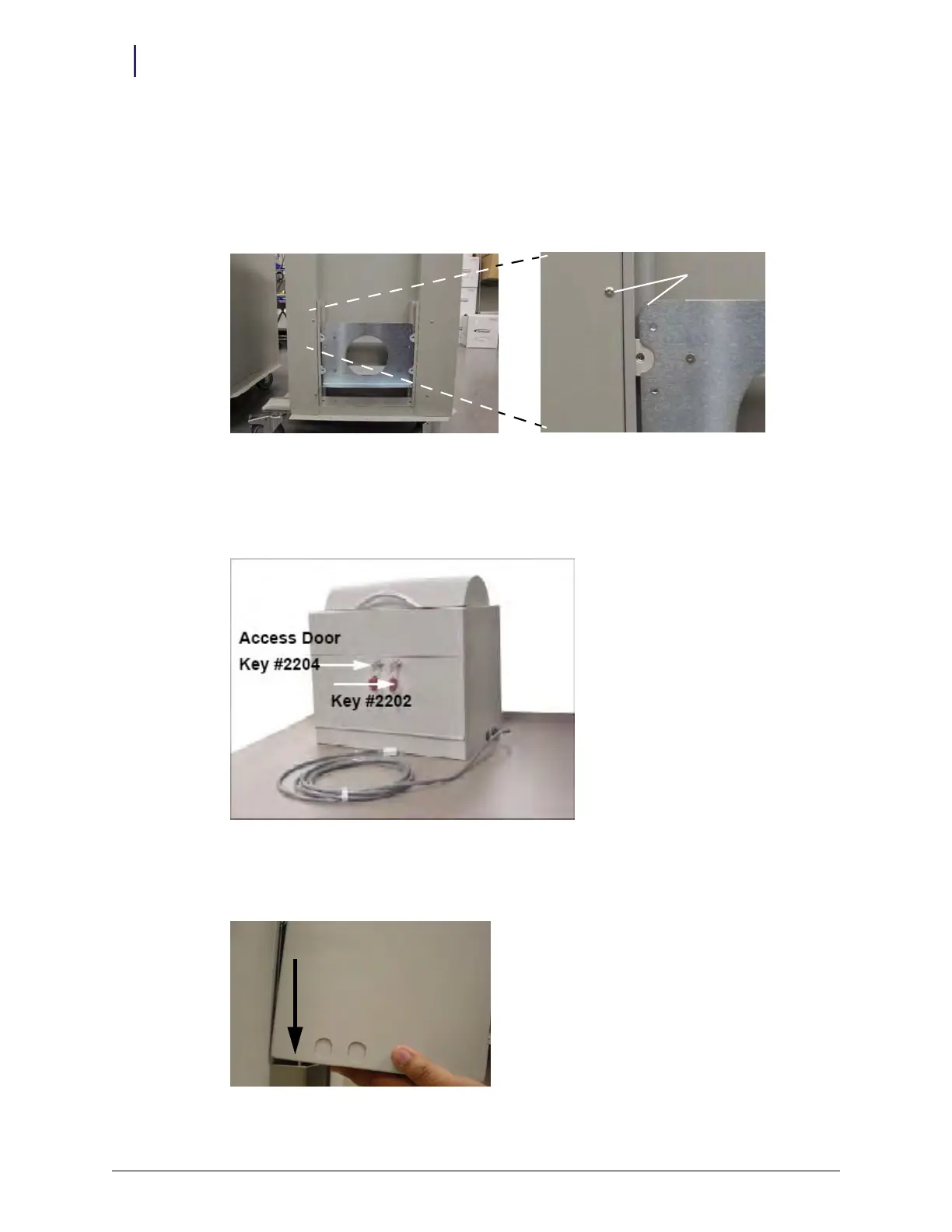
2. Slide the assembly up to align the top of the bracket with the screws on the side of the AWS.
Figure 2-145. Alignment of bracket in lower position
3. Use a 1/4” Allen key to tighten the 5/16” set screws on both ends of each of the mounting bars.
4. Open the ERB access door with both keys. Use key #2204 to unlock the access door and key
#2202 to override the solenoid.
Figure 2-146. Access door and cam lock keys
5. Set the ERB on the bracket ledge, aligning the pins on the ledge to the holes in the bottom of
the ERB.
Figure 2-147. ERB being set onto bracket ledge pins
Align



 To Next Page