© 2011 Omnicell, Inc. External Return Bin Installation and Service Guide/67-2038 Rev D
Installation Instructions 2-55
Installation on G4 Cabinets
Cabling for the One-, Two-, Three-Cell G4 Cabinets
When a One-, Two-, Three-cell is ordered with an ERB, the ERB adapter cable is attached to the E-
box before shipping. In such case, the only step required is to connect the ERB PowerCom cable to
the adapter cable on the back of the console.
If the ERB is ordered later, the cables must be installed as follows.
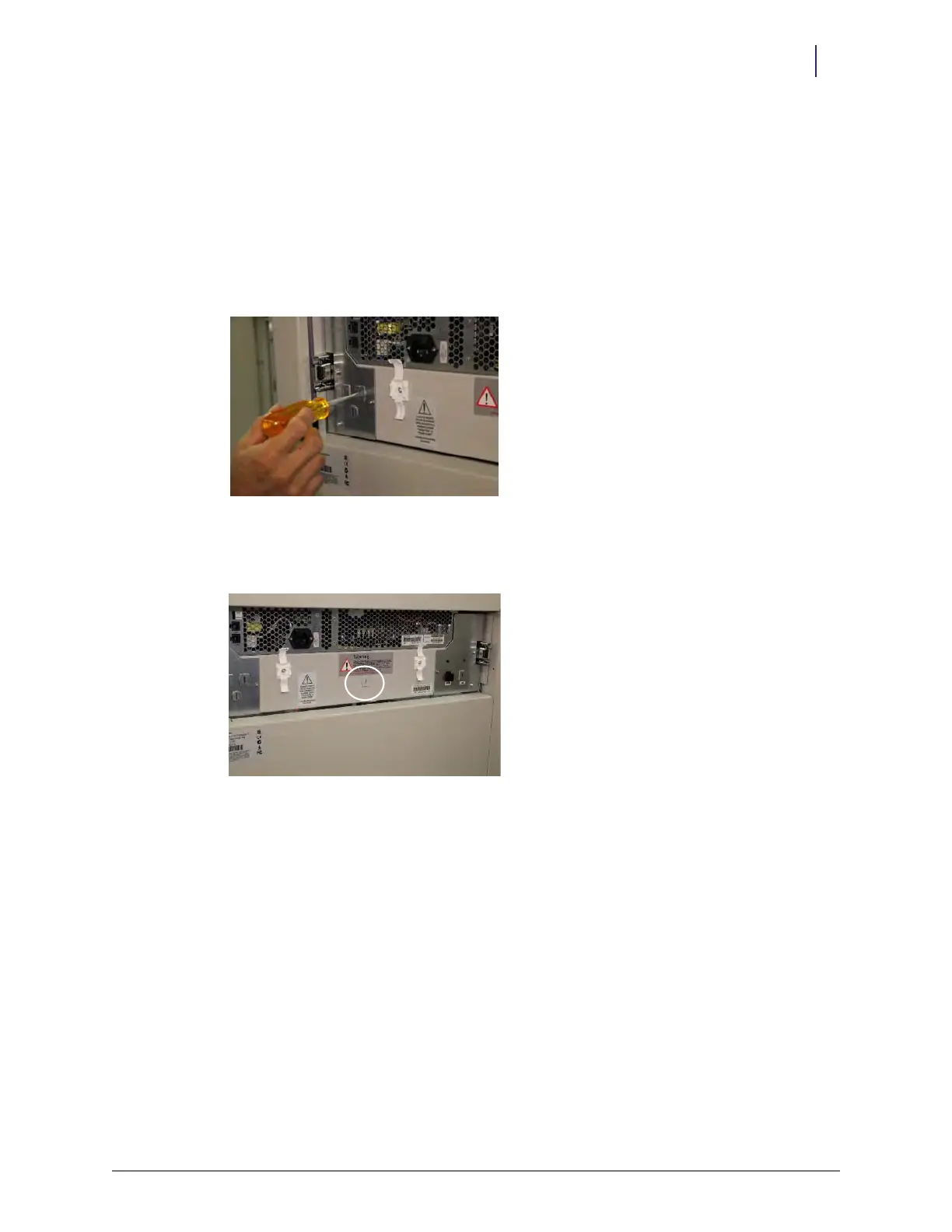
1. Insert a flat head screwdriver in the upper right cutout on the back of the left block-off plate of
the console assembly and rock it back and forth until the metal breaks away, leaving an
opening for the PowerCom cable.
Figure 2-134. Opening a slot for the ERB cable
If mounting the ERB on the left side of the cabinet, Figure 2-135 shows another possible
location to open for the PowerCom cable.
Figure 2-135. Location of PowerCom slot for mounting ERB on left side of cabinet
2. With an assistant, pull the E-box all the way forward on the drawer slides, unlocking the
drawer slides to allow extra access.



 To Next Page