© 2011 Omnicell, Inc. External Return Bin Installation and Service Guide/67-2038 Rev D
Installation Instructions 2-47
Installation on G4 Cabinets
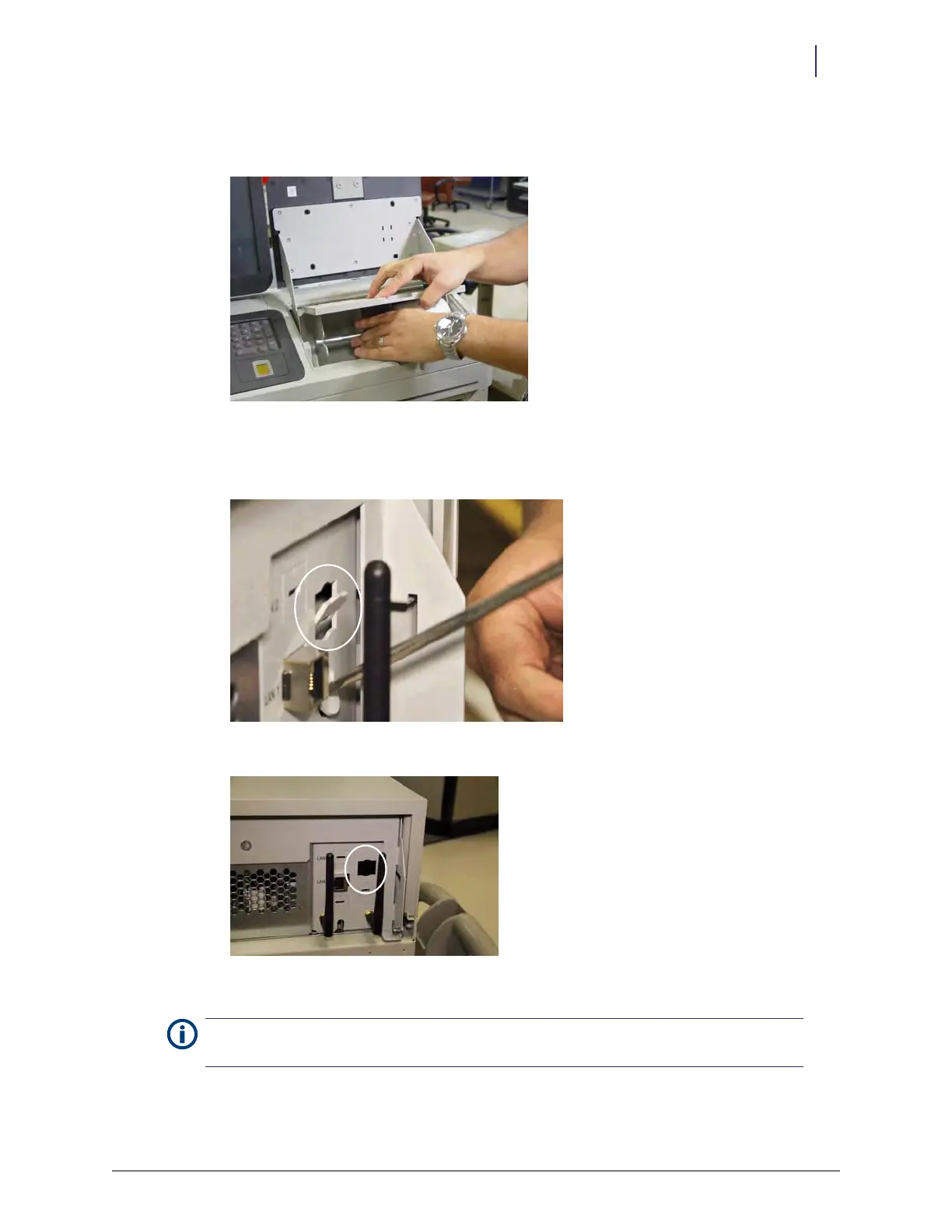
3. Holding the notch on the back of the printer paper holder, rotate the printer paper holder
forward and remove it.
Figure 2-117. Removing the paper holder
4. Use a flat head screwdriver to remove the metal cutout on the back of the cabinet, rocking it
back and forth until the metal breaks away.
Figure 2-118. Opening slot for ERB Power/Com cable
Figure 2-119. ERB PowerCom slot location
Note: A limited number of systems might not have this cutout. In such a case, it is necessary to route
the cable on the other side.



 To Next Page