2-52 Installation Instructions
Installation on G4 Cabinets
External Return Bin Installation and Service Guide/67-2038 Rev D © 2011 Omnicell, Inc.
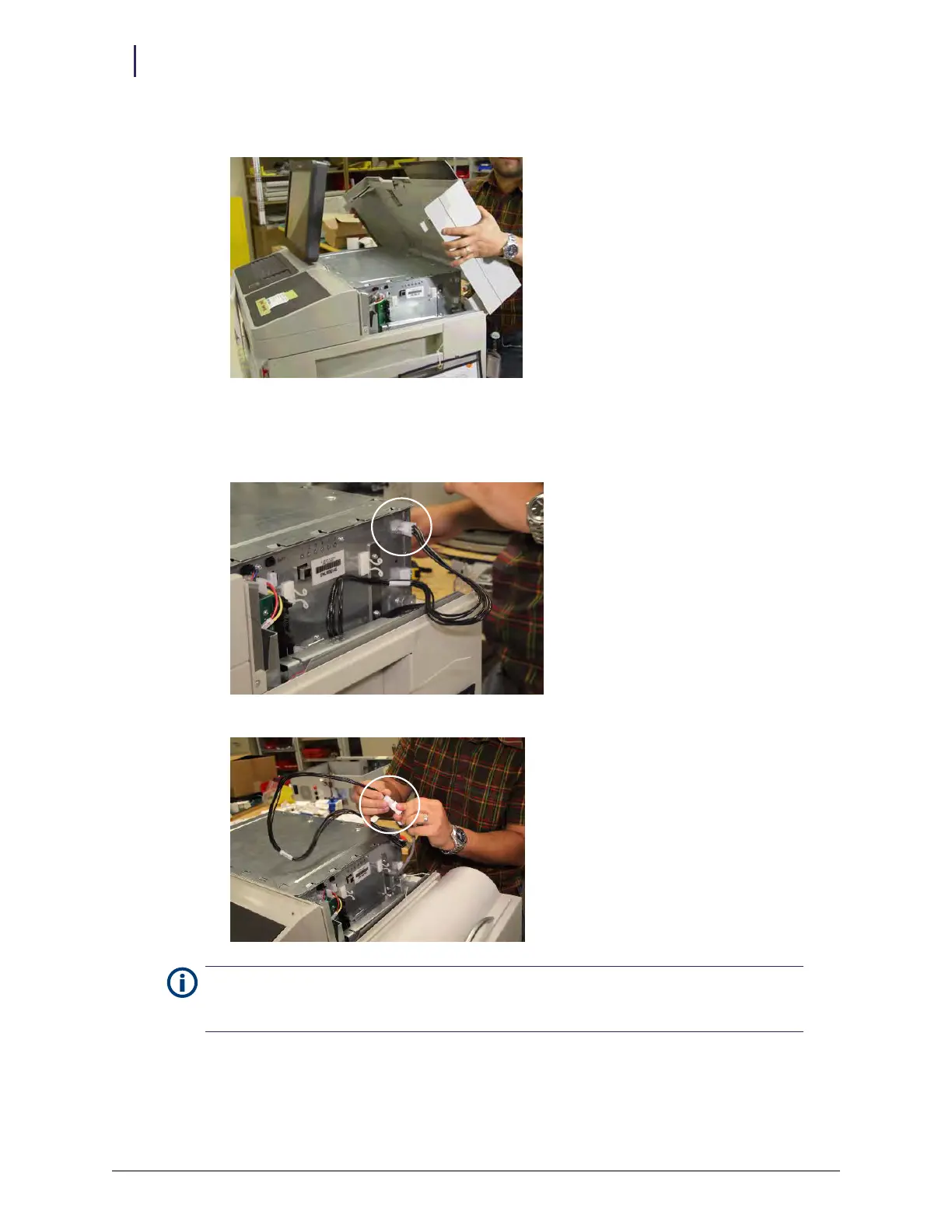
b. Rotate the lid up, and lift it from the hooks that hold it.
Figure 2-130. Removing the lid
c. Place the lid aside.
2. Connect the ERB adapter cable to the E-box on the back right side.
3. Connect the other end of the adapter cable to the ERB PowerCom cable.
Note:
For security-integrity reasons, the PowerCom cable must pass through the plane of the locked
area and be connected inside the area covered by the lockable cover. Do not pass the adapter cable
through the plane of the locked area and have the connection outside of the locked area.
mp



 To Next Page