2-70 Installation Instructions
Installation on G4 Cabinets
External Return Bin Installation and Service Guide/67-2038 Rev D © 2011 Omnicell, Inc.
10. Close and lock the side cover.
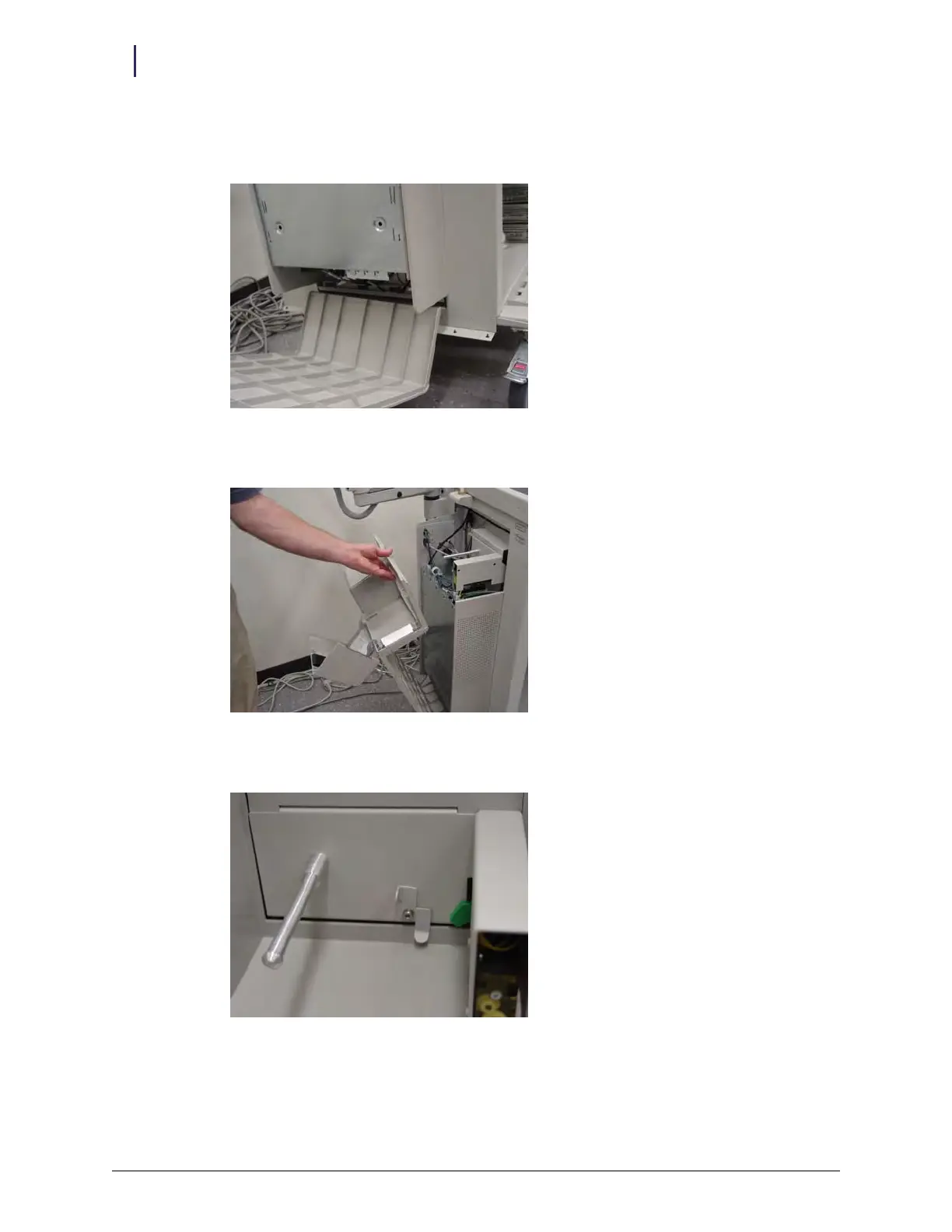
a. Insert the bottom edge of the cover into the slot below the E-box.
Figure 2-171. Reinstalling E-box cover
b. Tilt the cover up and into place
Figure 2-172. Tilting cover back into position
c. Rotate the lever back into the locked position.
Figure 2-173. Lever in locked position
d. Close the printer cover.
e. Close and lock the E-box cover.



 To Next Page