4.9 Performing ON/OFF control
4-19
Settings Required
for Basic Control
■ Settings
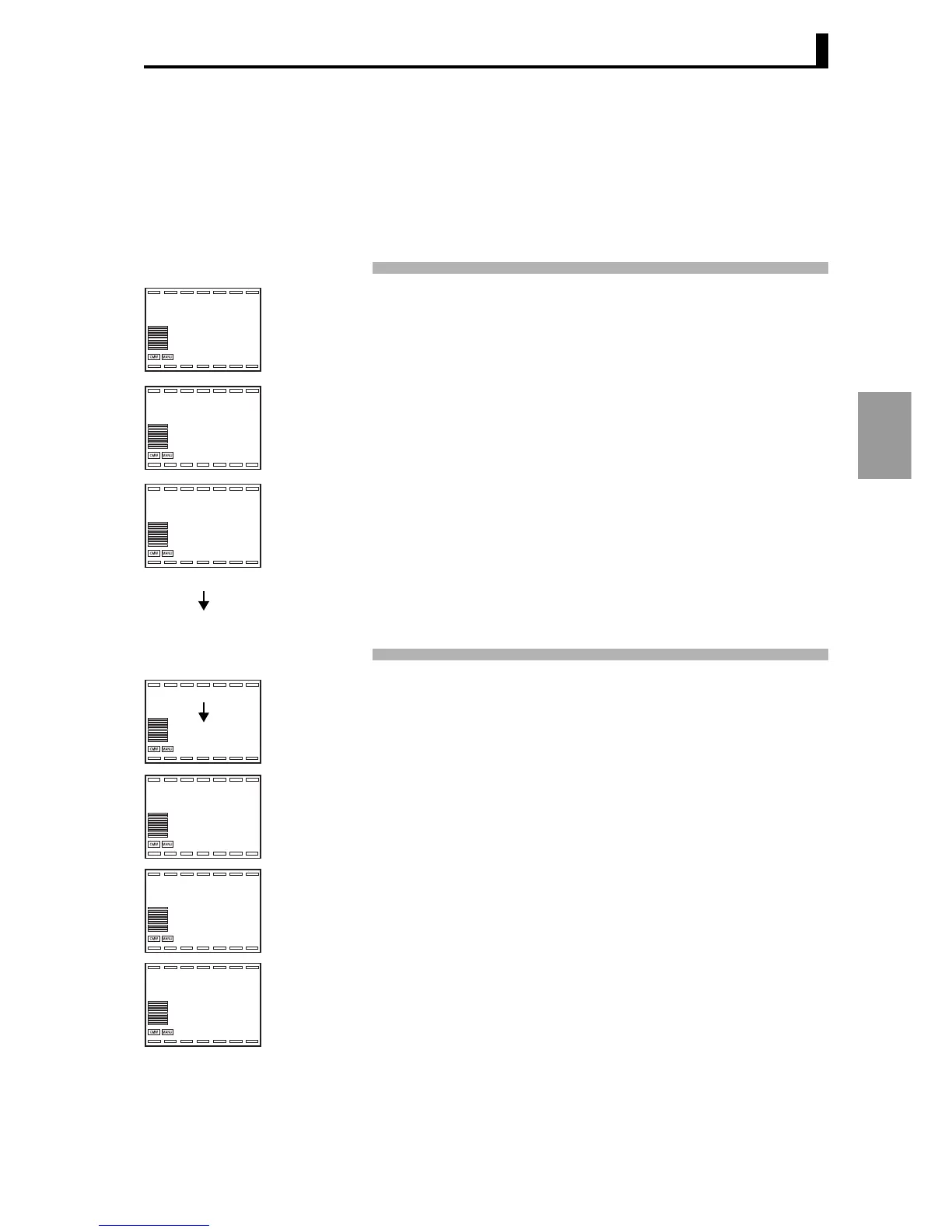
To perform ON/OFF control, the "SP", "Proportional band", and
"Hysteresis (heat)" settings must be configured.
Setting ON/OFF control and an hysteresis (heat) of 2.00%FS
ON/OFF control settings
(Proportional band P=0.00)
Set "Proportional band to "0.00" in "PID setting level" to select ON/
OFF control.
1. Press the L key repeatedly (less than 1 second each time) to move from
"RUN level" to "PID setting level".
2. "Display PID selection" appears in "PID setting level". If a PID Set No. will
not be used, use the initial setting "1". If a PID Set No. will be used, select
the PID Set No. for the desired control.
3. Press the M key to display the "Proportional band" used for control. Use
the UD keys in this display to set the value to "0.00".
4. Press the L key repeatedly less than 1 second each time to return to
"RUN level".
Setting the hysteresis Setting "Hysteresis (heat)" to "2.00" in "Adjustment level"
1. Press the L key less than 1 second to move from "RUN level" to
"Adjustment level".
2. "Bank No." appears in "Adjustment level".
3. Press the M key repeatedly to select "Hysteresis (heat)".
4.
Use the UD keys to set the value to 2.00.
5. Press the L key repeatedly (less than 1 second each time) to return to
"RUN level".
25.0
100.0
0.0
d.pid
1
l.pid
1.p
10.00
l.pid
25.0
100.0
0.0
bank
0
l.adj
hys
0.10
l.adj
hys
2.00
l.adj





 To Next Page