Installation
60
Make sure that the robot is powered off completely.
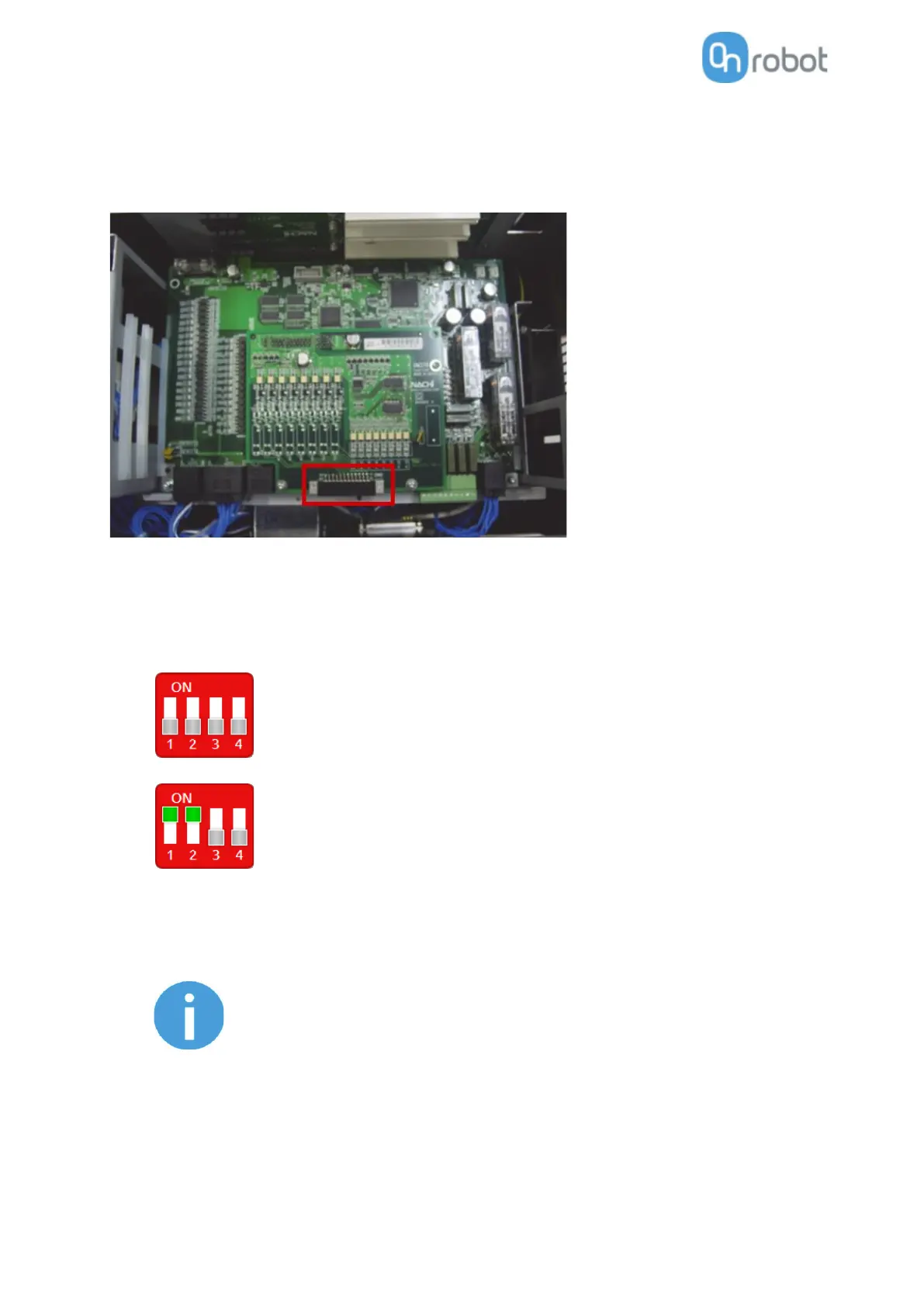
First locate the CNIN connector inside of the robot controller (requires a Mini I/O board).
Then prepare the spare CNIN (FCN-36J024-AU Fujitsu Component) mating connector that was shipped
with Mini I/O board.
Check your digital I/O module installed in the control cabinet and configure the Compute Box DIP switches
(red) accordingly:
For PNP type set the 1. and 2. DIP switches to OFF position (down).
For NPN type set the 1. and 2. DIP switches to ON position (up).
DIP switch 1: Digital Input mode
DIP switch 2: Digital Output mode



 To Next Page