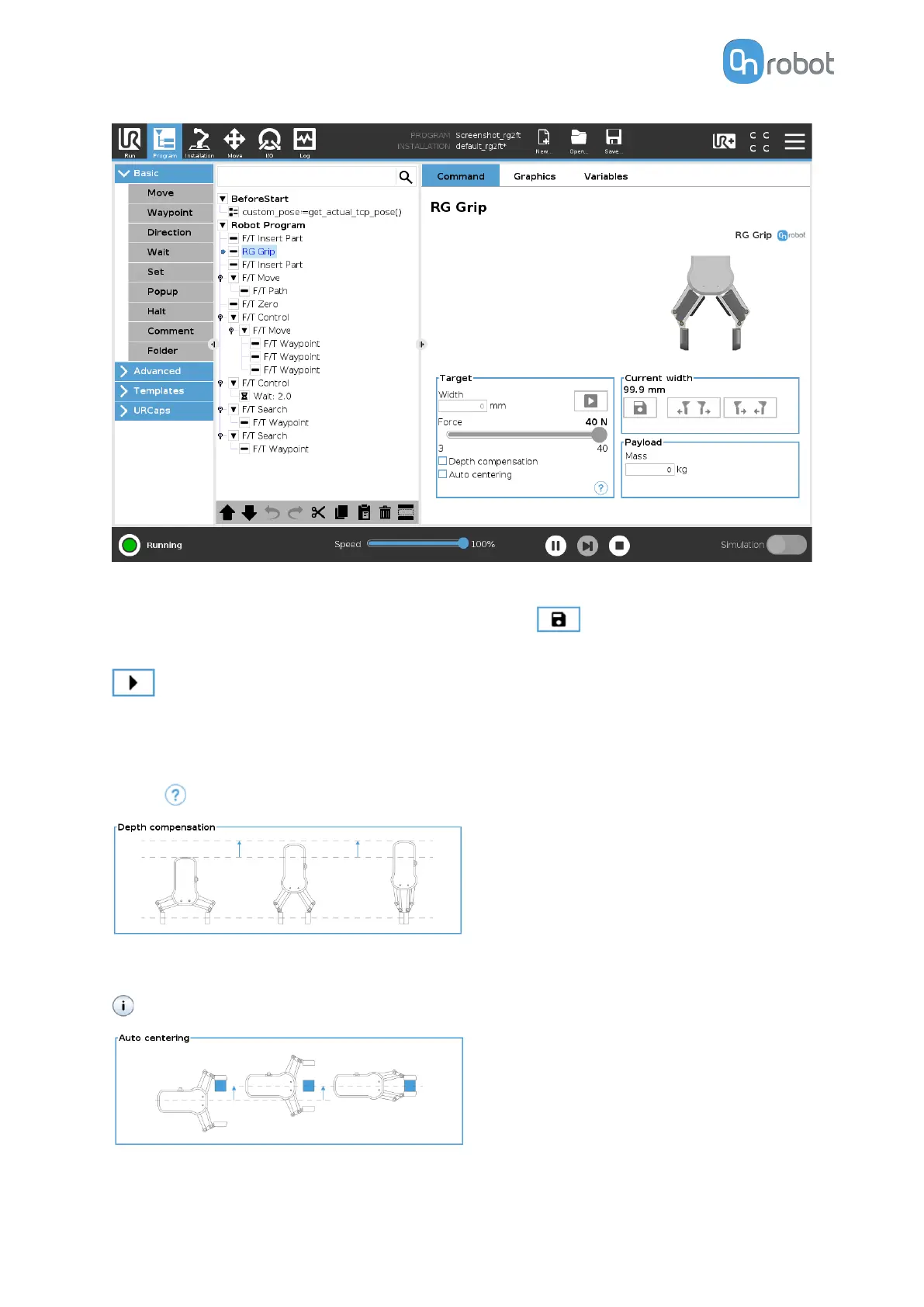
Target
Width: The target gripping width can be set by using the
Save as Target/Save Grasp
button (recommended) or by typing it in manually.
When pressed, the gripper will act as if the command is executed.
Force: Set the target gripping Force (3-40 N).
Depth compensation: If checked, during closing and opening the gripper, the robot moves to
compensate for the circular movement of the
fingers, so that the fingertips remain on the
target. when pressed, the following graphical illustration will appear in a new page.
Auto centering: if checked, during closing and opening the gripper, the robot moves the
gripper sideways to grab the item symmetrically based on the proximity signals of the fingers.
when pressed, the following graphical illustration will appear in a new page.
Current width
OPERATION
29


 To Next Page
 Loading...








