Generate warning when insertion unsuccessful: If enabled, a pop-up message (blocking)
appears if the insertion was not successful.
NOTE:
The option is only active when a valid limit has been set at the advanced
screen.
If disabled, then no pop-up message is shown.
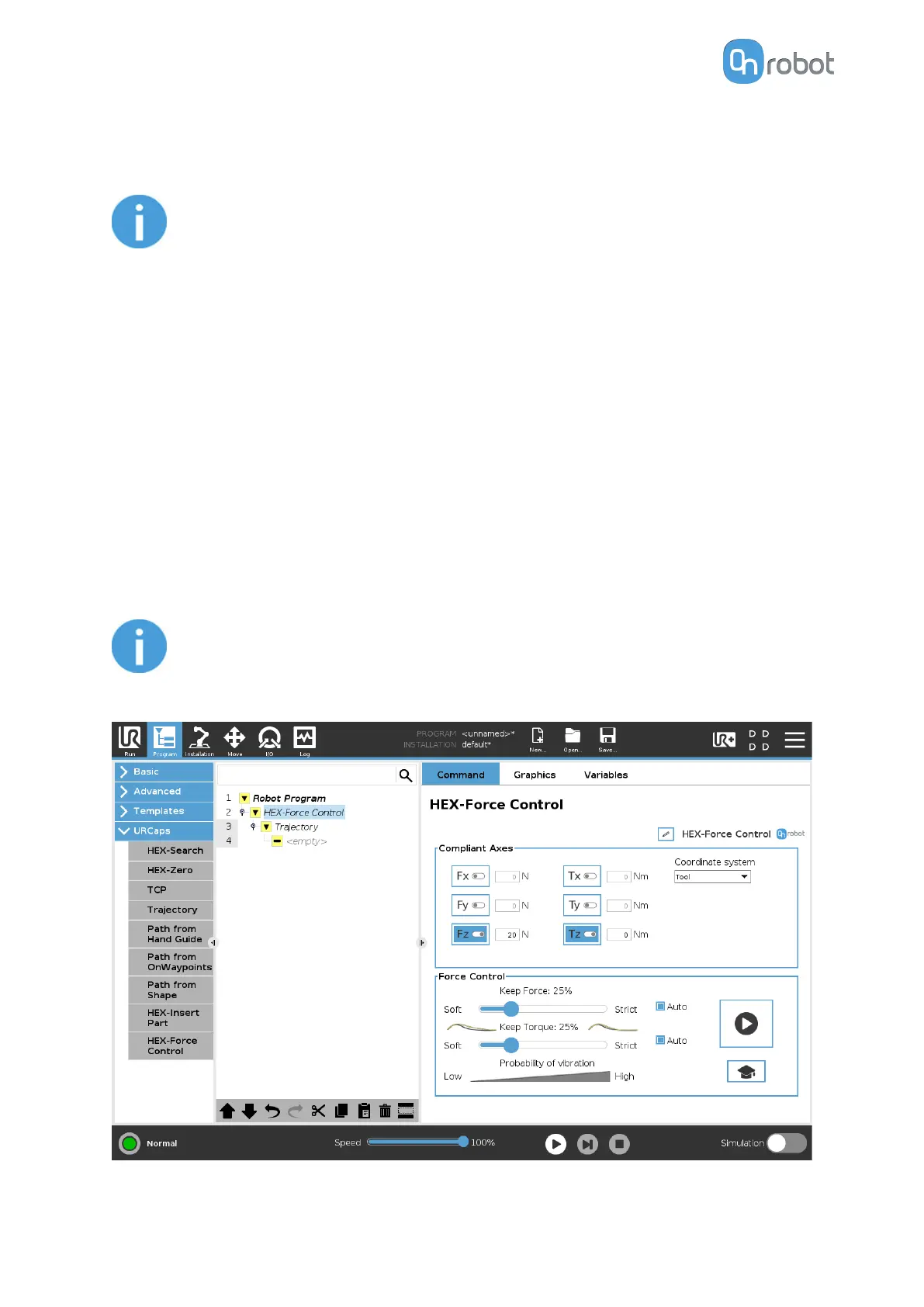
6.1.1.3. HEX-Force Control
Applications such as deburring, sanding or grinding may require holding constant force/
torque to a
defined direction during movements.
The HEX-Force Control command alters the trajectory of its child nodes in order to keep the
force and torque values constant along the selected axis. The HEX-Force Control command
does not control forces in the direction that the tool is moving using the Trajectory, and the
HEX-Search commands.
The following commands can be used as child nodes:
•
HEX-Search
•
Trajectory
NOTE:
To cancel any force or torque oset, execute a HEX-Zero command at the
beginning of the HEX-Force Control command.
OPERATION
33



 To Next Page