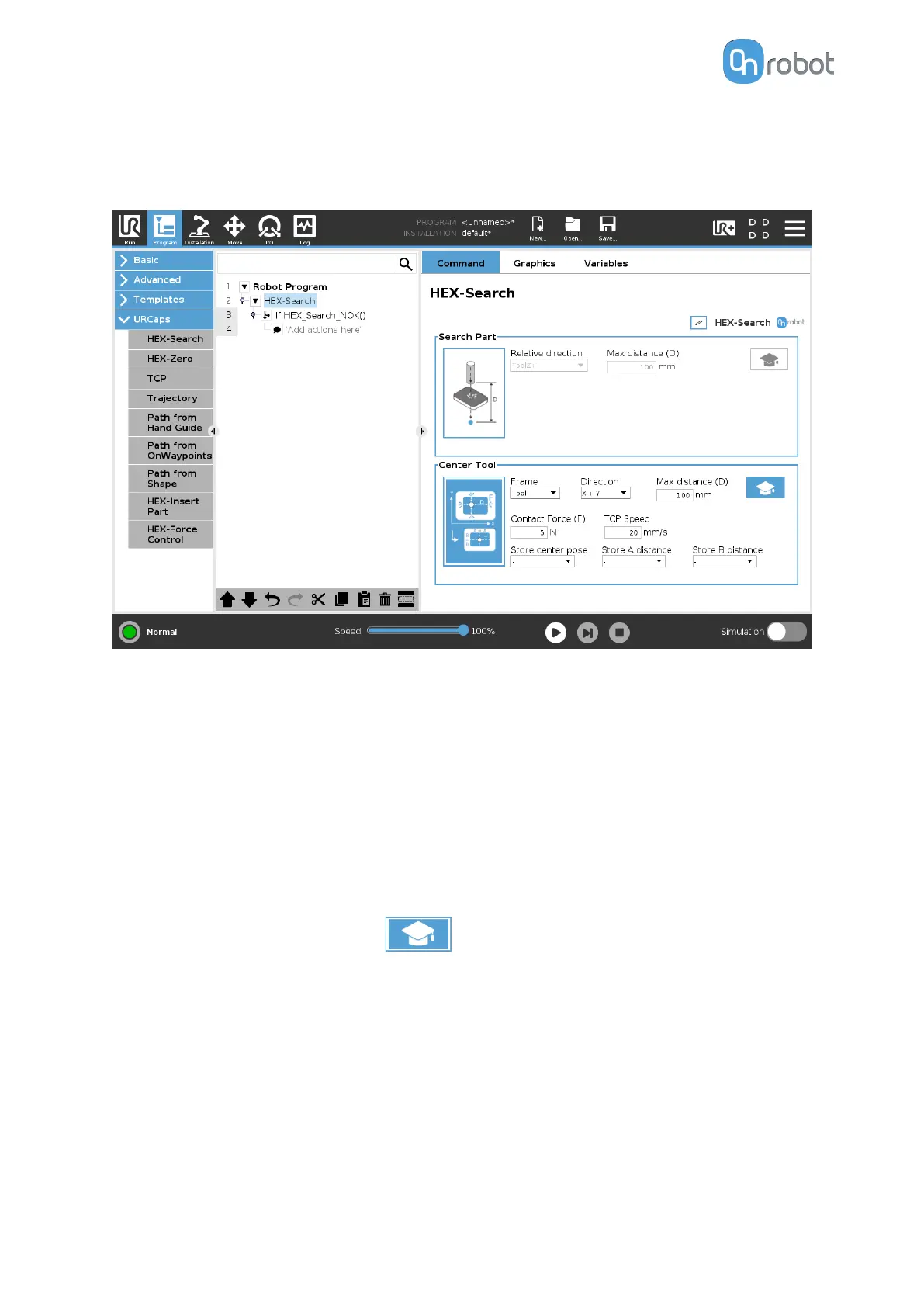
Center Tool
The Center Tool option can, for example find a center of a hole (various shapes) with a small
object.
This option searches in set directions for the perimeters within a set distance, then moves the
robot or base to the relative center of the boundaries that have been found.
Frame: Set the Tool or Base.
Direction: The directions in which the search is carried out.
Max distance (D): The maximum distance that the tool is going to move during the search
operation. If the range is reached, the detection is unsuccesful.
Max rotation: The maximum rotation that the tool is going to execute during the search
operation. The rotation direction uses the right-hand rule.
Center Tool Advanced Settings
Pressing the advanced settings icon
displays additional options.
Contact Force (F): The force value that needs to be reached to detect a target object.
TCP Speed: The movement speed while searching for an object.
Store center pose: Stores the center position value into a list.
Store A distance: Stores the A relative distance value into a list.
Store B distance: Stores the B relative distance value into a list.
6.1.1.5. HEX-Zero
The HEX-Zero command eleminates the HEX sensor
oset caused by external eects.
OPERATION
37



 To Next Page