: shows the name of the node. It can be edited and saved.
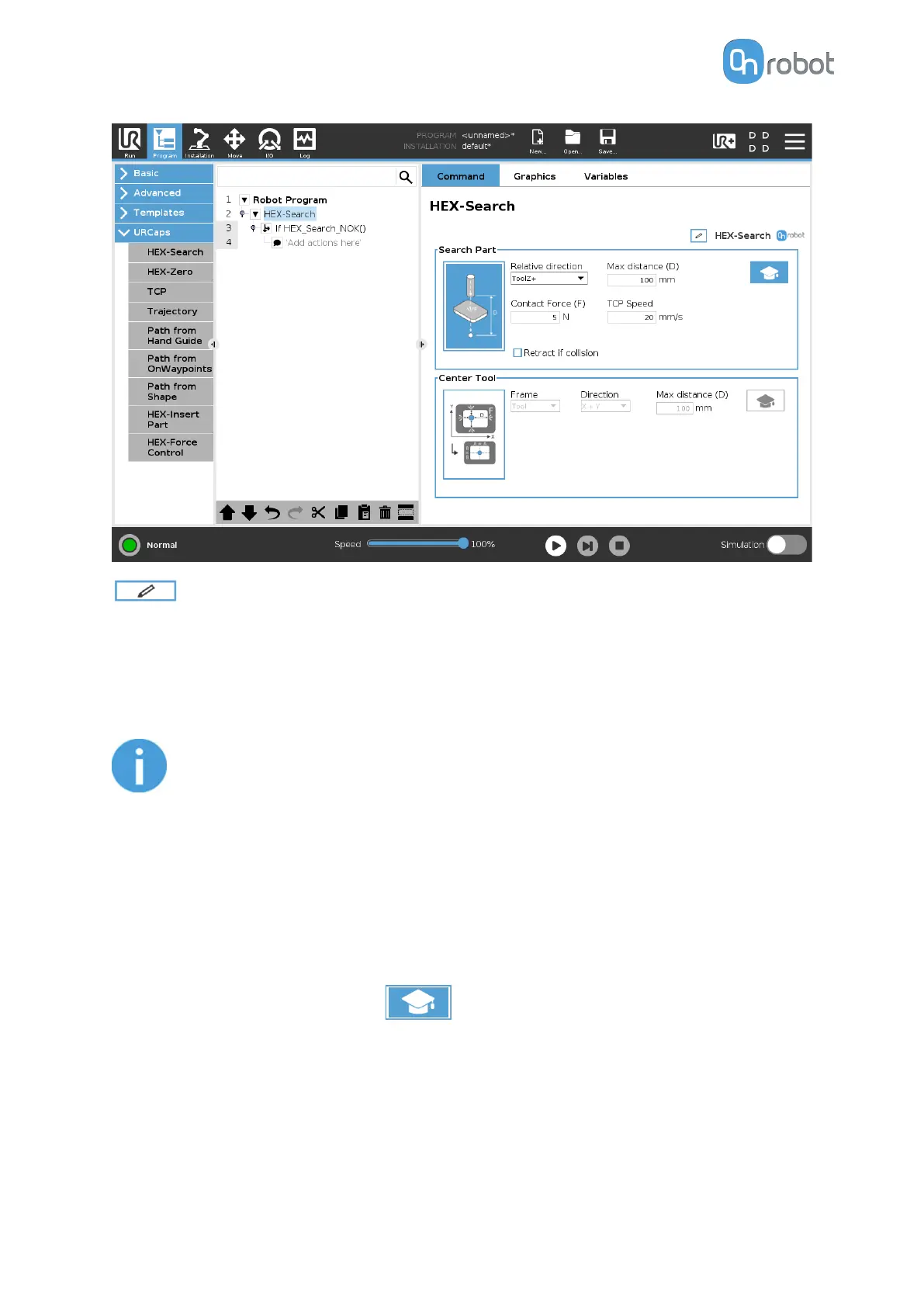
This option searches in a specified direction, distance, rotation or along a trajectory for an
object.
Relative direction: The direction in which the search is carried out. This can be set in a
direction relative to the tool, to the base or on a trajectory.
NOTE:
If this setting is changed back from Trajectory to a dierent setting, the
Trajectory node is deleted from the program and the data is lost.
Max distance (D): The maximum distance that the tool is going to move during the search
operation.
Max rotation: The maximum rotation that the tool is going to execute during the search
operation. The rotation direction uses the right-hand rule.
Search Part Advanced Settings
Pressing the advanced settings icon displays additional options.
Contact Force (F): The force value that needs to be reached to detect a target object.
TCP Speed: The movement speed while searching for an object.
Retract if collision: If this option is checked, the tool retracts after collision with the object.
OPERATION
36



 To Next Page