Keys, doors and windows 23
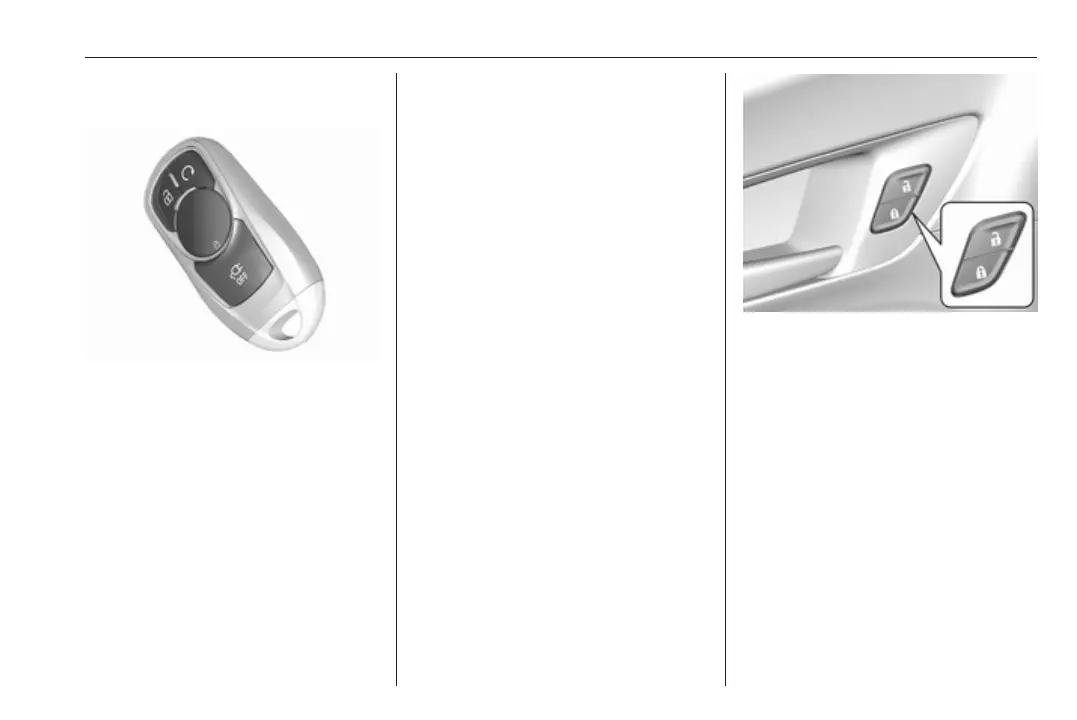
Operation with buttons on the
electronic key
The central locking system can also
be operated with the buttons on the
electronic key.
Press ( to unlock.
Press ) to lock.
Press and release ) and then
immediately press and hold O for at
least four seconds to start the
vehicle's heating or air conditioning
systems and the heated rear window
from outside the vehicle.
Press 5 to stop charging the vehicle.
Press and hold 5 until the lock of the
charge cable is released.
Remote start 3 20, Remote control
operation 3 20.
Passive locking
Automatic locking 3 25.
Confirmation
Operation of central locking system is
confirmed by the hazard warning
flashers. A precondition is that the
setting is activated in the vehicle
personalisation 3 92.
Central locking buttons
Locks or unlocks all doors, the load
compartment and charge port door
via a switch in the driver's door panel.
Press ) to lock.
Press ( to unlock.
Operation with the key in case of
a central locking system fault
In case of a fault, e.g. vehicle battery
or electronic key battery is
discharged, the driver's door can be
locked or unlocked with the
mechanical key.
The lock cylinder in the driver's door
is covered by a cap.



 To Next Page