22 Keys, doors and windows
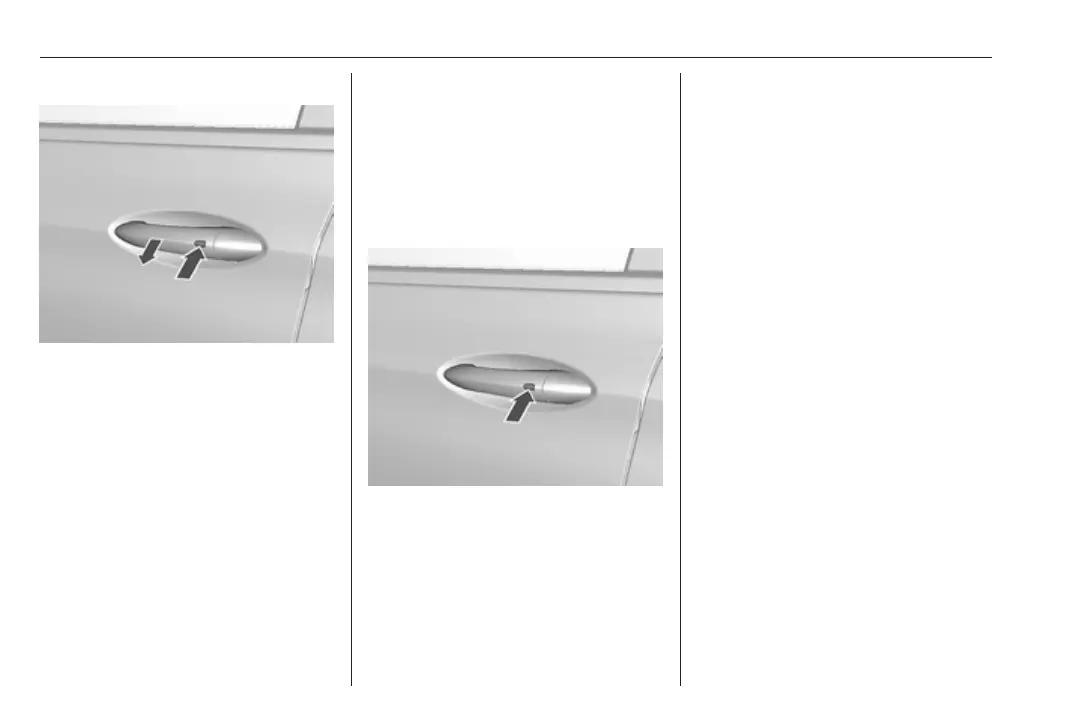
Unlocking
Press the button on the respective
exterior door handle and pull the
handle.
Unlocking mode can be set in the
vehicle personalisation menu in the
Info display. Two settings are
selectable:
● All doors, load compartment and
charge port door will be unlocked
by pressing the button on any
exterior handle once.
● Only the driver's door, load
compartment and charge port
door will be unlocked by pressing
the button on the driver's door
exterior handle once. To unlock
all doors, press button twice.
The setting can be changed in the
menu Settings in the Info display.
Vehicle personalisation 3 92.
Locking
Press the button on any exterior door
handle.
All doors, load compartment and
charge port door will be locked.
The system locks if any of the
following occurs:
● It has been more than
five seconds since unlocking.
● The button on an exterior handle
has been pressed twice within
five seconds to unlock the
vehicle.
● Any door has been opened and
all doors are now closed.
If the driver's door is not closed
properly, the electronic key remains in
the vehicle or the vehicle is not off,
locking will not be permitted.
If there have been two or more
electronic keys in the vehicle and the
vehicle was on once, the doors will be
locked even if just one electronic key
is taken out of the vehicle.
Unlocking and opening the tailgate
The tailgate can be unlocked and
opened by pushing the touchpad
switch when the electronic key is in
range. The doors remain locked.
Load compartment 3 28.



 To Next Page