22
Model 72 User Manual - OPEX Corporation
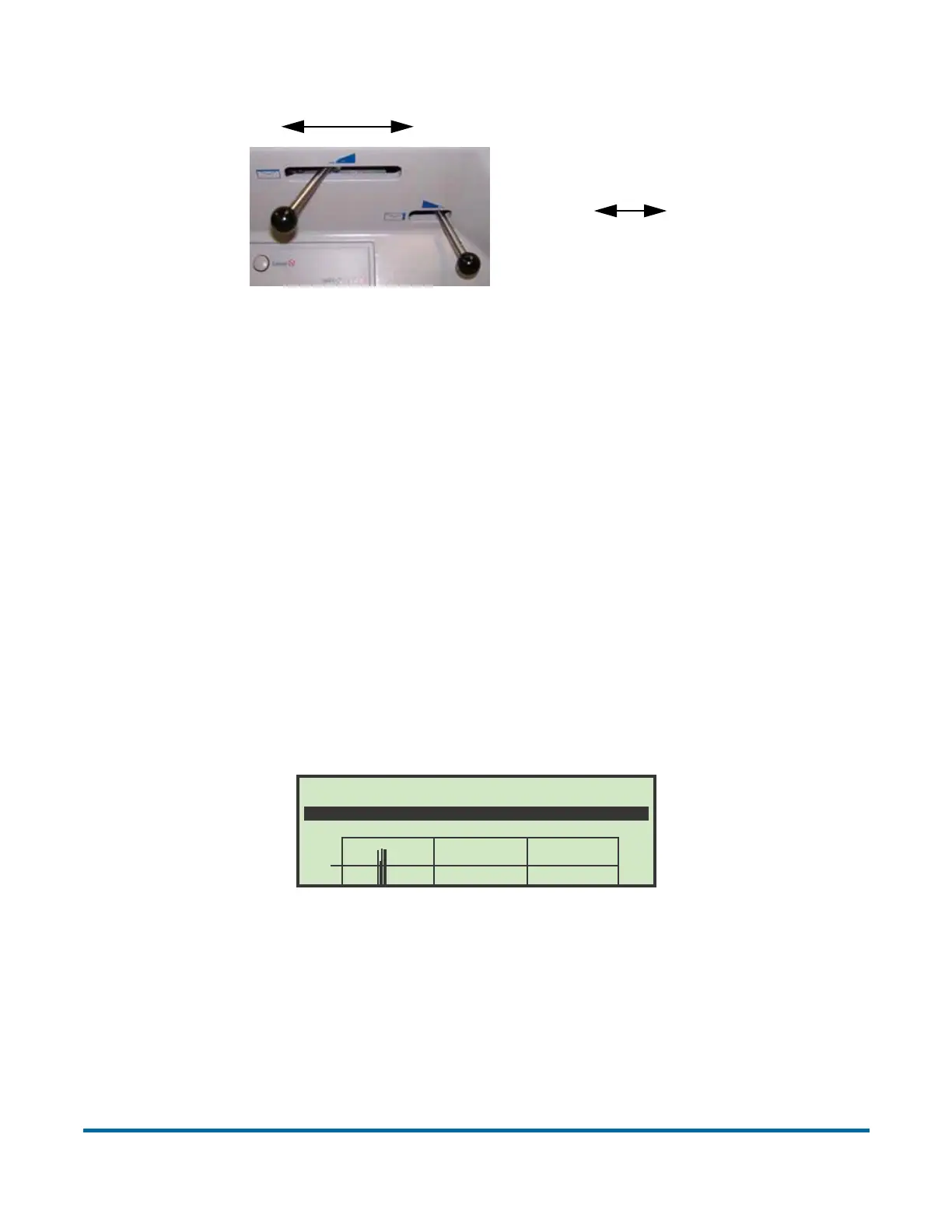
Figure 15: Cutter levers
- The top cutter has 5 positions:
- POSITION 0 - No Cut (knob fully left)
- POSITION 1 - Normal (0-60 mils)
- POSITION 2 - Normal + 15 mils
- POSITION 3 - Normal + 30 mils
- POSITION 4 - Normal + 94 mils (knob fully right)
- The side cutter has 4 positions:
- POSITION 0 - No Cut (knob fully right)
- POSITION 1 - Normal (0-60 mils)
- POSITION 2 - Normal + 1/16”
- POSITION 3 - Deep Cut (knob fully left). This is approximately a 1/2” cut.
10 After the job is selected and set up, the LCD will display the Run screen.
Figure 16: Run screen
This screen shows statistical information from the current job. The graph will
display the following:
- COUNT - Total count of pieces processed. Envelopes are counted when
they pass the top cutter sensor.
- TIME - Total time for current job.
Deep CutNo Cut
Deep Cut No Cut
TOP CUTTER
SIDE CUTTER
COUNT 00253
2000
1500
1000
500
10 A.M. 11 A.M. 12 P.M.
2000
TIME 00:08 RATE 2030/HR BURST 2000/HR



 To Next Page