48
Falcon User Manual - Remittance Processing - OPEX Corporation
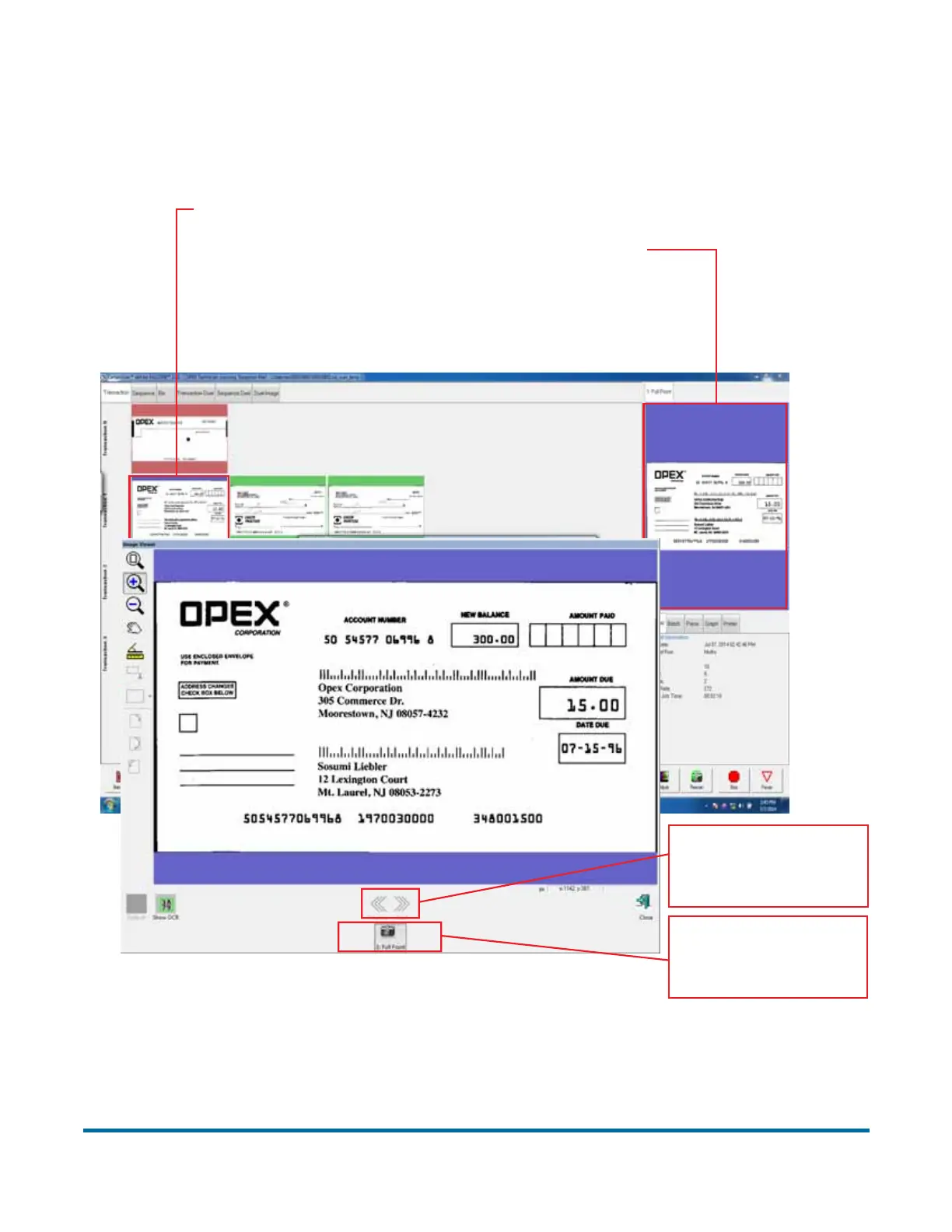
Preview Window/Image Viewer window
The Preview window provides a large image of a scanned item. View an image
in the Preview window by selecting its thumbnail.
Figure 10: Preview Window/Image Viewer window
Click on or touch the
image to open it in the
Image Viewer window.
1. Select a thumbnail.
2. The selected image appears
in the Preview window.
Use arrow buttons
to scroll through
the batch.
Select image of
page type you want
to view.



 To Next Page