84
Falcon User Manual - Remittance Processing - OPEX Corporation
Upper Stacker Fingers
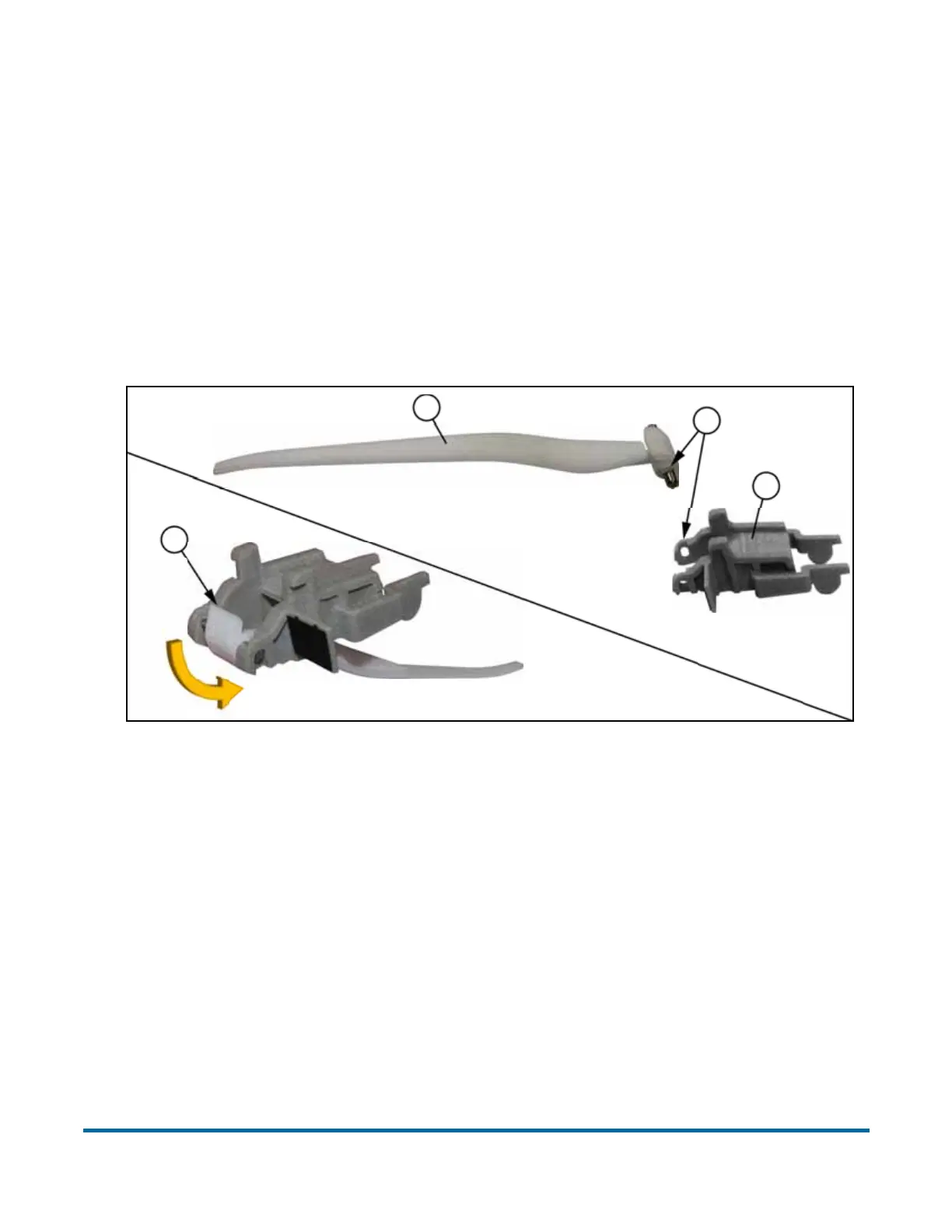
The upper stacker fingers are provided in two pieces. To connect them, position
the arm and body with their flat surfaces facing up (A). Load the arm’s pin into
the holes at the end of the body, with the plastic tabs on the arm lined up with
the notches on the body (B). The pin does not just get forced down into the
holes. It should be put into one hole, with the arm over to one side, slightly off
center. Then by sliding the center-line of the arm back to the center-line of the
pivot, the other end of the pin will be inserted into its hole.
Once the arm’s pin is in place, flip the arm under the body so the arm’s flat side
is down and the end lever points up (C).
Attaching the upper stacker fingers properly requires accurate positioning
between the finger’s lever and the finger release button’s levers. To simplify the
process, wedge an object underneath the release button so it cannot move
A
A
B
C



 To Next Page