85
Falcon User Manual - Remittance Processing - OPEX Corporation
while you are working on it.
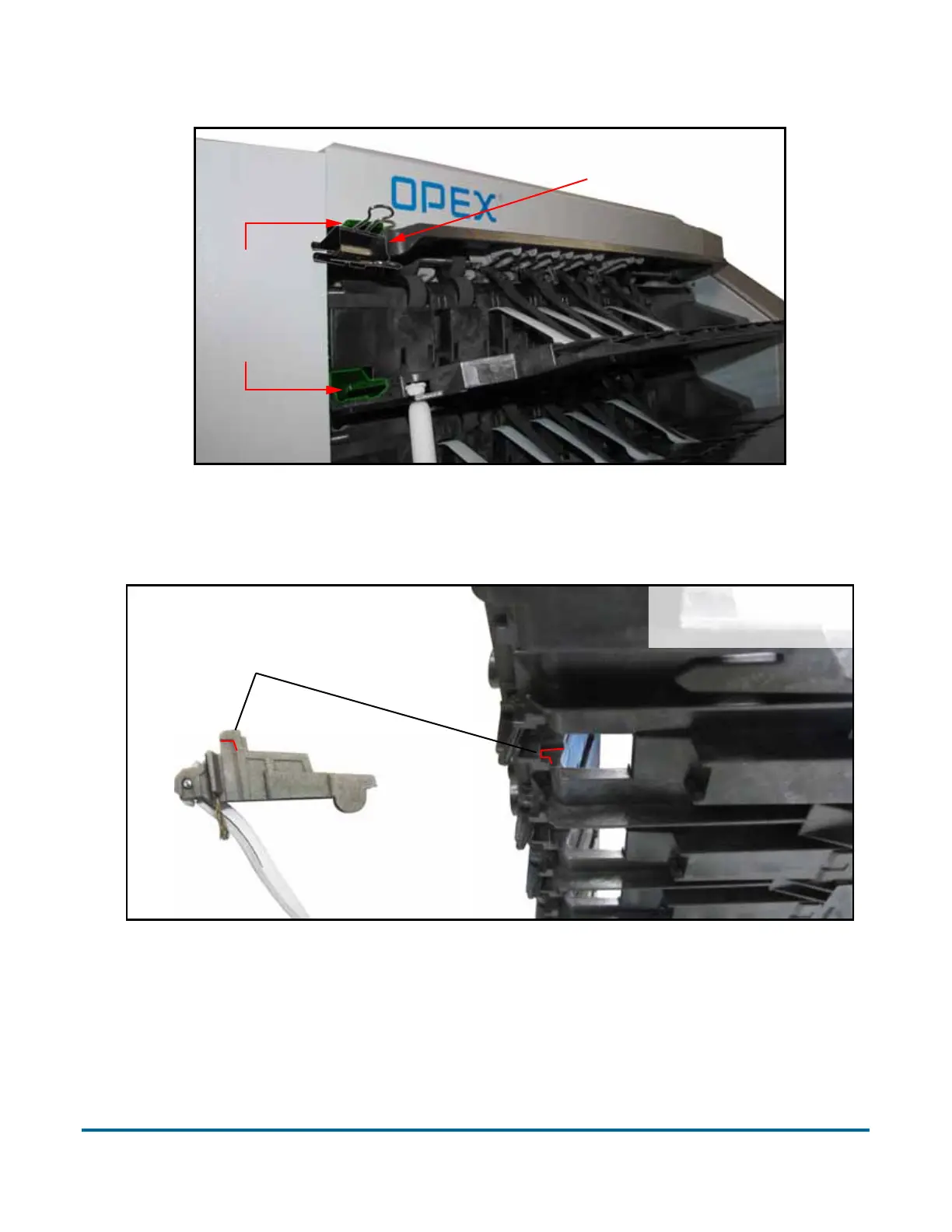
Load the upper stacker finger’s body into position, back-first, so its top hooks
into the corner as shown below.
Rotate the front of the stacker finger’s body up and gently squeeze the rounded
Stacker
finger
release
buttons
Binder clip used to
prevent movement
(Shelf disconnected
from machine)
Hook stacker finger
base into back of shelf



 To Next Page