80 Operation
FalconV User Manual - Standard Scanning - OPEX Corporation
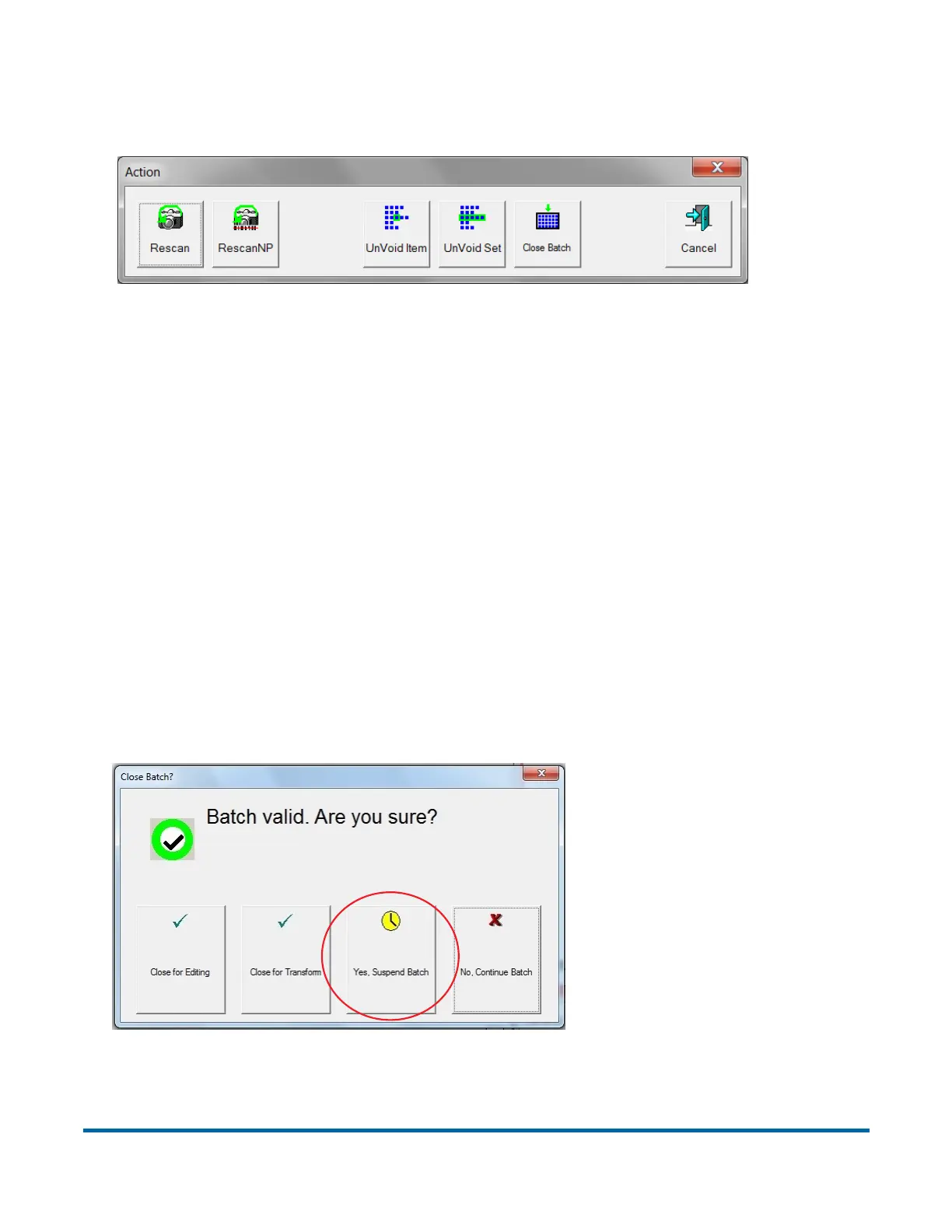
To “unvoid” an item, highlight the voided item’s thumbnail, and click Action.
The Action window will appear.
Press UnVoid Item to unvoid the selected item, or UnVoid Set to unvoid the
selected item and all other items that are part of the set. The Cancel button is
used to close the Action window without performing any functions.
Suspend and Resume Multiple Batches
CertainScan allows you to exit the job run screen without closing a batch. Addi-
tionally, CertainScan lets you open and suspend an unlimited number of
batches. You can even scan a different batch while leaving other batches
suspended. This has two main benefits:
1 Job and page type profiles can be created or edited without ending the job
and rescanning the batch.
2 For very large batches that cannot be completed in one shift, the operator
can suspend a batch and then resume it later.
With the multiple-batch feature enabled, you will be presented with the
Suspend Batch option upon exiting the Run screen (see Figure 22).
Figure 22: Close batch window



 To Next Page