Maintenance 109
FalconV User Manual - Standard Scanning - OPEX Corporation
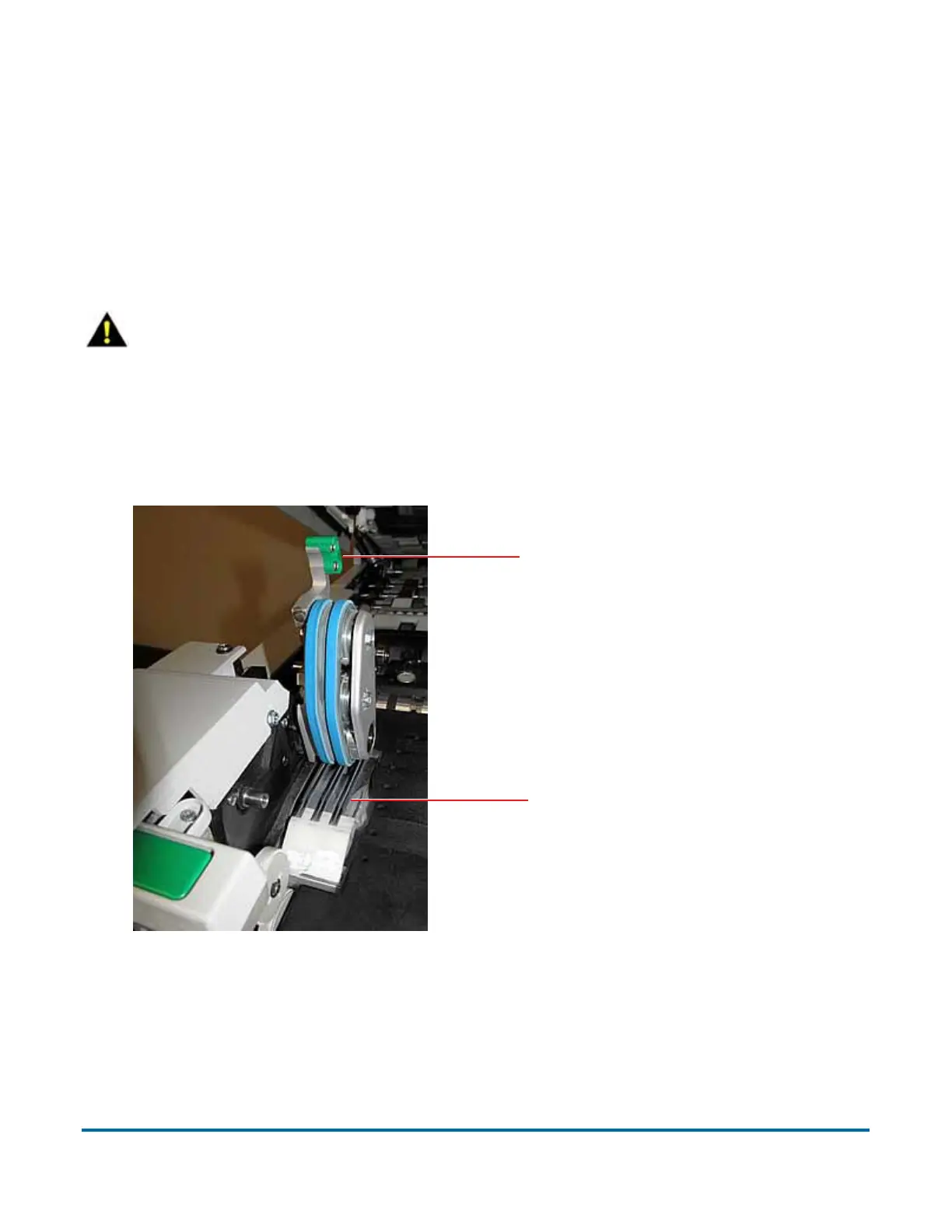
Feed assembly
Black lines on the image can be caused by dirt (toner, ink, white out, glue, etc.)
transferred from the paper to the rollers and feeder. Using a cleaner such as
Formula 409, clean the feed mechanisms on a weekly basis.
Lift the tab on the feed assembly to clean the retard pad underneath. Also
clean the feed rollers that lead up to the feeder.
CAUTION
CAUTION: Be careful when working with cleaners. A cleaner-soaked cloth
or similar material should never be used to clean moving objects. For
example, do not clean belts or rollers when the motors are running. The use
of a cloth or a similar material on moving mechanisms can result in severe
personal injury. If a belt, roller, pulley, or a similar part needs to be cleaned,
handcrank it during cleaning or clean it while stationary.
Feed assembly tab
Retard pad



 To Next Page