Operation 75
FalconV User Manual - Standard Scanning - OPEX Corporation
2 Wait for the slot to become solidly lit.
3 Inject the item(s) one at a time into the slot.
4 When finished, press the Rescan Feeder button again.
The slot will no longer be illuminated and feeding will resume at the auto-
feeder.
To use the Rescan Feeder with Multi-Feed detection during the paused
state:
1 When the Rescan Feeder slot is flashing, press and hold the Rescan
Feeder button until the Rescan Feeder slot begins to flash rapidly.
2 Inject the item(s) one at a time into the slot.
3 When finished, press the Rescan Feeder button again.
The slot will no longer be illuminated and feeding will resume at the auto-
feeder.
About the pre-feeder mechanism
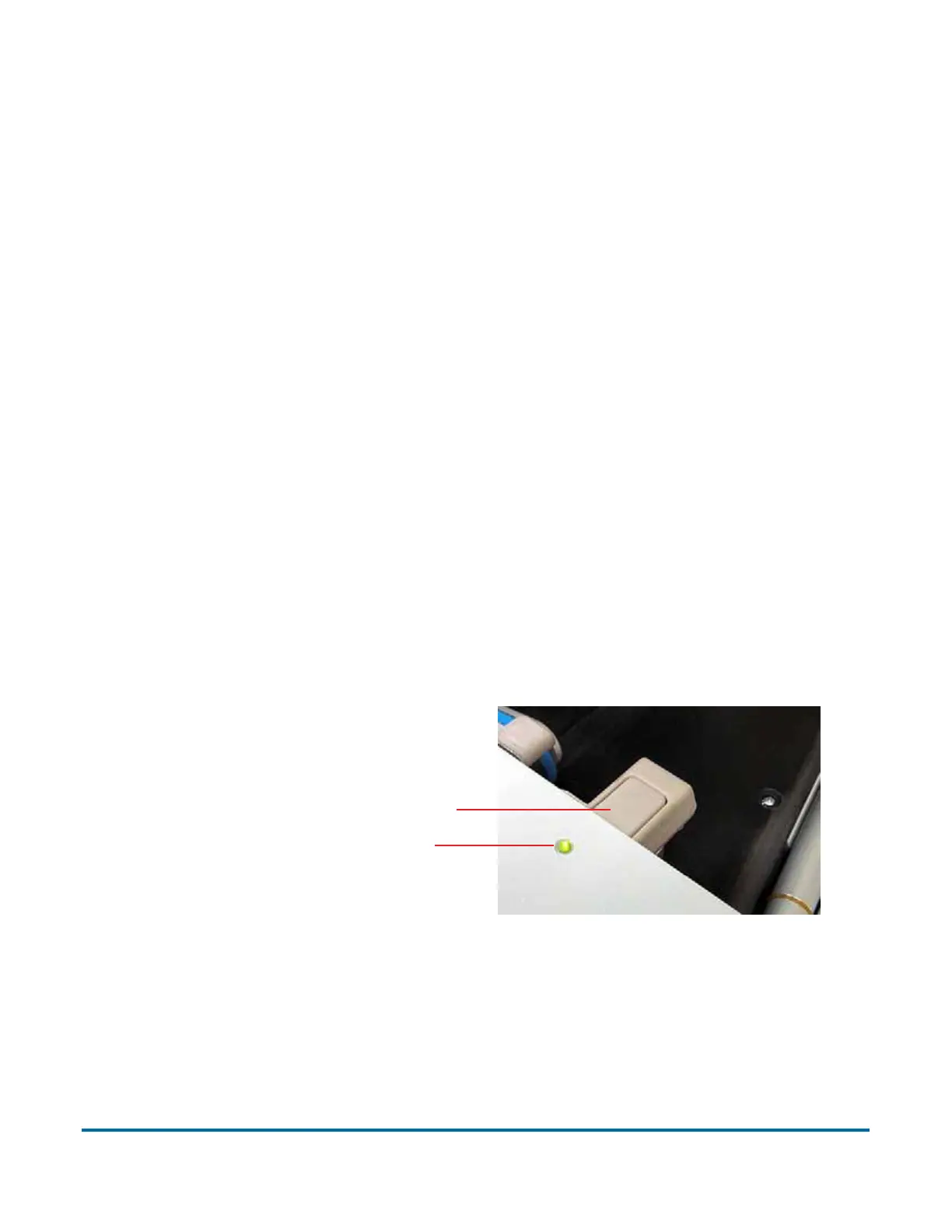
The pre-feeder mechanism consists of left and right pre-feeder wheels located
directly to the right of the feed belt and the MFD override LED and the MFD
override button.
The pre-feeder mechanism can only be activated via the MFD override button
when the machine is in a jammed or paused state. In the event of a jam, the
Pre-Feeder LED will flash green at a 0.5 second interval; alerting the operator
that it may be selected for use to re-feed any rejected or jam sorted sheets. If
the operator activates the Pre-Feeder, the LED will be solidly lit green and the
Pre-Feeder arms will raise to allow the item(s) to be placed under them.
Selecting the Pre-Feeder again will cause the Pre-Feeder LED to shut off, the
Pre-Feed MFD Override button
Pre-Feed MFD Override LED



 To Next Page