106 Maintenance
FalconV User Manual - Standard Scanning - OPEX Corporation
Bins
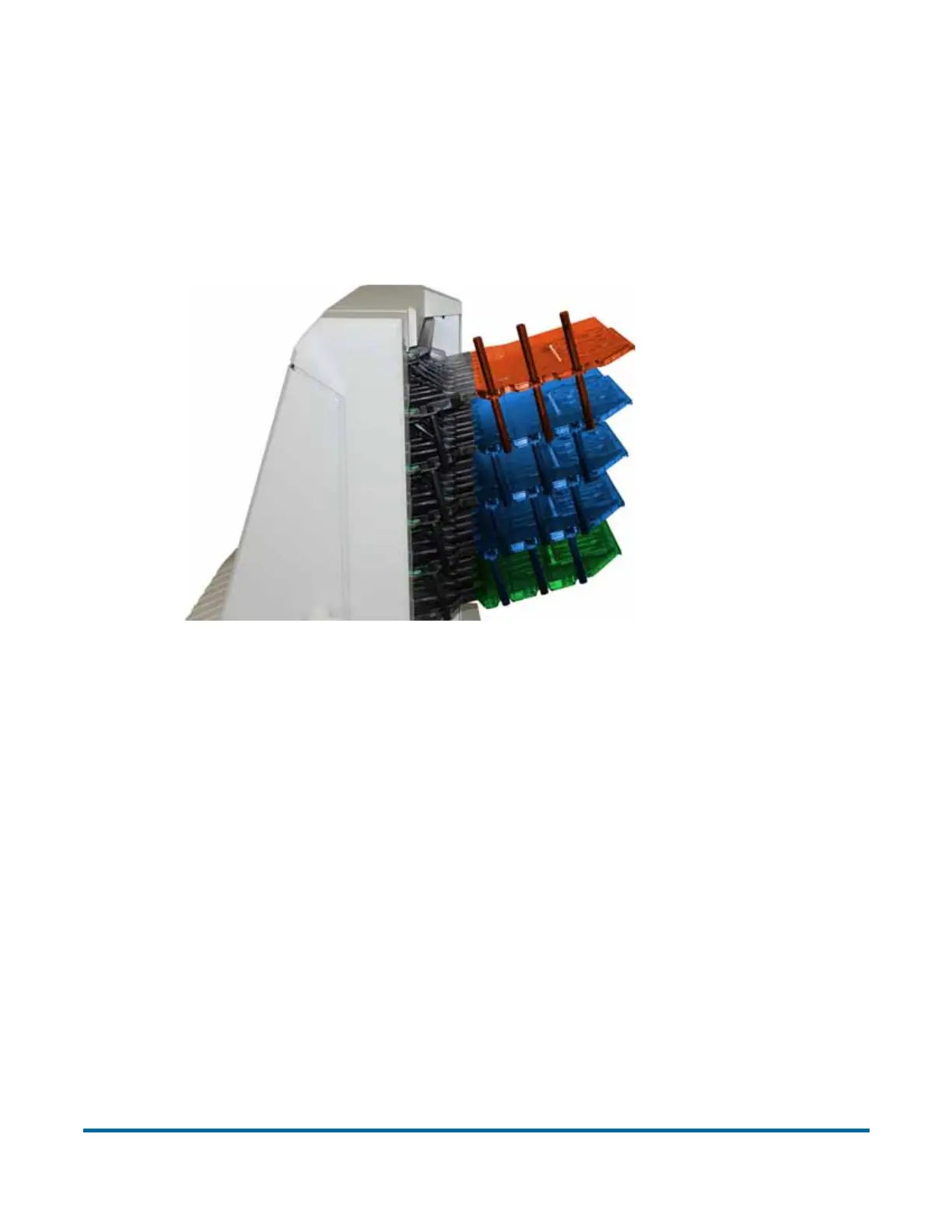
Insert the stacker bins. The stacker bin positions are:
• Top: Side justifiers on top and bottom
• Middle three: Side justifiers on bottom only
• Bottom: No side justifiers
Cleaning the system
When properly maintained, the FalconV will continue to operate efficiently and
smoothly. However, over time, dust and dirt buildup can degrade the perfor-
mance, resulting in problems such as skewing, double feeds, item hesitation
and damage. The conveyor, stacker assembly, feed assembly (feed belts, idler
pulleys, pre-feed tire, retard pad) and the CIS (contact image sensor) require
regular cleaning.
Regular and scheduled maintenance will ensure that the FalconV continues to
function properly, with minimum downtime and maximum efficiency. This
maintenance procedure consists of debris/dust removal and general cleaning.
Top:
Justiers on
top & bottom
Bottom:
No justiers
Middle 3:
Justiers on
bottom only



 To Next Page