Maintenance 107
FalconV User Manual - Standard Scanning - OPEX Corporation
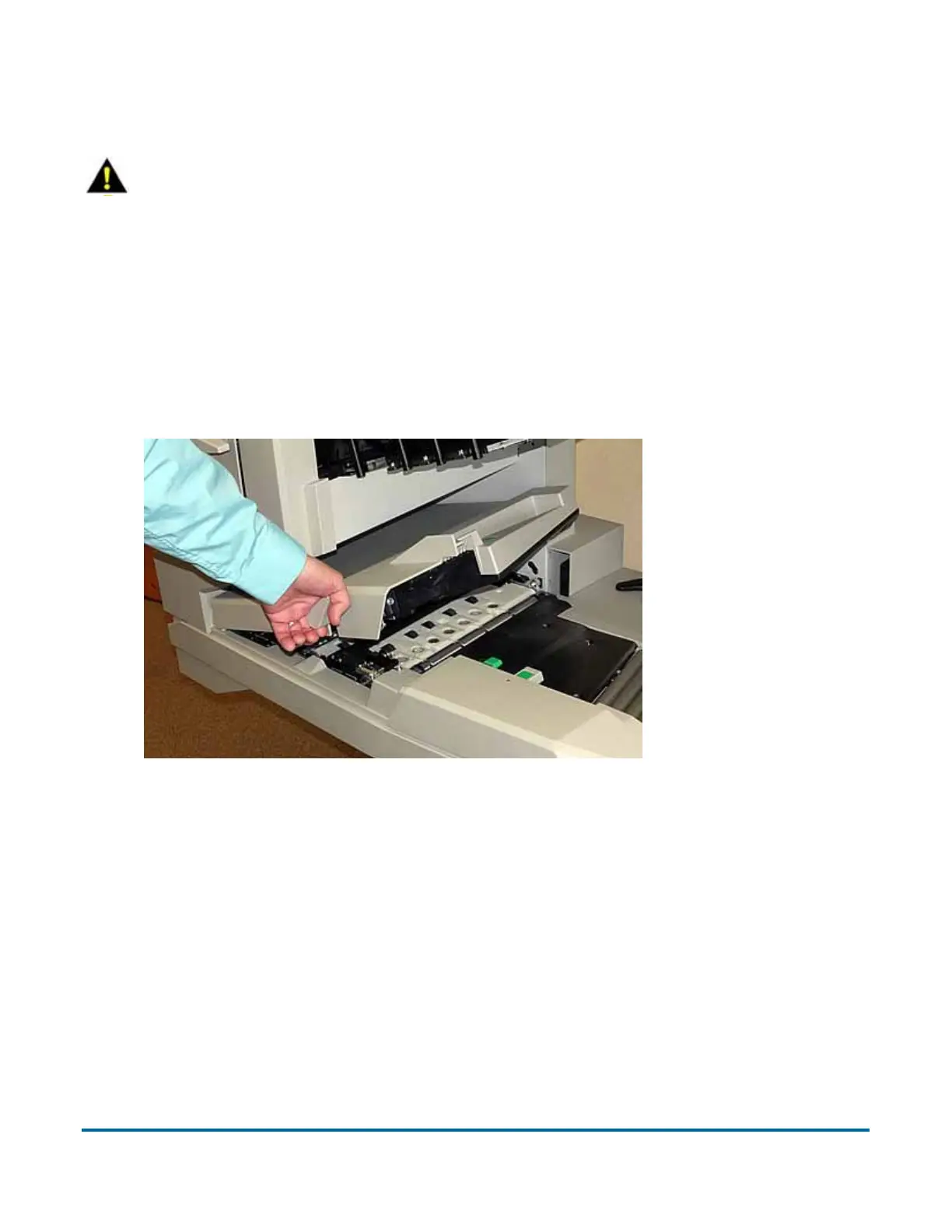
Conveyor and transport assemblies
1 Stop all jobs and ensure that all motors are stopped.
2 Check the transport area once a shift. Open the transport door (Figure 41)
and clear the area of paper debris, dust, envelope flaps, etc.
Figure 41: Transport door
3 Vacuum dust and debris from the stacker bins.
4 Vacuum dust and debris from the conveyor rollers.
Contact image sensor
The glass contact image sensors should be cleaned at the beginning or end of
each shift, or as needed. If you see lines appearing on the image previewed on
the screen, then it is likely there is a speck (toner, white out, paper, glue, etc.)
attached to the glass obstructing the view. Wipe the glass clean and the line
CAUTION
Caution: Be careful when working with cleaners. A cleaner-soaked cloth or
similar material should never be used to clean moving objects. For example,
do not clean belts or rollers when the motors are running. The use of a cloth
or a similar material on moving mechanisms can result in severe personal
injury. If a belt, roller, pulley, or a similar part needs to be cleaned, hand-
crank it during cleaning or clean it while stationary.



 To Next Page