90 Operation
FalconV User Manual - Standard Scanning - OPEX Corporation
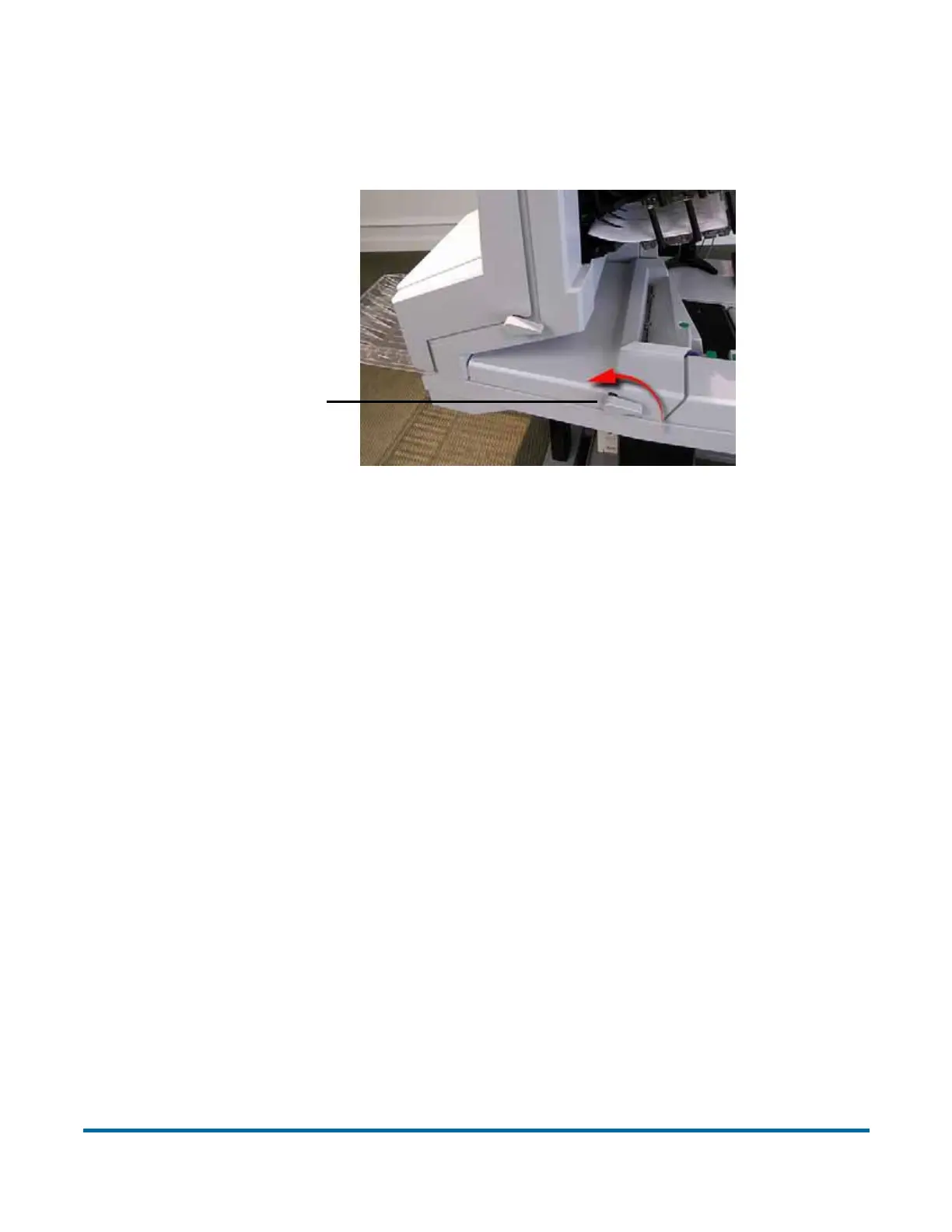
Access the scanner area:
1 Turn the latch counterclockwise to release the transport door latch. The
door will swing to the open position.
2 Clear any jammed paper or debris in this area.
3 To close the transport door, hold onto the latch and gently pull the door
closed.
4 When the door reaches the closed position, rotate the latch clockwise until
you hear the lock snap into place.
Access the stacker area:
1 Turn the stacker latch counter-clockwise and pull the stacker door away
from the scanner.
2 Clear any paper or debris that is caught in the transport area.
Transport door latch
NOTICE: Slamming the door down can damage the image sensors.



 To Next Page