Intersection Equipment Installation Instructions
49
12.3.1 RS-232 COM Port on the Rear Edge Connector
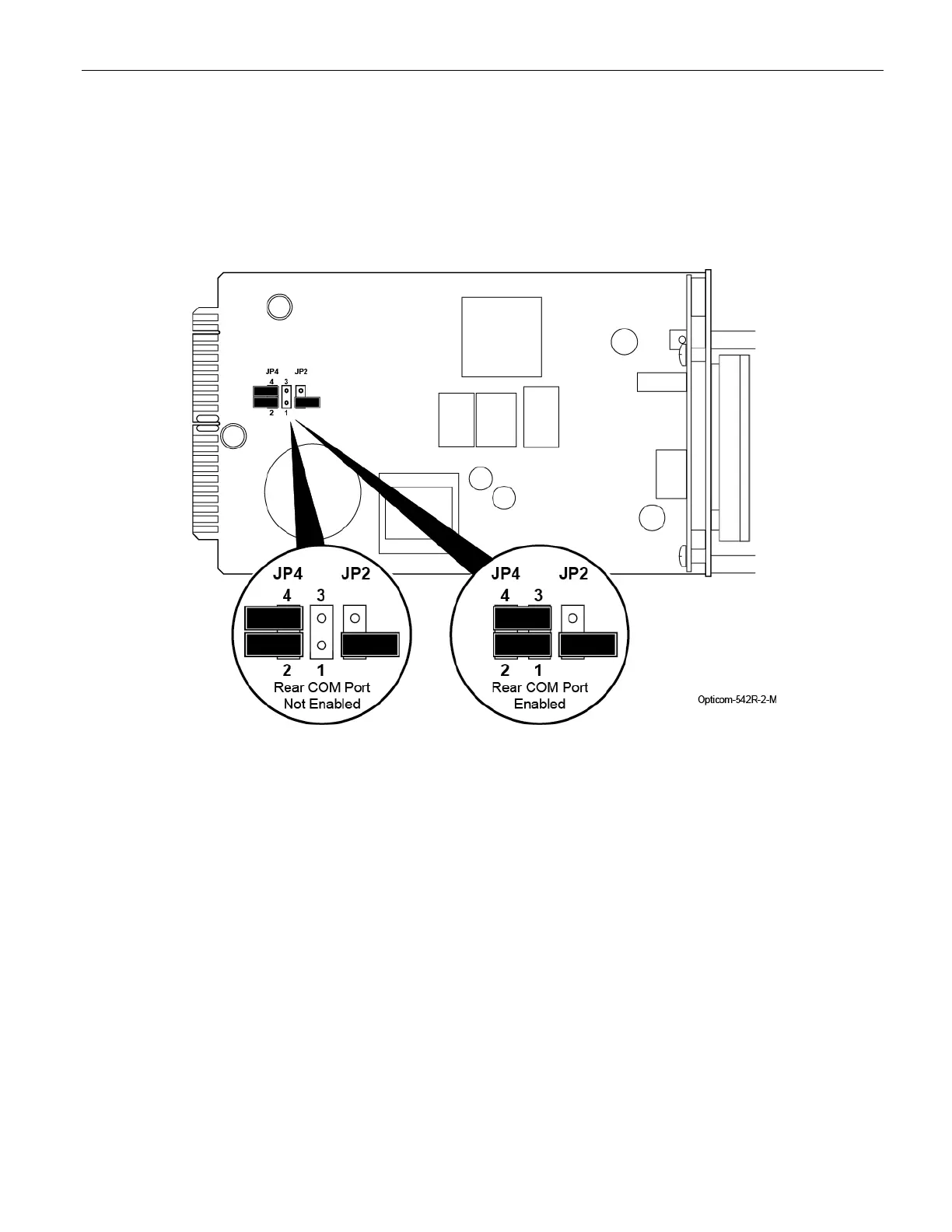
When shipped from the factory, the rear edge RS-232 communication port is not enabled.
To enable the rear edge communication port, remove the two jumpers from their storage positions in
positions 2 and 4 on JP4 and place one across pins 1 and 2 and the other across 3 and 4 on JP4. See Figure
12-1.
Figure 12-1 Enabled Rear Edge Communication Port



 To Next Page