Intersection Equipment Installation Instructions
53
13.2 Display and Switches
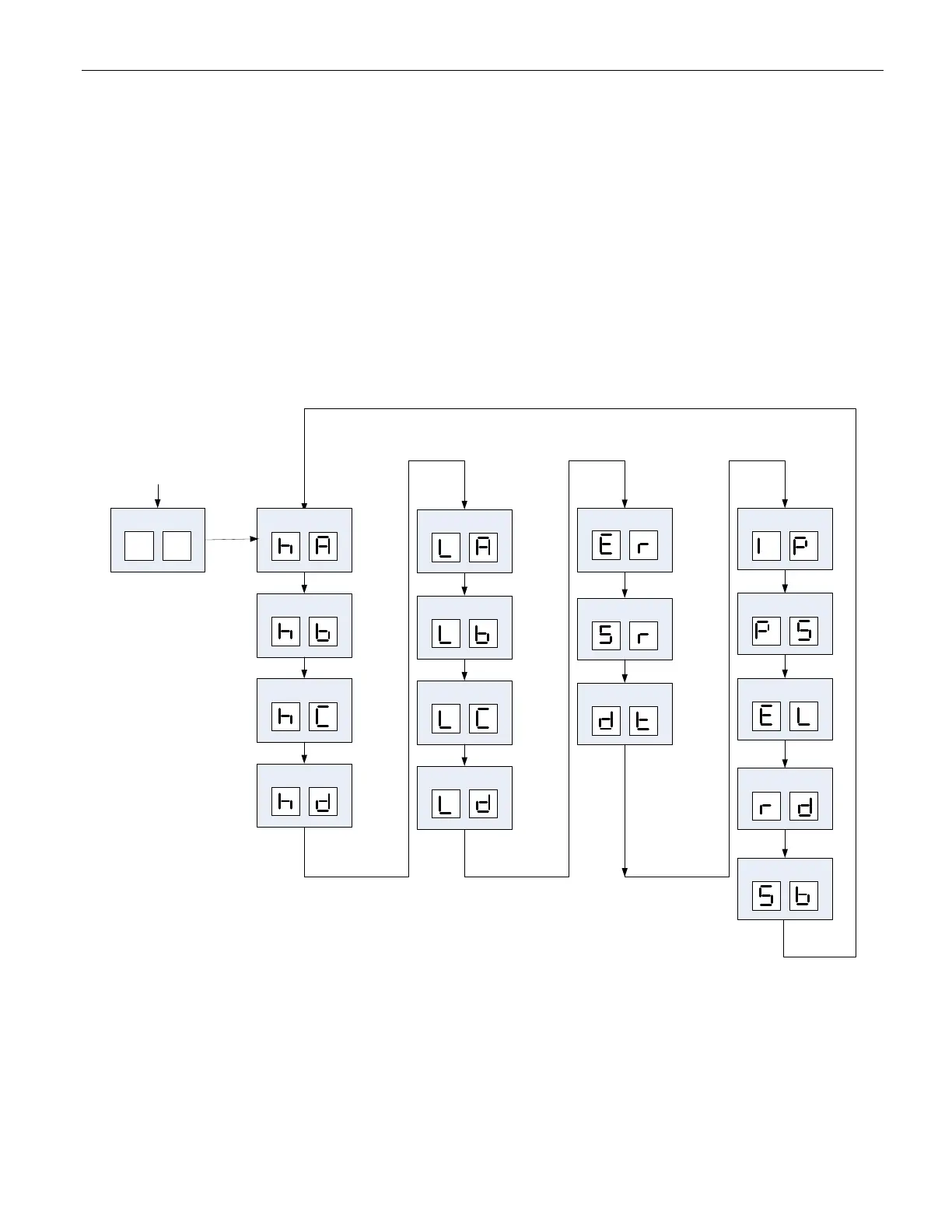
Opticom Phase Selectors have a two digit display and two switches.
• Select Switch
• Test Initiate Switch
The Select switch is designed to act in conjunction with the Test switch to provide different operations and
tests. The operation/test to be performed is displayed in the 2 digit display. Each time the select switch is
pressed the next operation/test is displayed. The list will repeat after the last available operation/test is
displayed.
The display is normally off. While it is off, the test switch will have no function. If no buttons are pressed for
5 seconds, the display will shut off.
Start
Returns to Blank Display after 5
seconds
Test Call
Test Call
Test Call
Test Call
Test Call
Test Call
Test Call
Test Call
Error Review
Detector Test
IP Override
Password Override
Standby Mode
Set Range
Erase logs
Select
Select
Select
Select
Select
Select
Select
Select
Select
Select
Select
Select
Select
Blank Display
Reset to Defaults
Select
Select
Figure 13-1 Phase Selector Select Switch Functions



 To Next Page