13
Installation
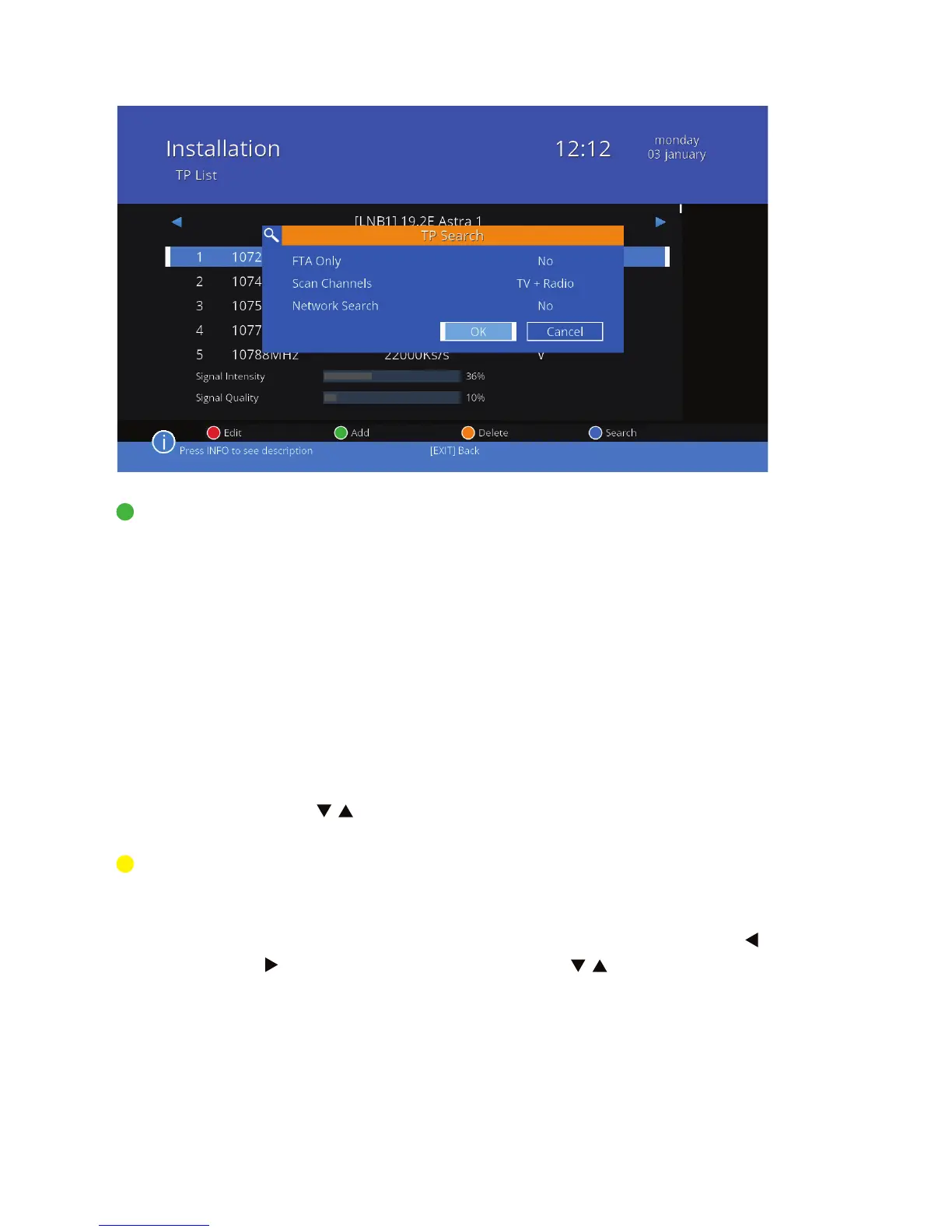
TP search Transponder scan. Press the green button to scan the
transponder. In the window that appears after 3 seconds
on the screen, set the options:
FTA only Select Yes if you want to search only unencrypted
channels.
Scan channels Select the type of channels you want to search (TV,
radio, or both at once).
Network search Select Yes, if you want to scan only the frequen-
cies with the NIT (Network Information Table).
When this option is selected, the progress bar is
not display.
Press / to go to OK and press the OK button to start
scanning, or choose Cancel to return to the settings.
Edit TP Operations in the transponder list. Press the yellow but-
ton to see a list of transponders. This feature is also availa-
ble after pressing the green button and after an exit from
the window of a single transponder scan settings. Press /
to change the satellite. Using the / buttons select the
transponder. You can read the signal strength and quality.



 To Next Page