EX540/EX542/EX612/EX615/EX762/EX540I/EX542I/ES523ST/EW533ST
Condential 2-6
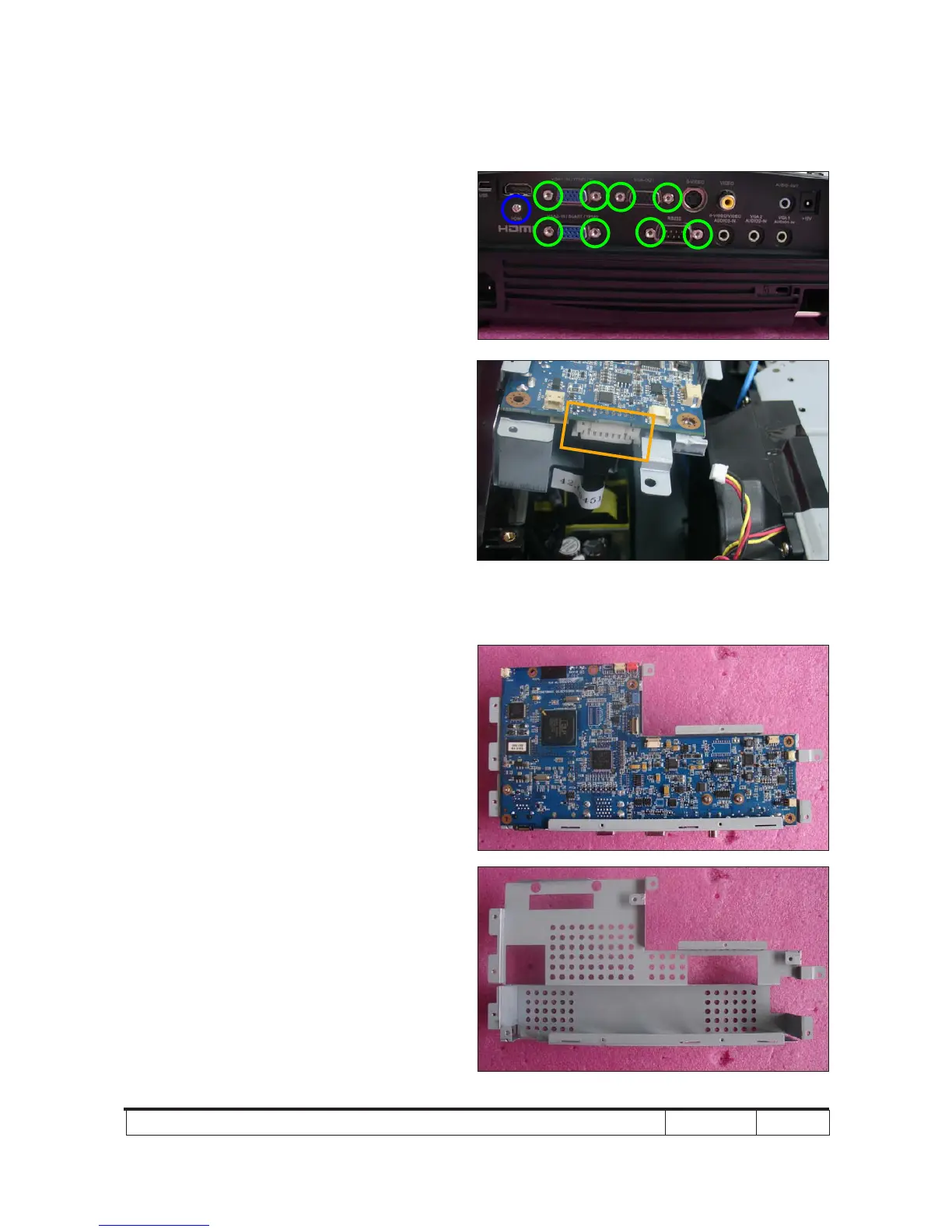
4. Unscrew 1 screw (as blue circle) from
the IO Cover.
5. Unscrew 8 hex screws (as green circle)
from the IO Cover.
6. Unplug 1 connector (as orange square).
7. Separate the Main Board Module
and Main Board Shielding.
Note: - Make sure cables plug into the correct
ports when assembling the unit.
Main Board Shielding



 To Next Page