EX540/EX542/EX612/EX615/EX762/EX540I/EX542I/ES523ST/EW533ST
Condential
6-5
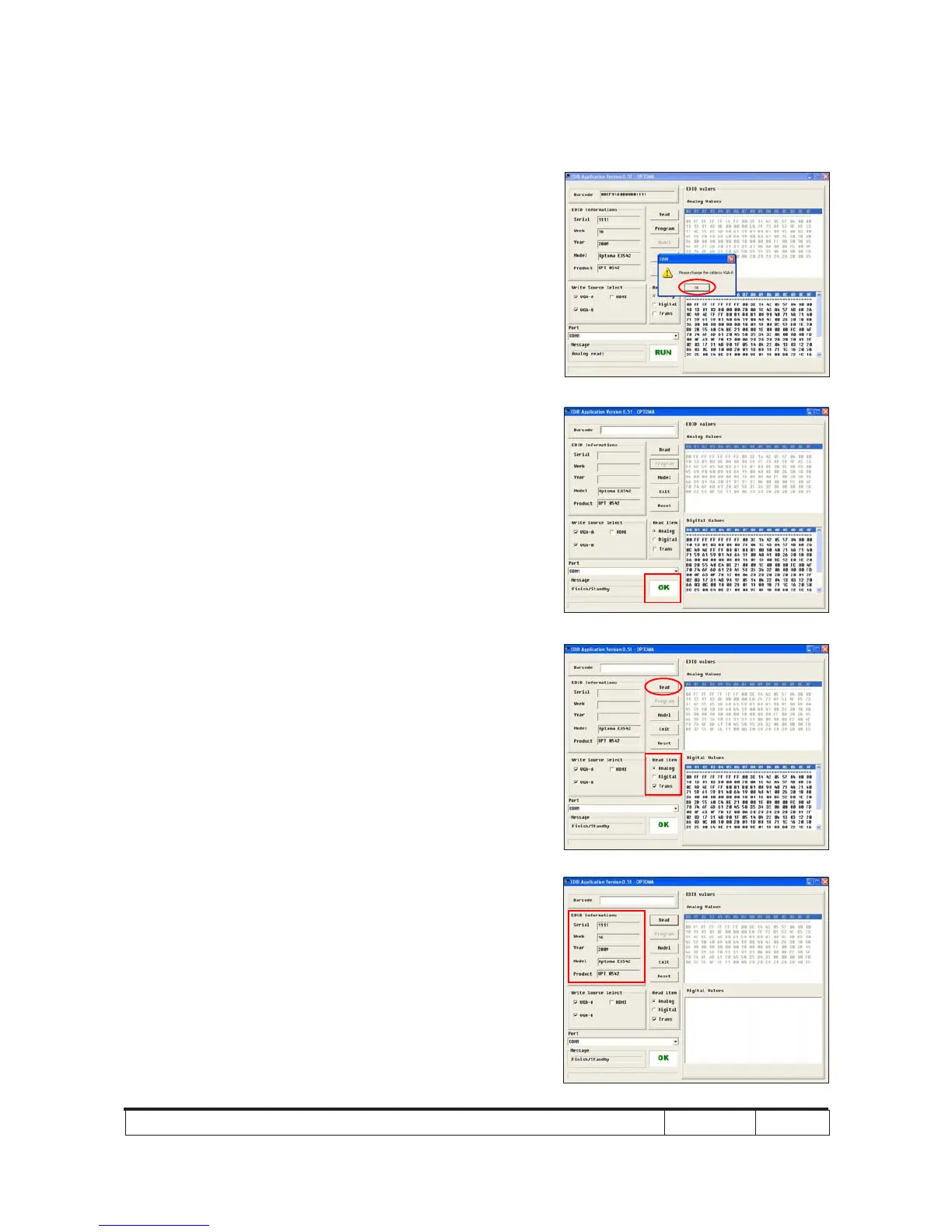
4. Change the cable to VGA-B
- When the message "Please change the
cable to VGA-B" appears on the screen,
click "OK".
5. When the EDID program is completed, a
message "OK" will appear on the screen.
6. Read EDID "VGA-A&VGA-B" information
- In "Read item", select "Analog" and
"Trans", then click the "Read".
7. EDID information will show the result.



 To Next Page