EX540/EX542/EX612/EX615/EX762EX540I/EX542I/ES523ST/EW533ST
Condential
6-10
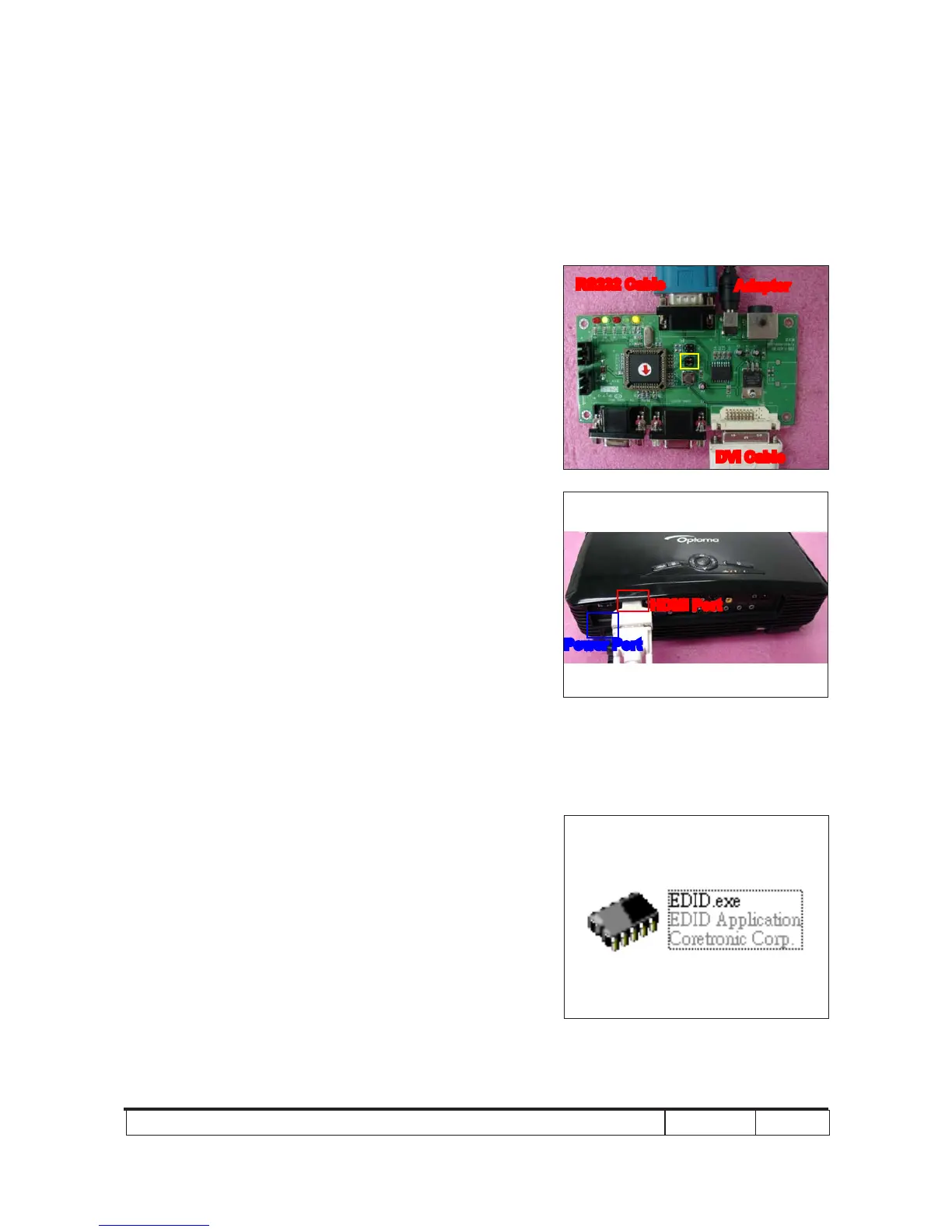
RS232 Cable
DVI Cable
JP3
Adapter
JP1
P1
P5
RS232 Cable
DVI Cable
6-8 Setup Procedure (HDMI)
(for EX542/EX615/EX540/
EX762/EX540I/EX542I)
1. Connect all ports
(1) Connect P1 of xture with COM Port of
PC/Laptop by RS232 Cable.
(2) Connect P5 of xture with HDMI Port of
projector by DVI Cable.
(3) Plug Power Adapter to JP1 of xture.
(4) Power on xture.
(5) Plug Power Cord to projector.
Note: You must conrm that the JP3 is closed in
all procedure.
6-9 EDID Key-In Procedure (HDMI)
(for EX542/EX615/EX540/
EX762/EX540I/EX542I)
1. Execute EDID Program
- Double click "EDID" to execute EDID
program.
HDMI Port
Power Port



 To Next Page