EX540/EX542/EX612/EX615/EX762/EX540I/EX542I/ES523ST/EW533ST
Condential
6-11
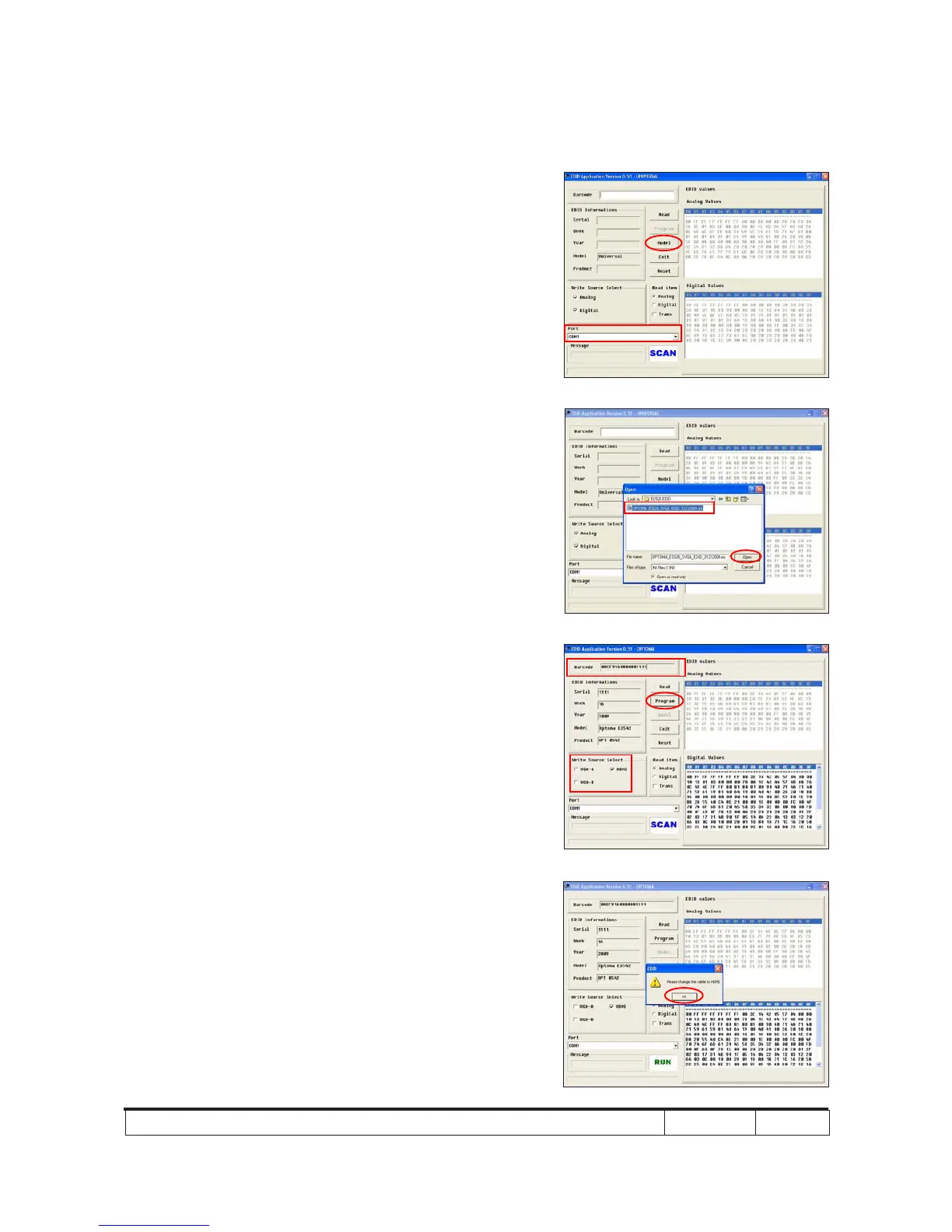
2. Process
(1) Select the COM Port which you are
using.
(2) Click "Model".
(3) Select the EDID le (*.ini).
(4) Click "Open".
(5) Key in the Serial Number into the
Barcode blank space.
(6) In "Write Source Select" item, select
"HDMI".
(7) Click "Program".
3. Change the cable to HDMI
- When the message "Please change the cable
to HDMI" appears on the screen, click "OK".
(1)
(2)
(7)
(6)
(5)
(3)
(4)



 To Next Page