EX765/EW766/EX765W/EW766W
Condential
6-3
6-4 DDC Key-In Procedure
(VGA1, VGA2, DVI Interface)
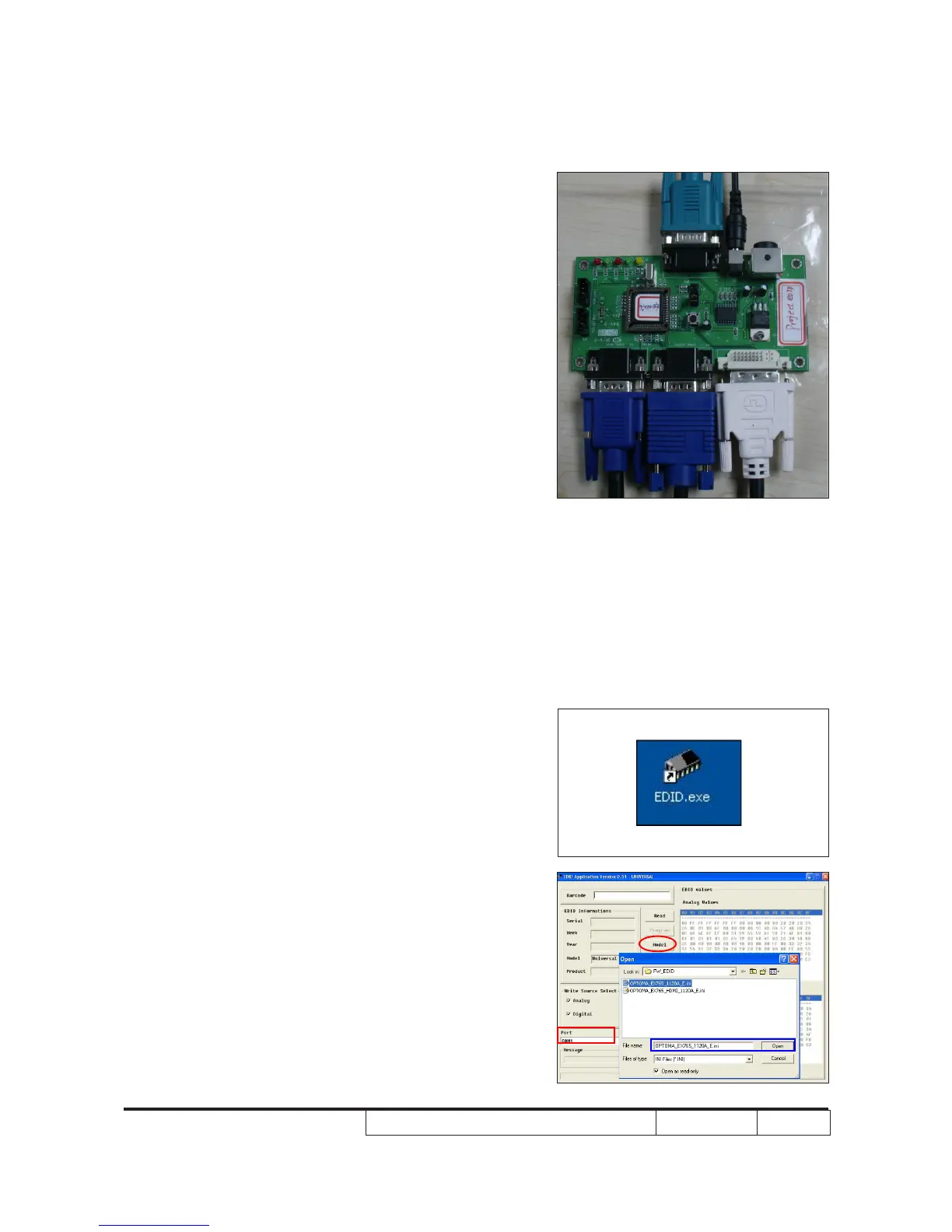
1. Click on "EDID.exe" to execute EDID program.
2. Choose model
- In the port selection bar, please choose the
port you're using. For example: if you use
"COM1," choose COM1 in the port selection.
- Click "Model" to choose the EDID le(*.ini)
and open it.
6-3 Setup Procedure (VGA
Port)
1. Connect all ports
- Power adapter to xture JP2
- Fixture P1 to PC COM Port
- Fixture P4 to Projector VGA1 in
- Fixture P2 to Projector VGA2 in
- Fixture P3 to Projector DVI
- Power on xture
- Plug in power cord to unit
Note: Conrm JP3 is in “Close” status.
JP2
Adapter
RS232 Cable
P1
VGA-VGA Cable
P4
P2 P3
DVI-DVI Cable
2



 To Next Page