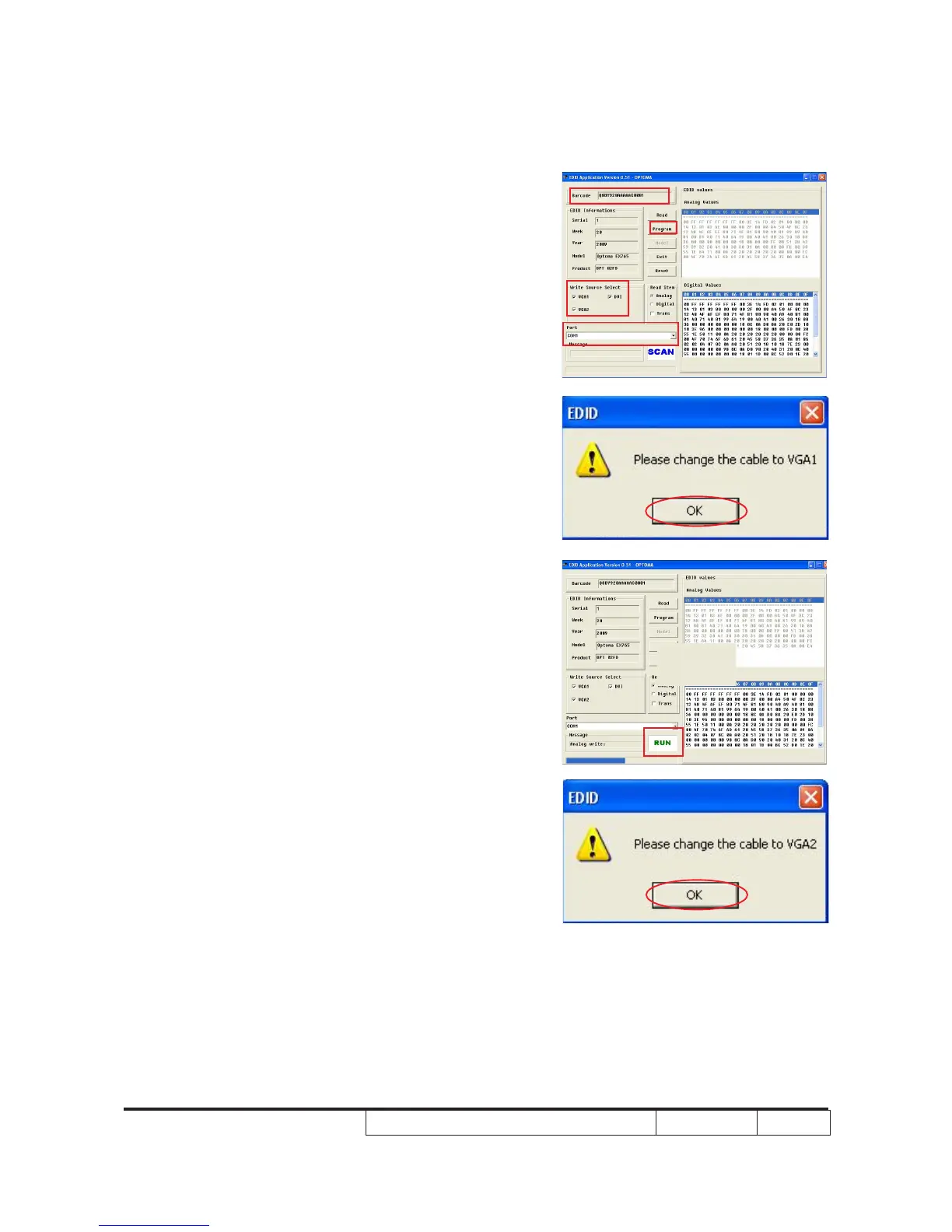
3. Programming
(1) Key in the serial number into the
barcode blank space.
(2) In"Write Source Select"item,select
“VGA1” , “VGA2” and “DVI”.
(3) Check whether the port is the one
you're using.
(4) Click "Program" button.
4. When the message “Please change the
cable to VGA1” is shown on the screen,
click “OK” button.
5. “Run” message will appear on the screen.
6. When the message “Please change the
cable to VGA2” is shown on the screen,
click “OK” button.
(1)
(2)
(3)
(4)



 To Next Page