EX765/EW766/EX765W/EW766W
Condential
6-5
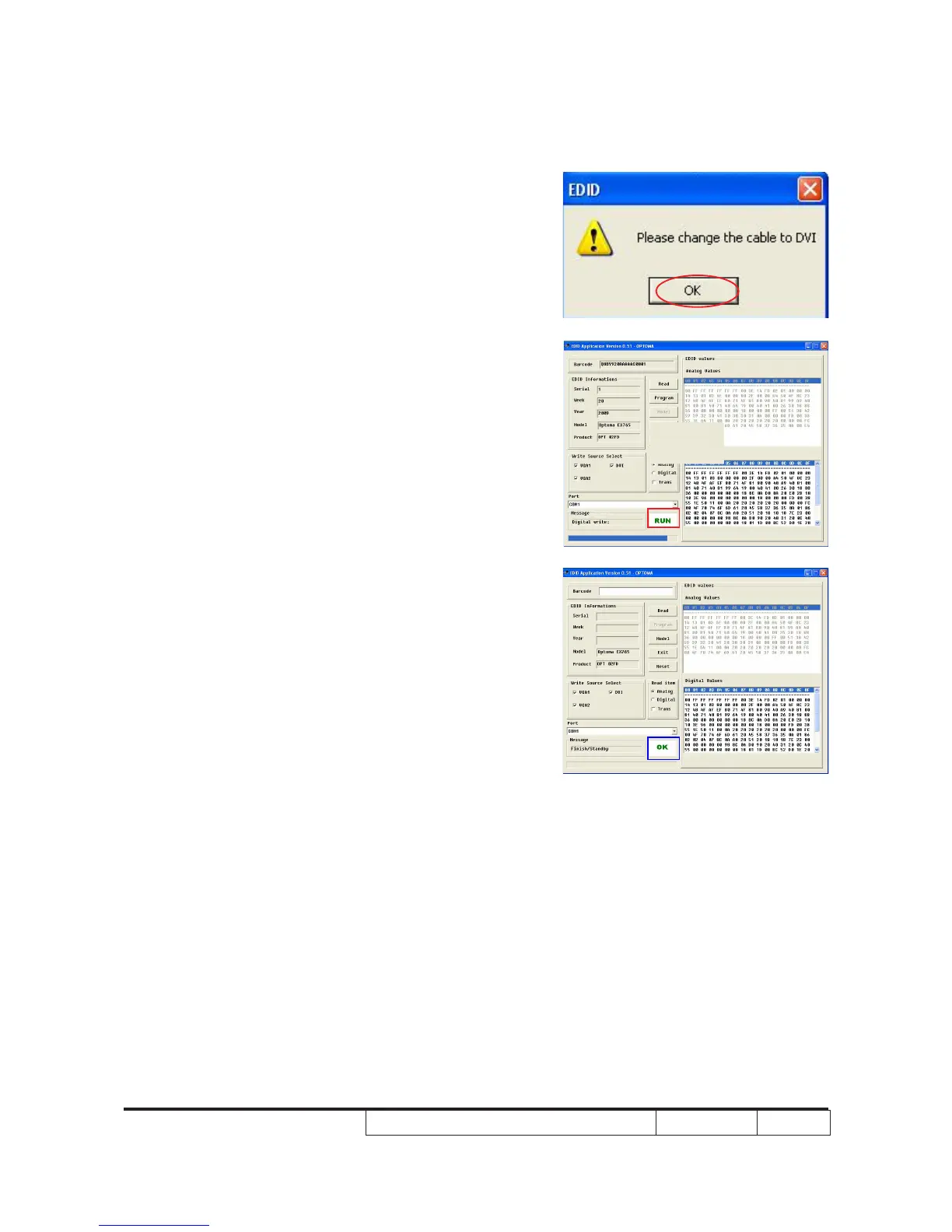
7. When the message “Please change the
cable to DVI” is shown on the screen,
click “OK” button.
8. “Run” message will appear on the screen.
9. When the EDID program is completed, a
message "OK" will appear on the screen.



 To Next Page