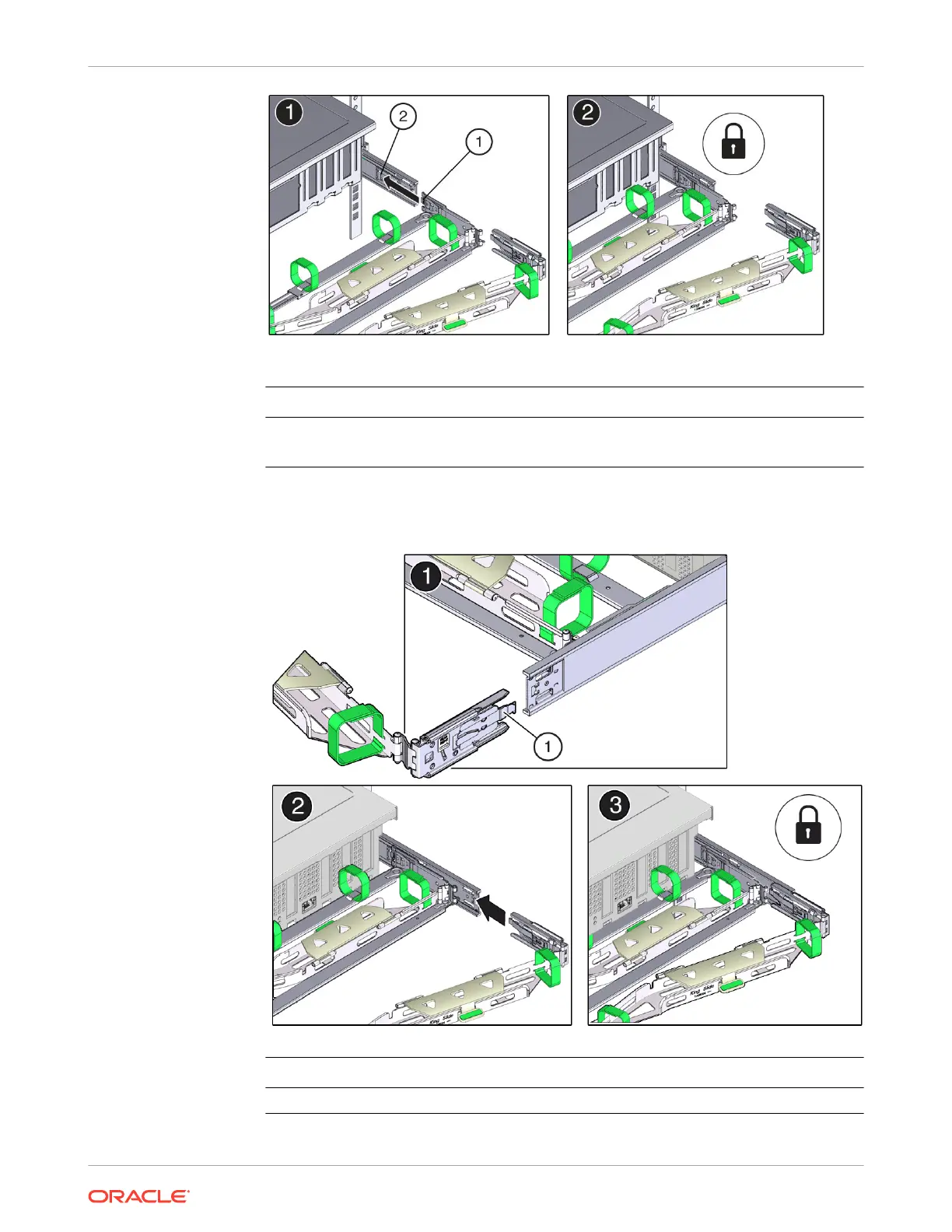
Call Out Description
1 Connector B tab
2 Right slide rail front slot
4. To install CMA connector C into the right slide rail:
a. Align connector C with the slide rail so that the locking spring (callout 1) is positioned
inside (server side) of the right slide rail [1].
Call Out Description
1 Connector C locking spring
Chapter 4
Replacing the Cable Management Arm
4-23















 To Next Page