84 Symbion™ Programmer Guide © Orbotech 2005
Draft - Confidential
•
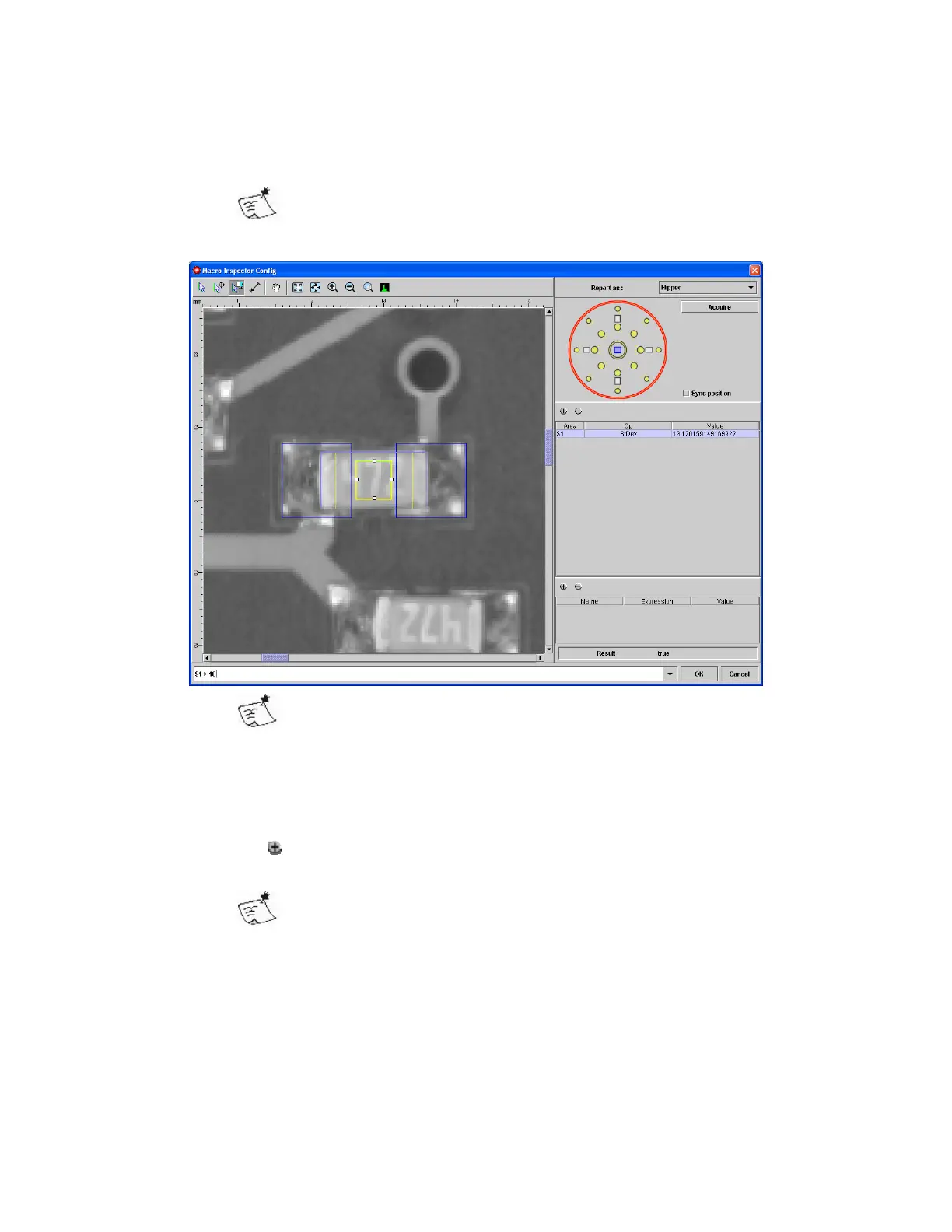
If you wish to compare a singe area to a threshold; enter the area name,
operator and threshold in the expression editor
$1 > 10
Areas are identified sequentially as $1, $2, $3…..
For simple thresholds, common operators are <, >, ==
The result is indicated as true or false
• More complex inspections will require more areas, expressions can then
be used to evaluate one area in comparison with another;
$1 > $2
($1 - $2) < 10
• Clicking in the Expression panel (bottom of the right side) creates an
expression (called #1) which can then be defined in the Expression field.
Use expressions to evaluate the Inspection in smaller parts, and
to reduce the length of the main expression.
• Click OK when complete



 To Next Page