EasyManua.ls Logo

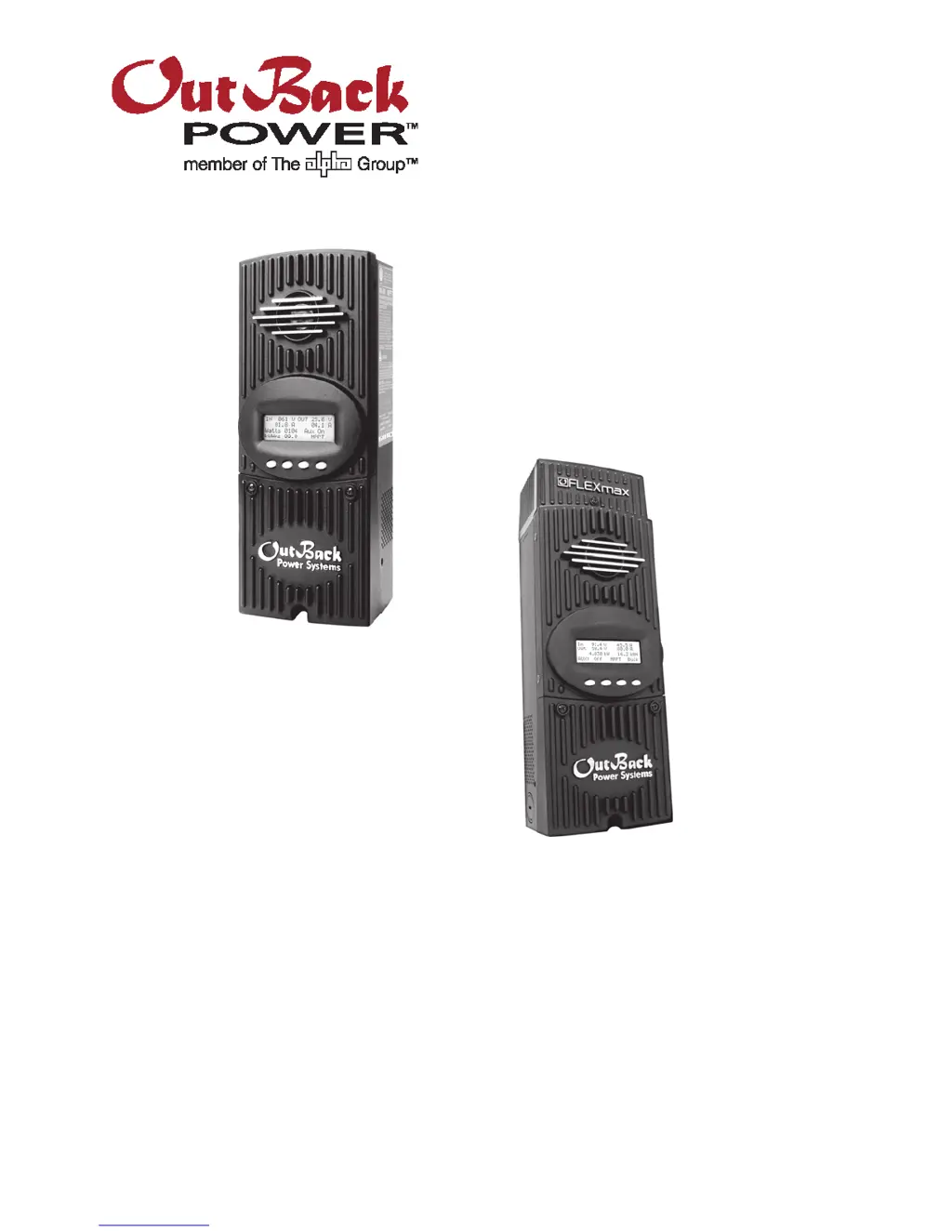
OutBack Power FLEXmax 60 - User Manual

OutBack Power FLEXmax 60
112 pages
Print Icon
To Next Page IconTo Next Page
Loading...
FLEXmax Series
Charge Controllers
(FLEXmax 80, FLEXmax 60)
Owner’s Manual

Table of Contents

Questions and Answers

  • A
    Allison SandersAug 14, 2025
    Why is my OutBack Power FLEXmax 60 Controller FLEXmax not producing expected power?
    • K
      katelyngreenAug 14, 2025
      If your OutBack Power Controller FLEXmax is not producing the expected power, several factors could be at play. Check PV conditions to ensure there are no clouds, partial shading, or dirty panels. Verify the current limit set point in the Charger menu is appropriately configured. If the batteries are fully charged, the FLEXmax will only produce enough power to maintain the voltage at the Absorption or Float stage. Problems with the array or wiring can also limit power output, so determine the specified short-circuit current of the PV array. Finally, high temperatures can affect performance, so check the PV array temperature.
  • E
    Emily CarpenterAug 17, 2025
    Why is my OutBack Power Controller FLEXmax always SLEEPING?
    • V
      Victoria JacksonAug 17, 2025
      If your OutBack Power Controller FLEXmax is always in SLEEPING mode, check the battery voltage to ensure it is not at or above the Absorbing voltage set point. Also, verify that the PV voltage is at least two volts greater than the battery voltage. If voltage is not present, check the PV array breaker (or fuse) and confirm it is sized appropriately.
  • K
    Kelsey WarrenAug 20, 2025
    What to do if my OutBack Power FLEXmax 60 Controller FLEXmax is not equalizing?
    • L
      Linda JenningsAug 20, 2025
      If your OutBack Power Controller FLEXmax is not equalizing, first make sure that the equalization cycle has been started. The cycle will begin when the target EQ set point voltage has been reached, so small arrays or cloudy weather can delay it. Running too many battery loads can also delay the cycle. Finally, check the PV array temperature, as high temperatures can affect equalization.
  • H
    Hayley WilliamsAug 25, 2025
    What does it mean when PV voltage reads 000 on OutBack Power FLEXmax 60 FLEXmax?
    • N
      nleonAug 25, 2025
      If the PV voltage reads 000 on your OutBack Power Controller FLEXmax, and the PV array voltage on the display rises with the PV breaker OFF, but reads 000 with the PV circuit breaker on, the PV array polarity may be reversed or shorted.
  • K
    Kayla ReyesAug 27, 2025
    How to fix a scrambled LCD display on OutBack Power Controller FLEXmax?
    • E
      Emily RobertsonAug 27, 2025
      If the LCD display on your OutBack Power Controller FLEXmax is scrambled, reboot the controller.
  • A
    angela56Aug 31, 2025
    What does BatTmpErr mean on my OutBack Power Controller FLEXmax?
    • A
      aaronkellyAug 31, 2025
      If the status screen on your OutBack Power Controller FLEXmax shows BatTmpErr, confirm the type of temperature sensor. If the RTS is correct, it may be faulty or damaged. Disconnect the RTS from the jack to resume normal operation.
  • A
    Allison GarciaSep 3, 2025
    How to troubleshoot an OutBack Power FLEXmax 60 FLEXmax that won't boot (blank LCD)?
    • S
      Suzanne MullinsSep 3, 2025
      If your OutBack Power Controller FLEXmax does not boot or power up and the LCD is blank, check the battery connection and polarity to ensure they are correct. Also, check the battery disconnect or circuit breaker, making sure all circuit breakers are sized appropriately. Verify the battery voltage at the FLEXmax terminals is above 10.5 Vdc. A poor connection may not allow sufficient voltage to reach the FLEXmax, so ensure connections are secure.
  • J
    Jacob OconnorSep 6, 2025
    Why is my OutBack Power Controller FLEXmax making a squealing sound?
    • D
      Dean AllenSep 6, 2025
      If your OutBack Power Controller FLEXmax is making a squealing sound, and the MPP voltage is low enough to approach the battery voltage (usually when the array is very hot), it is near the effective limit of the MPPT function. This problem can be alleviated by placing the FLEXmax in Extended Play.
  • R
    Robert JonesSep 10, 2025
    Is it normal for the internal fan of my OutBack Power FLEXmax 60 Controller FLEXmax not to run?
    • L
      Laura SanchezSep 10, 2025
      The internal fan of your OutBack Power Controller FLEXmax will only run when the internal temperature has reached approximately 112°F.

Summary

Installation

Standards and Requirements

Outlines compliance with electrical codes and recommended installation practices.

Grounding

Details the grounding requirements for the FLEXmax equipment.

DC and Battery-Related Installation Requirements

Lists essential DC and battery connection guidelines and precautions.

Wire and Disconnect Sizing

Covers guidelines for sizing input conductors and circuit breakers for safe operation.

Operation

Status Screen

Details the information displayed on the FLEXmax status screen and its navigation.

Modes of Operation

Lists and explains the various operating modes of the FLEXmax charge controller.

Charger Screen

Details how to adjust charger settings like current limit, absorbing, and float voltages.

Aux Screens

Describes the control and functionality of the auxiliary output terminals.

Advanced Menu

MPPT Mode (Advanced Menu)

Allows selection of MPPT tracking modes like Auto Track or U-Pick.

Rebulk Voltage (Advanced Menu)

Defines the voltage threshold to initiate a new charge cycle from Float.

RTS Compensation (Advanced Menu)

Adjusts temperature compensation limits for the RTS sensor.

MATE3 System Display and Controller

Charge Controller Settings

Lists the configurable settings for the charge controller via the MATE3 interface.

MATE;MATE2 Screens

MATE;MATE2 Advanced Menus

Specifications

Default Settings and Ranges

Provides a table of default settings and their adjustable ranges for FLEXmax.

Applications

Maximum Power Point Tracking

Explains the MPPT technology used to optimize PV power harvesting.

Three-Stage Battery Charging

Details the multi-stage charging process for battery health and longevity.

Grid-Interactive Settings

Explains how to configure the FLEXmax for grid-interactive inverter systems.

OutBack Power FLEXmax 60 Specifications

General IconGeneral
ModelFLEXmax 60
TypeMPPT Charge Controller
Maximum PV Input Voltage150 VDC
Maximum Charge Current60A
Maximum Output Current60A
Temperature Range-40°C to +60°C
Warranty5 years
CommunicationRS-232
Protection FeaturesOver Voltage, Over Current, Short-Circuit, Reverse Polarity, Over Temperature
Battery Voltage12 VDC, 24 VDC, 36 VDC, 48 VDC, 60 VDC
Nominal Battery Voltage12, 24, 36, 48, 60 VDC

Related product manuals