Operation
900-0009-01-00 Rev C 57
Rebooting the FLEXmax
If the screen becomes garbled or the FLEXmax controller otherwise will not respond to commands, it
may be necessary to reboot its internal processor.
IMPORTANT:
Rebooting the FLEXmax controller will return all the values and set points to the factory
defaults. These values are listed on page 94. It is advisable to record all custom values
before rebooting.
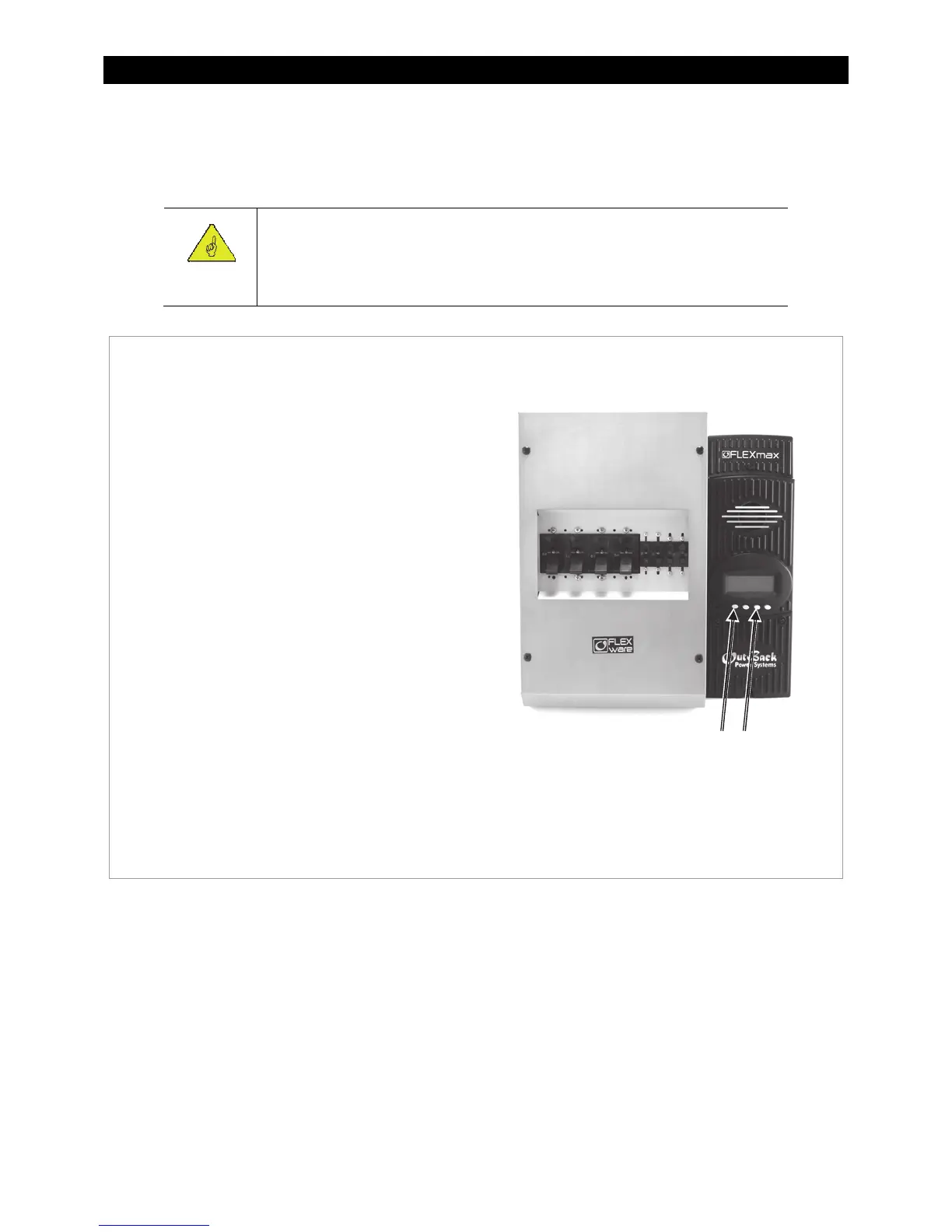
Figure 53 Rebooting the FLEXmax
To reboot the FLEXmax:
1. Turn off the battery and PV array circuit
breakers. The FLEXmax should have no
sources of power connected. Observe the
screen until it goes blank.
2. Press and hold the first and third soft keys
(SK1 and SK3).
3. While holding down these soft keys, switch
on the battery circuit breaker.
This process follows the power-up sequence
shown on page 15. Continue to follow the
Select Version screen instructions from the
beginning of the manual.
DC Circuit Breakers
SK1 and SK3



 To Next Page