Introduction
6 900-0009-01-00 Rev C
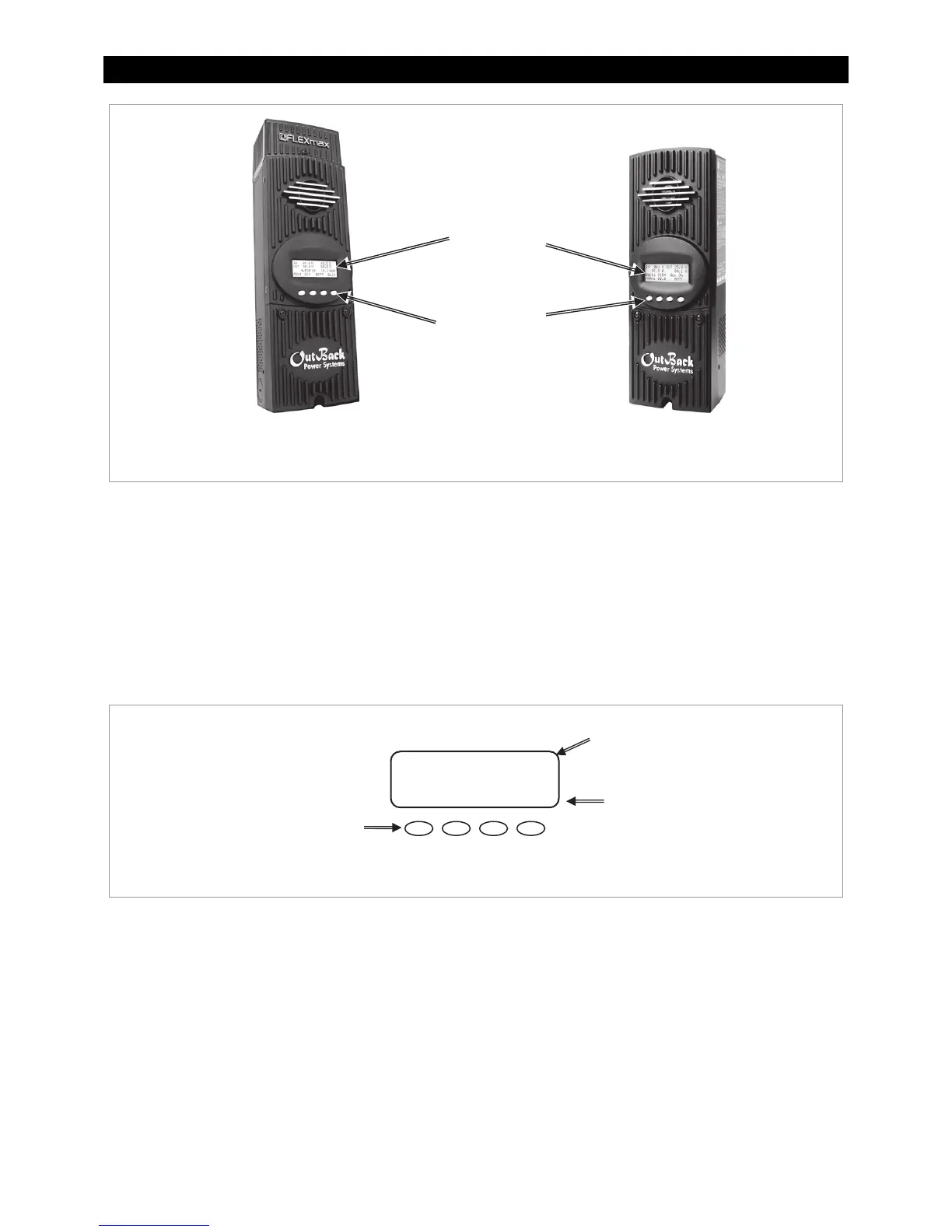
Figure 1 Charge Controller Features
Soft Keys
Four “soft” keys are located directly below the LCD. The functions of the soft keys will vary depending
on the location of the user within the menu structure. Some soft keys will be used for navigation.
Some soft keys will be used for programming.
Soft key functions are identified by text in the LCD screen directly above the key (e.g., EXIT). In this
manual, soft keys will be identified by brackets (for example, <EXIT>). Not every soft key may be used
in some screens.
Figure 2 Soft Keys
FLEXmax 80
LCD Screen
Soft Keys
Charger Aux Light
EQ Misc Advanced
Logging Stats
XIT
O
Main Menu
Soft Key Commands
<EXIT>, <GO> etc.
Soft Key Buttons
LCD
SK1 SK2
SK3 SK4


 To Next Page