MATE3 Screens
62 900-0009-01-00 Rev C
Graph Screens
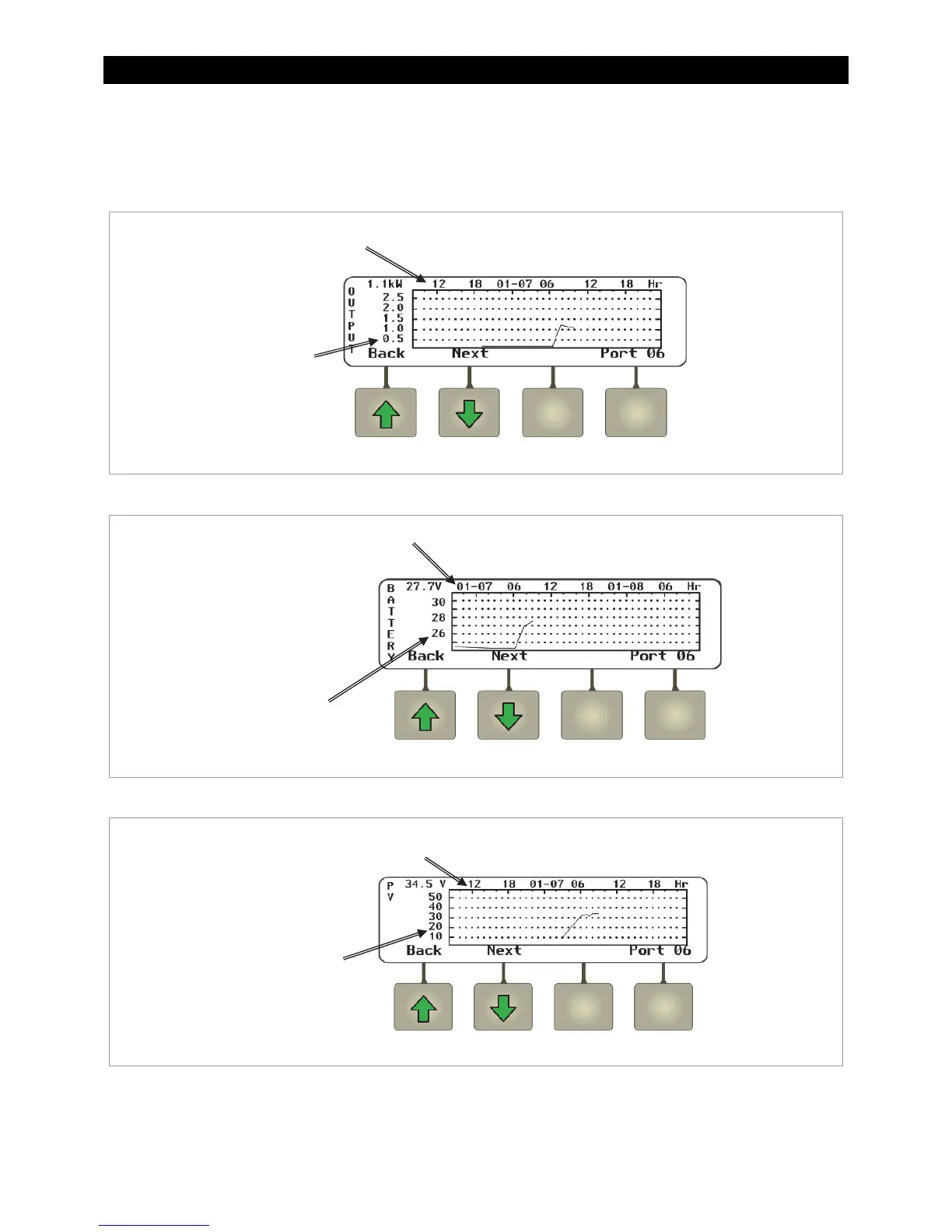
The <Graph> soft key brings up the following screens which plot various type of data over time.
The first screen shows changes in PV wattage over time.
Figure 57 Output Graph
The <Next> soft key brings up a screen showing changes in battery voltage over time.
Figure 58 Battery Graph
The <Next> soft key brings up a screen showing changes in PV voltage over time.
Figure 59 PV Graph
Continuing to press the <Next> soft key will proceed through the same graphs again from
the beginning.
his axis shows date and time
in 6-hour increments.
This axis shows
PV wattage.
This axis shows
battery voltage.
This axis shows date and time
in 6-hour increments.
This axis shows
PV voltage.
This axis shows date and time
in 6-hour increments.



 To Next Page