12. Paper Jams
106
12.2 Document jams (Automatic
document feeder)
Caution:
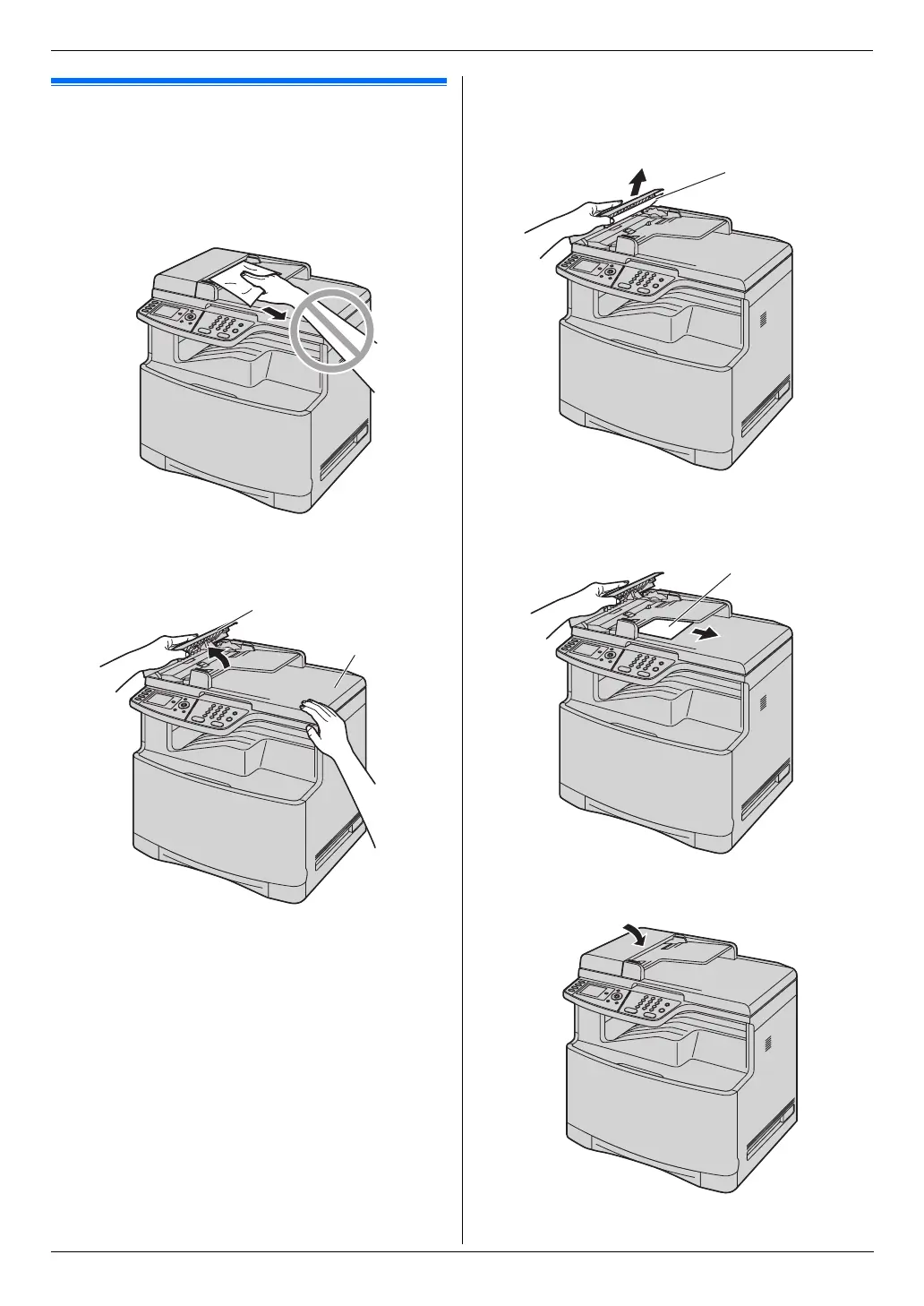
L Do not pull out the jammed document forcibly
before lifting the ADF cover.
1 Open the ADF cover (1) while holding the
document cover (2).
2 Remove the jammed document (3) carefully.
When the document has jammed near the
document entrance:
When the document has jammed near the
document exit:
3 Close the ADF cover.
1
2
3
3












 To Next Page