1. Introduction and Installation
7
For assistance, please contact an authorized Panasonic dealer.
1 Introductio n and Installation1For assistance, plea se contact an auth orized Panasonic deal er.Access ories
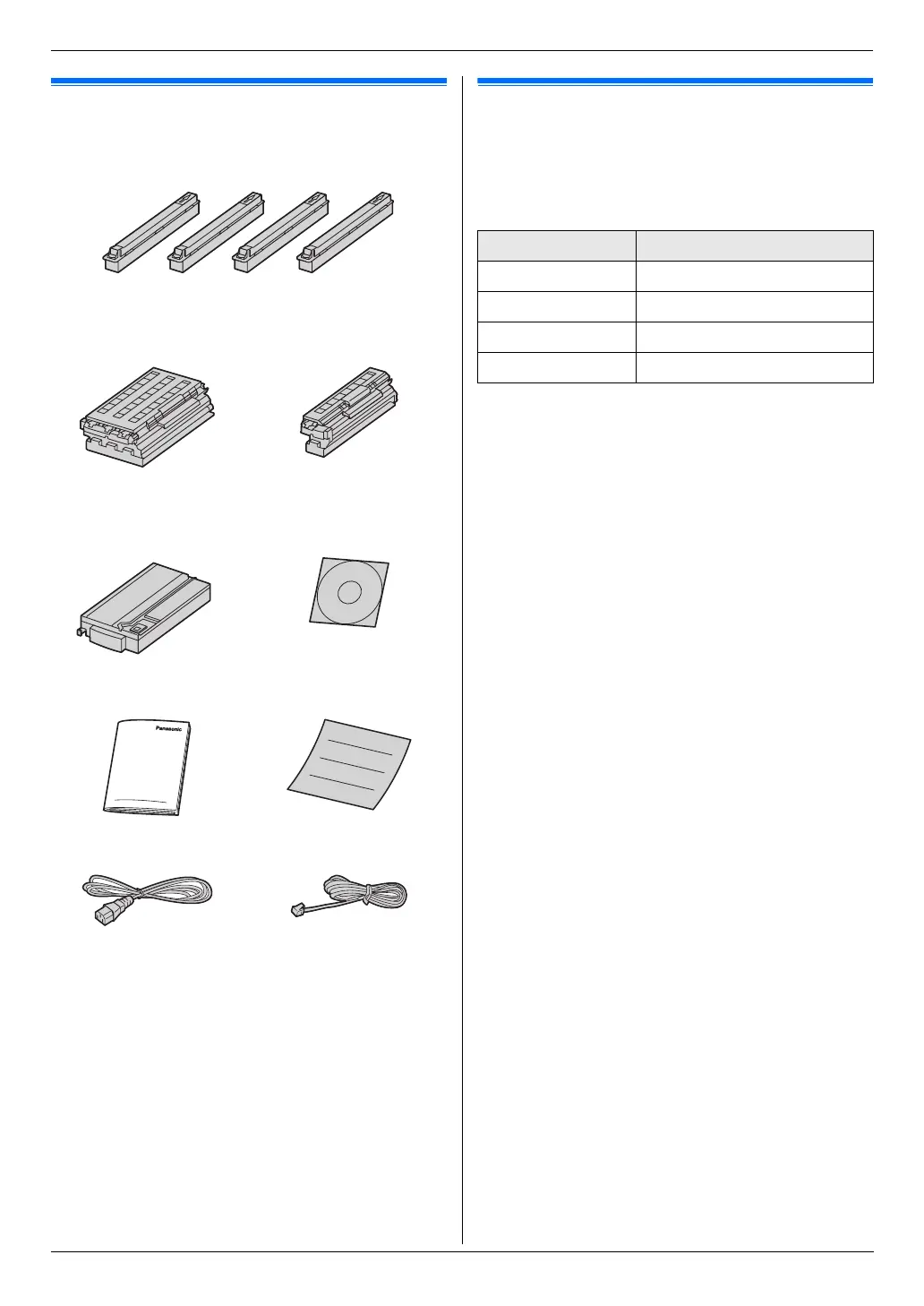
1.1 Supplied accessories
*1 Prints about 4,000 letter-size pages with a 5 %
coverage (page 112).
Note:
L Save the original carton and packing materials for
future shipping and transportation of the unit.
L After unpacking the product, take care of the power
plug cap and/or packing materials appropriately.
1.2 Accessory information
To ensure that the unit operates properly, we
recommend the use of Panasonic toner cartridge and
drum cartridge.
■ Replacement accessories
– Toner cartridge
L Prints about 4,000 sheets of letter-size pages
with a 5 % coverage.
– Color drum cartridge
L Model No. (Part No.): DQ-UHA10C
– Monochrome drum cartridge
L Model No. (Part No.): DQ-UHA10K
– Waste toner cartridge
L Model No. (Part No.): DQ-BFA32
■ Optional accessories
– Optional lower input tray
L Model No. (Part No.): KX-FAP317
– Automatic duplex unit
L Model No. (Part No.): KX-FAB318
– Handset unit
L Model No. (Part No.): KX-FA103
1 Toner cartridge (starter)
(Cyan/Magenta/Yellow/Black)
*1
2 Color drum cartridge 3 Monochrome drum
cartridge
4 Waste toner cartridge
(pre-installed inside the
unit)
5 CD-ROM
6 Quick reference guide 7 Quick installation guide
8 Power cord 9 Telephone line cord
Color Model No. (Part No.)
Cyan DQ-TUA04C
Magenta DQ-TUA04M
Yellow DQ-TUA04Y
Black DQ-TUA04K












 To Next Page