13. Cleaning
108
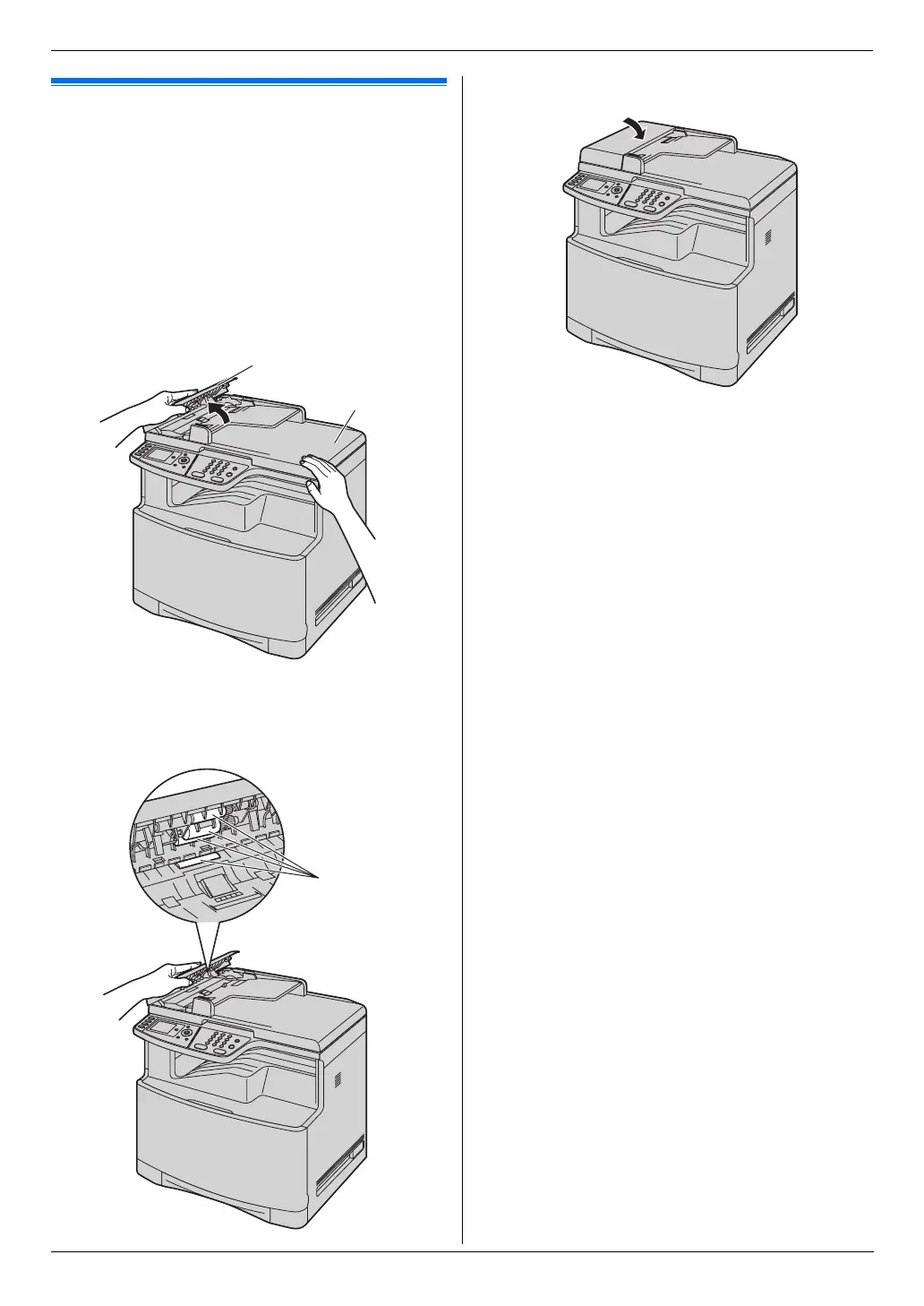
13.2 Cleaning the document
feeder rollers
Clean the rollers when the document frequently
misfeeds.
Caution:
L Do not use paper products, such as paper towels
or tissues for cleaning.
1 Turn the power switch OFF.
2 Open the ADF cover (1) while holding the
document cover (2).
3 Clean the document feeder rollers (3) with a cloth
moistened with water, and let all parts dry
thoroughly.
4 Close the ADF cover.
5 Turn the power switch ON.
1
2
3












 To Next Page